
Participant
August 4, 2017
Question

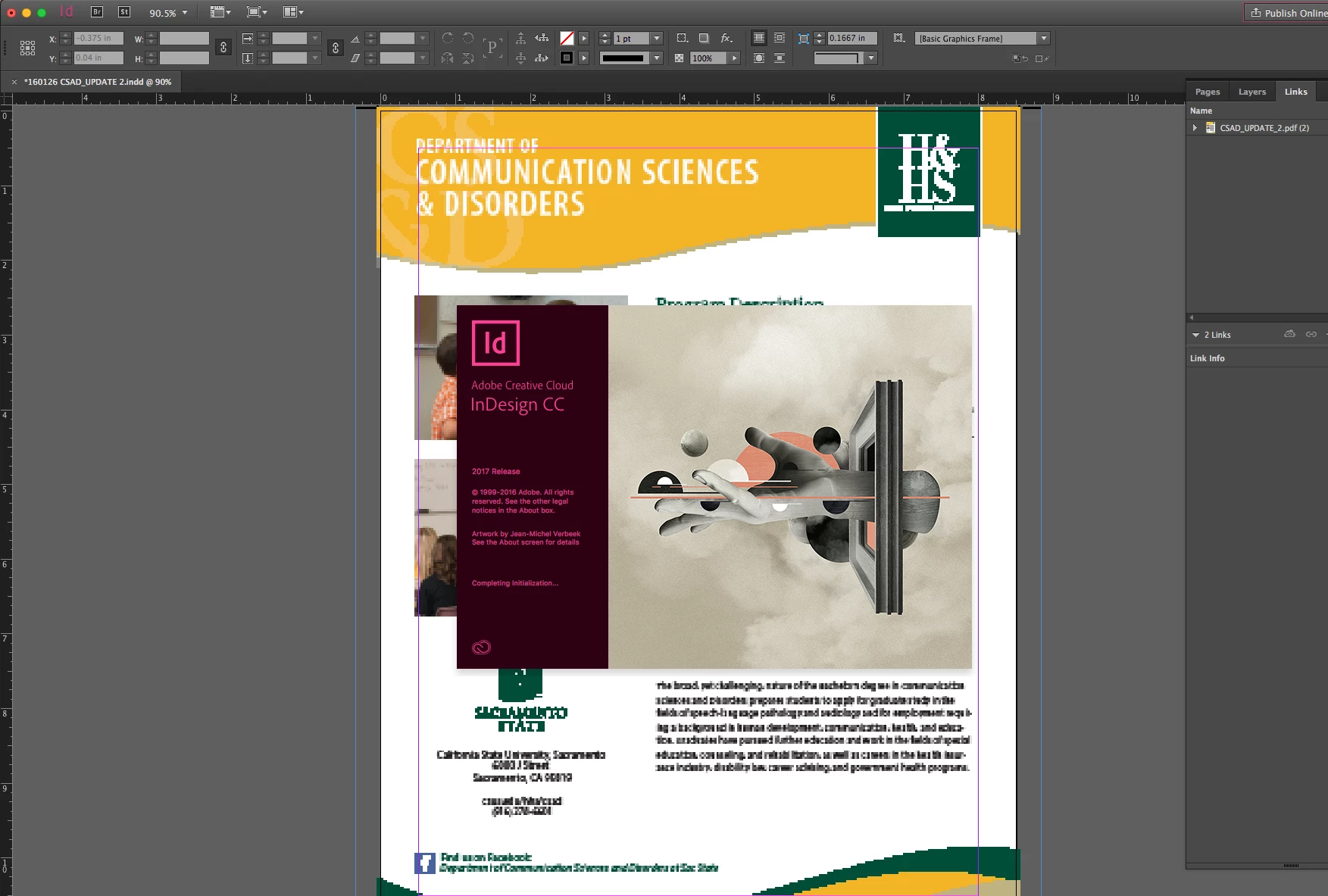
Splash screen not closing after startup

  • August 4, 2017
  • 3 replies
  • 2256 views

Just recently the startup/splash screen stopped closing about half the time I open InDesign. It's not frozen, that screen just hangs there in the way saying "completing initialization." However, I can still open and edit documents, so initialization seems to complete. Also, the splash screen disappears from view (leaving the Indesign workspace/document unobscured) while other windows are active, but reappears as soon as I switch back to InDesign.
This topic has been closed for replies.

3 replies

johnp661480
Participant
October 5, 2017

Are you by any chance, using proprietary software to open the indesign file? It only happens to me when I try to open the ID file through our own app. I haven't seen it done yet if I open it through the Mac OS Finder.

Participant
October 5, 2017

For me - it was to do with login items. I got rid of indesign from User & Groups login items and threw away login preferences (com.apple.loginitems.plist) and it's sorted.

Hope this works for you.

Participating Frequently
September 6, 2017

Hi, I have the same problem on both InDesign and Photoshop.

I'm working on MacBook Pro 13" late 2016 with macOS 10.16.6 and InDesign 2017.1

I've been using InDesign all day long for 10 years now. But as it is is the most buggy and slow software I've ever used I trash Preferences sometimes 5 times a day (including cache and Saved application state).

So this seems to be another problem.

Participating Frequently
September 6, 2017

The problem notably occurs when I activate InDesign in Applescript.

If I launch it from the Dock or open a document while InDesign is not open, the splash screen disappears usually.

For me the splash screen is stuck on "Panel start up".

Participating Frequently
September 6, 2017

Ok I found a workaround but I'm not sure if it can mess something in InDesign.

I simply deleted the images used as the splash screen.

At least the splash screen won't appear anymore.

In Finder :

Go to "/Applications/Adobe InDesign CC 2017/Adobe InDesign CC 2017.app/Contents/Resources/ID_SplashCC@2x.png"

and delete that file

Go to "/Applications/Adobe InDesign CC 2017/Adobe InDesign CC 2017.app/Contents/Resources/ID_SplashCC.png"

and delete that file

amaarora
Community Manager
Community Manager
August 4, 2017

Hi,

Can you upgrade to latest InDesign? (CC 2017.1)

Also please try after renaming or cleaning your cache and preferences

Troubleshooting 101: Replace, or "trash" your InDesign preferences

-Aman

Known Participant
August 5, 2017

I am having this same problem repeatedly and have had the latest version of InDesign (2017.1) installed since it became available.

It is a problem which is resolved briefly after trashing prefs, only to recur time and time again.

It is very frustrating.