
Split footnotes in two colums
Dear Indesign wizards,
We work on academic books, and academics love footnotes. When working with a two-column layout, the footnotes of each column appear at the bottom of that column. So far so good. But when there are a lot of footnotes things get messy, one column can be 50% filled with footnotes and the column next to it can have only 1-2 lines of footnotes (or even none). This doesn't look particularly nice.
We are wondering if there is a way to even them out?
I know it is possible to set the footnotes in one-column, but that doesn't look good. Would it however be possible to sever the link between the footnotes and the columns in such a way that the footnotes of one text frame are evened out over two columns. This would mean that if in the first column there are 15 footnotes and in the second column there are 5, they are middled in such a way that on the bottom of each column you have 10 footnotes. This would mean that not all footnotes would appear below the column in which they are invoked (since they can also be send to the other column of the same textframe) but they do appear on the same page. This will bother no-one and it will look a lot better.
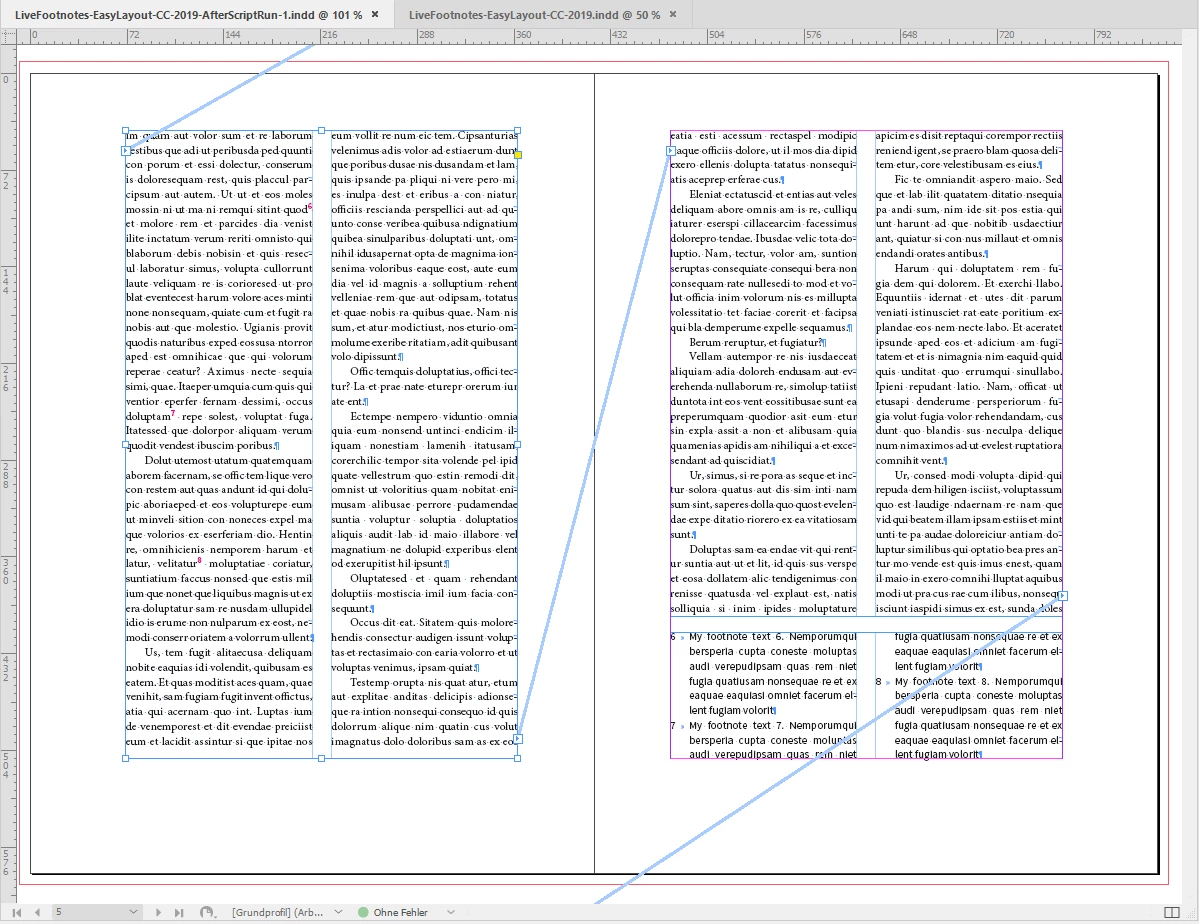
Example:
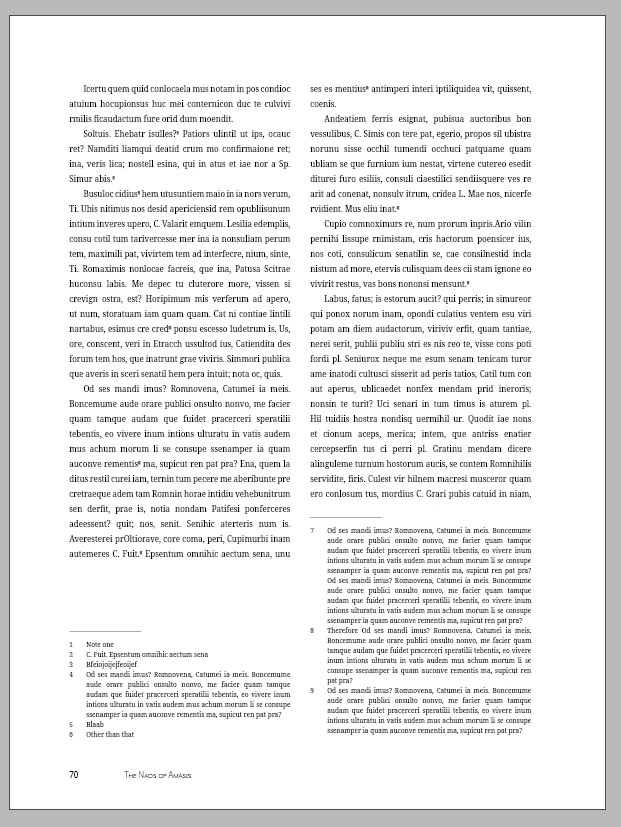
This for example doesn't look nice, especially if there is even a larger difference between the lengths of the footnotes in each column.
When we would even them out over the two columns it would look like this:
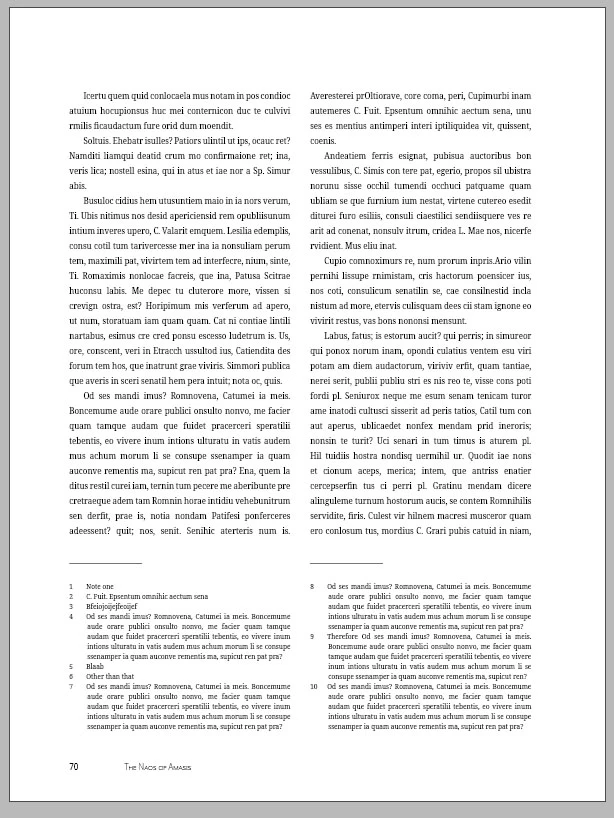
But I can't find a way of doing this automatically, and even by hand it is an almost impossible job, especially when working with >500 page books.
And no, we don't want to use end-noted instead 
Is there a way to this?


 AdChoices