
Participant
January 24, 2023
Question

Strange looking font in InDesign

  • January 24, 2023
  • 3 replies
  • 431 views

Hi All,

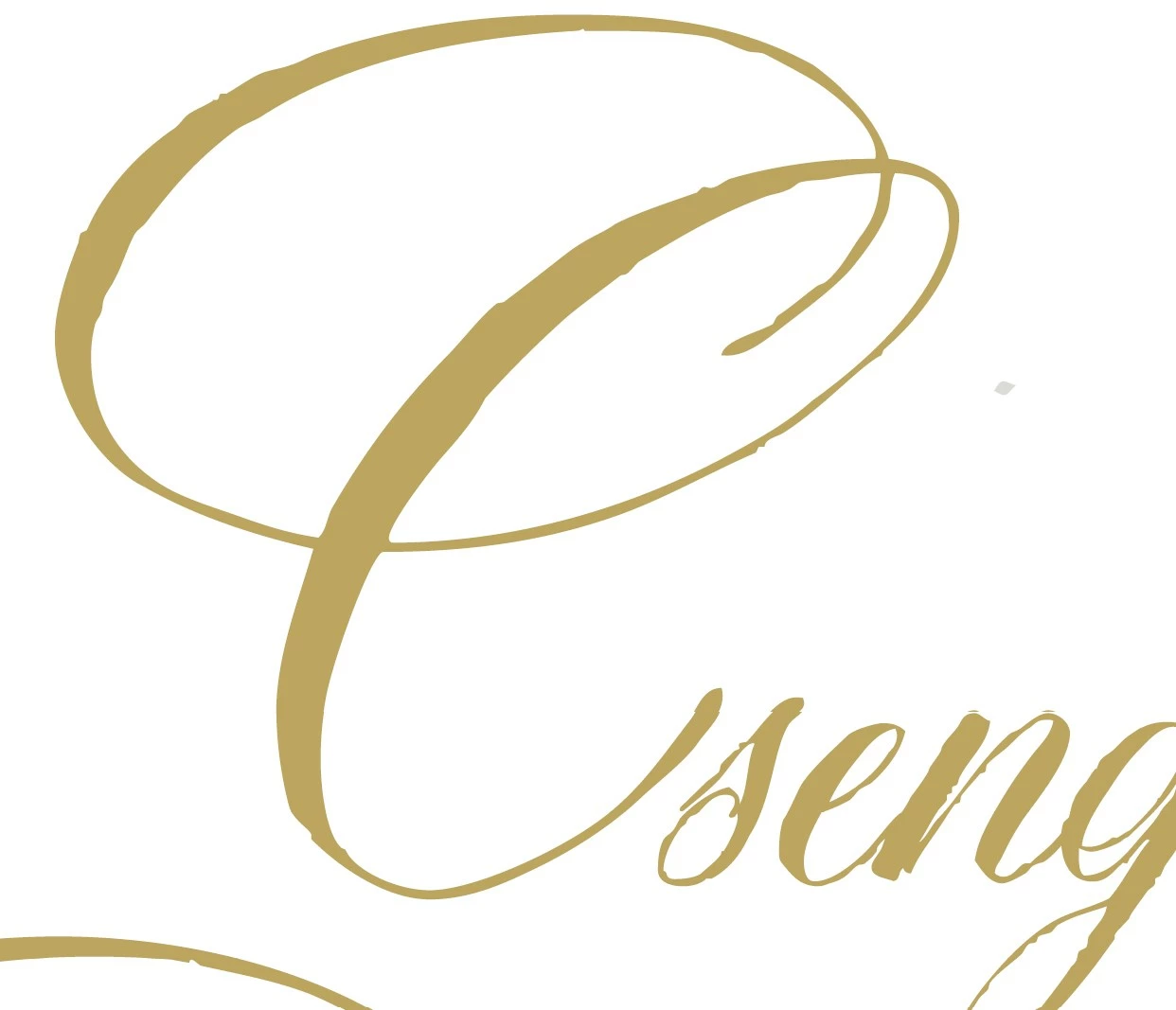
I've activated a font in the web, it appears in InDesign, but looks a "little bit" weird. Checked the font on the creator's page, I think there is OK, for me it is strange. Is it a normal thing? Is it only a preview to buy directly form the creator or something wrong with my setup? All apps are updated. The font is DomLovesMary Pro, but for example Nori Regular also the same quirky thing.
 

Thank you for your answer.


This topic has been closed for replies.

3 replies

Community Expert
January 24, 2023

"little bit" weird - do you mean the rough edges? If yes, this is the intended design of the font.

Bevi Chagnon - PubCom.com
Legend
January 24, 2023

@Jeffrey_Smith, I agree.

I think the font is designed to look like hand caligraphy with pen ink on rough paper.


|    Bevi Chagnon   |  Designer, Trainer, & Technologist for Accessible Documents ||    PubCom |    Classes & Books for Accessible InDesign, PDFs & MS Office |
James Gifford—NitroPress
Legend
January 24, 2023

Do you have View | Display Performance set to High Quality? If it's set to Fast or Typical, rendering and resolution get rougher (as a tradeoff for speed), and whole most of a page might look okay, a very complex font such as this might show more "roughness" than  simpler ones.


HARSHIKA_VERMA
Community Manager
Community Manager
January 24, 2023

Hi @Tündér Lala,


Thank you for reaching out. Would you mind telling us from where you've activated the font? Is it from the Adobe Fonts website? 


I see the font looks the same on the font's website, InDesign, and other Adobe apps.


Could you please share the screenshot of the font from the Creator page to see the difference?


We will try our best to help.


Thanks,

Harshika