
Inspiring
February 22, 2022
Answered

Strange relationship between ToC and Bookmarks

  • February 22, 2022
  • 2 replies
  • 540 views

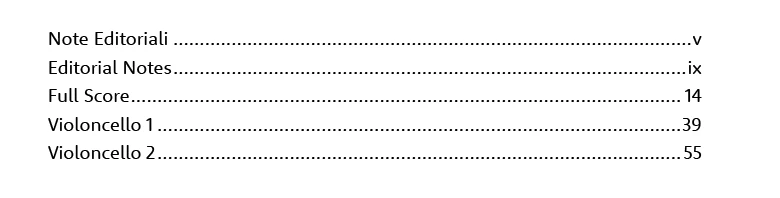
I'm creating a very simple TOC which is "fishing" hidden text frames on pages where this text should not appear. Here is a picture of my TOC as it appears on the page: 
When I open the Bookmarks panel to add some manually for the PDF export, I get all the entries nested into the first one (Note Editoriali), as shown here:  
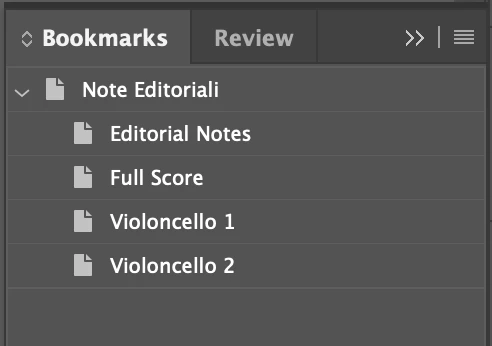
Why is this happening and how can I make all of these be un-nested entries?

Thank you
This topic has been closed for replies.
Correct answer Dave Creamer of IDEAS

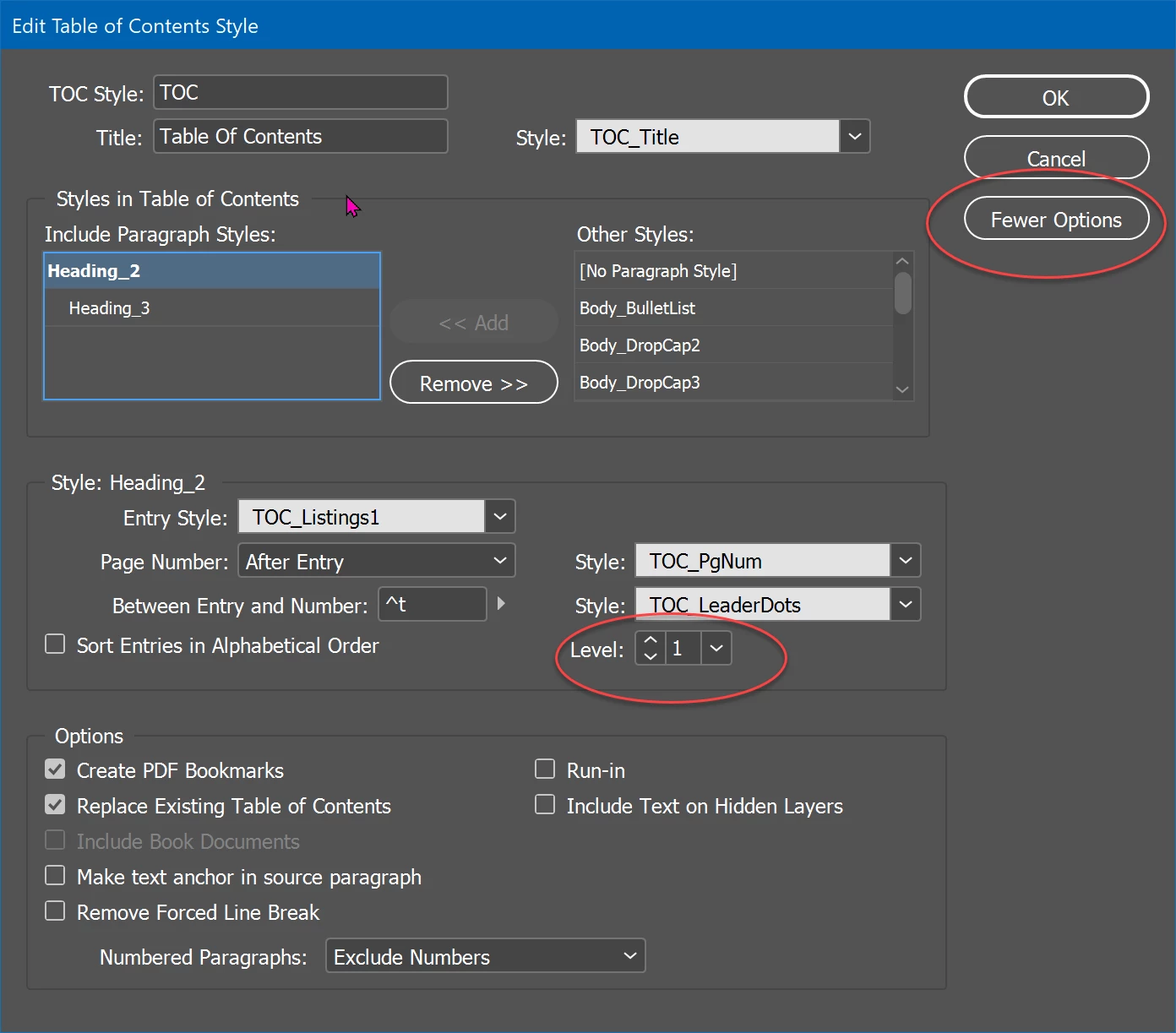
As discussed in another post where you posted another question about bookmarks, check your levels in your TOC style. Make them all Level 1 if you don't want them nested.

2 replies

Dave Creamer of IDEAS
Community Expert
Dave Creamer of IDEASCommunity ExpertCorrect answer
Community Expert
February 22, 2022

As discussed in another post where you posted another question about bookmarks, check your levels in your TOC style. Make them all Level 1 if you don't want them nested.

David Creamer: Community Expert (ACI and ACE 1995-2023)
Community Expert
February 22, 2022

Hi Inélsòre,

could you share this document so we can have a look?


Thanks,
Uwe Laubender

( ACP )

Inspiring
February 22, 2022

This is something copyrighted that I have to publish, how can I create a version of it that it is shareable? 

Community Expert
February 22, 2022

You wouldn't be breaking the copyright by sharing it with someone here.

People with Adobe Community Professionals are noteworthy people on the forum who have only an interest in helping you.

It's up to you if you wish to share your files or not.