Participant
November 24, 2021
解決済み

Strange skewing of type on a path when outlining text

  • November 24, 2021
  • 返信数 6.
  • 2431 ビュー

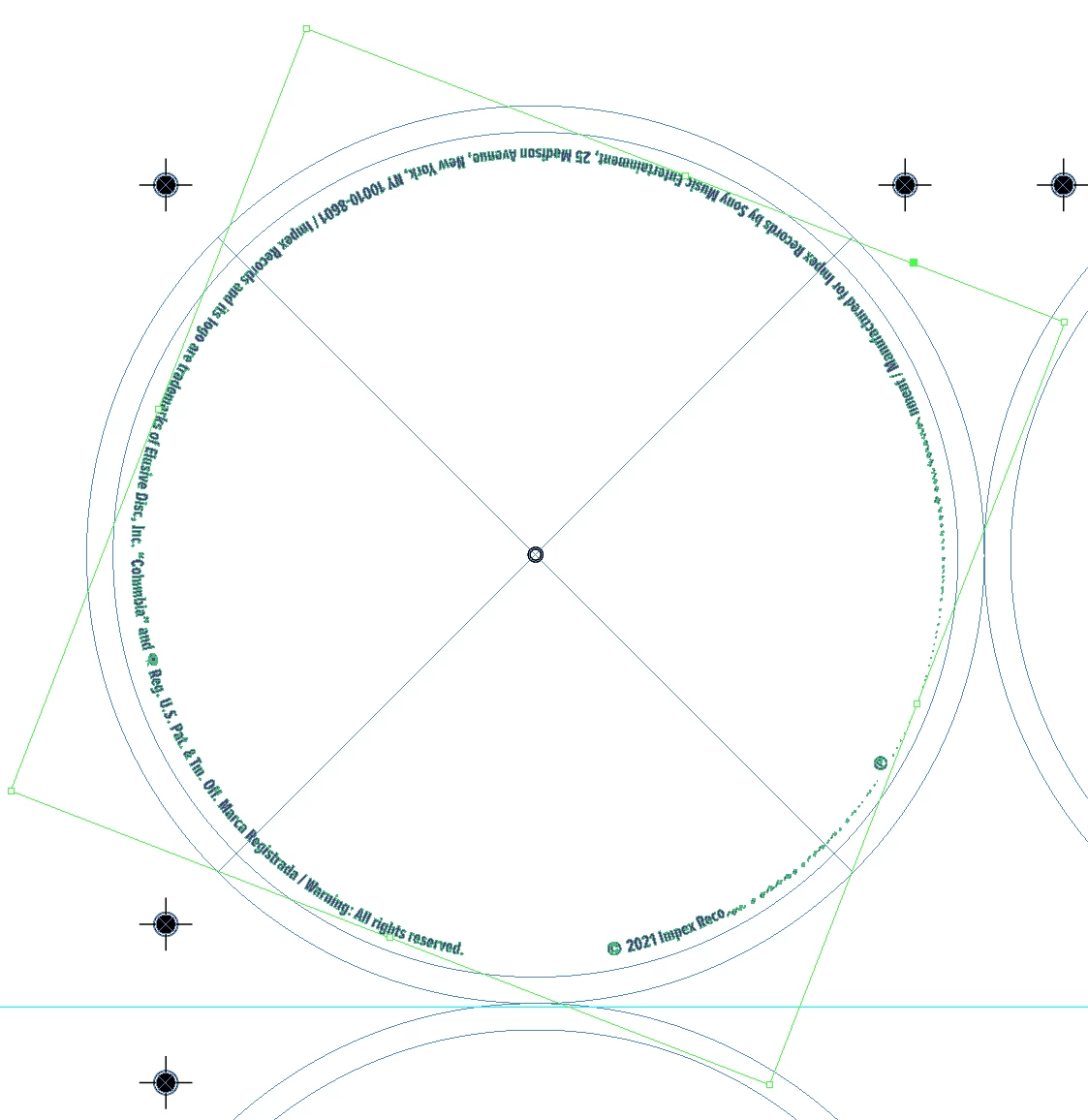
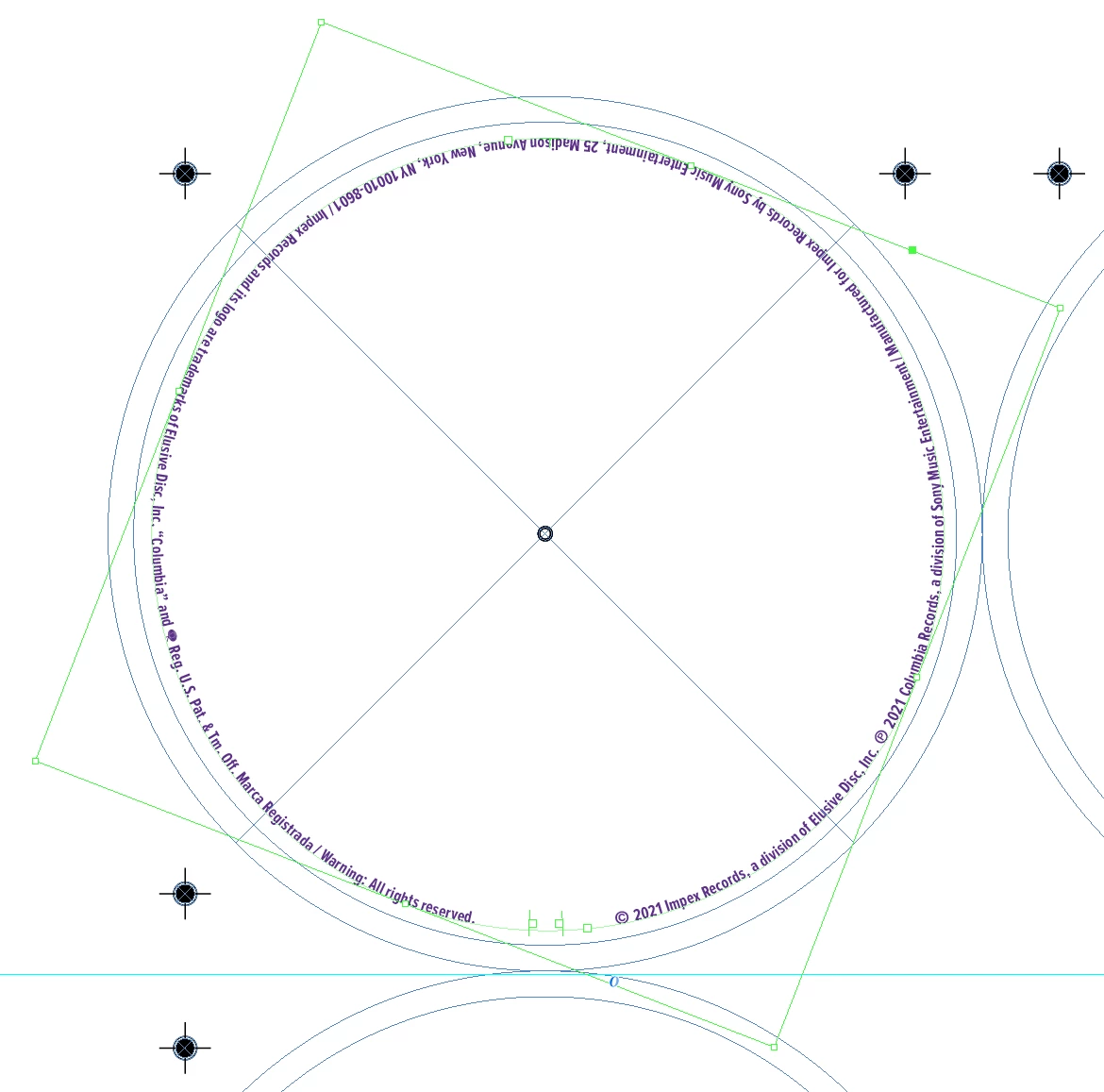
Outlining type on a path and get this result (original type attached for reference:

Any ideas what this is?


Type On a Path is set to Rainbow / Align: Baseline / Flip = Yes / To Path = Center. This setup has worked perfectly on dozens of other jobs for years.

このトピックへの返信は締め切られました。
解決に役立った回答 SJRiegel

Converting text to outlines in InDesign often creates more problems than it solves.  It is simply not a good practice, outside of small amounts done for design reasons (such as reshaping characters, or using the text as an image frame)

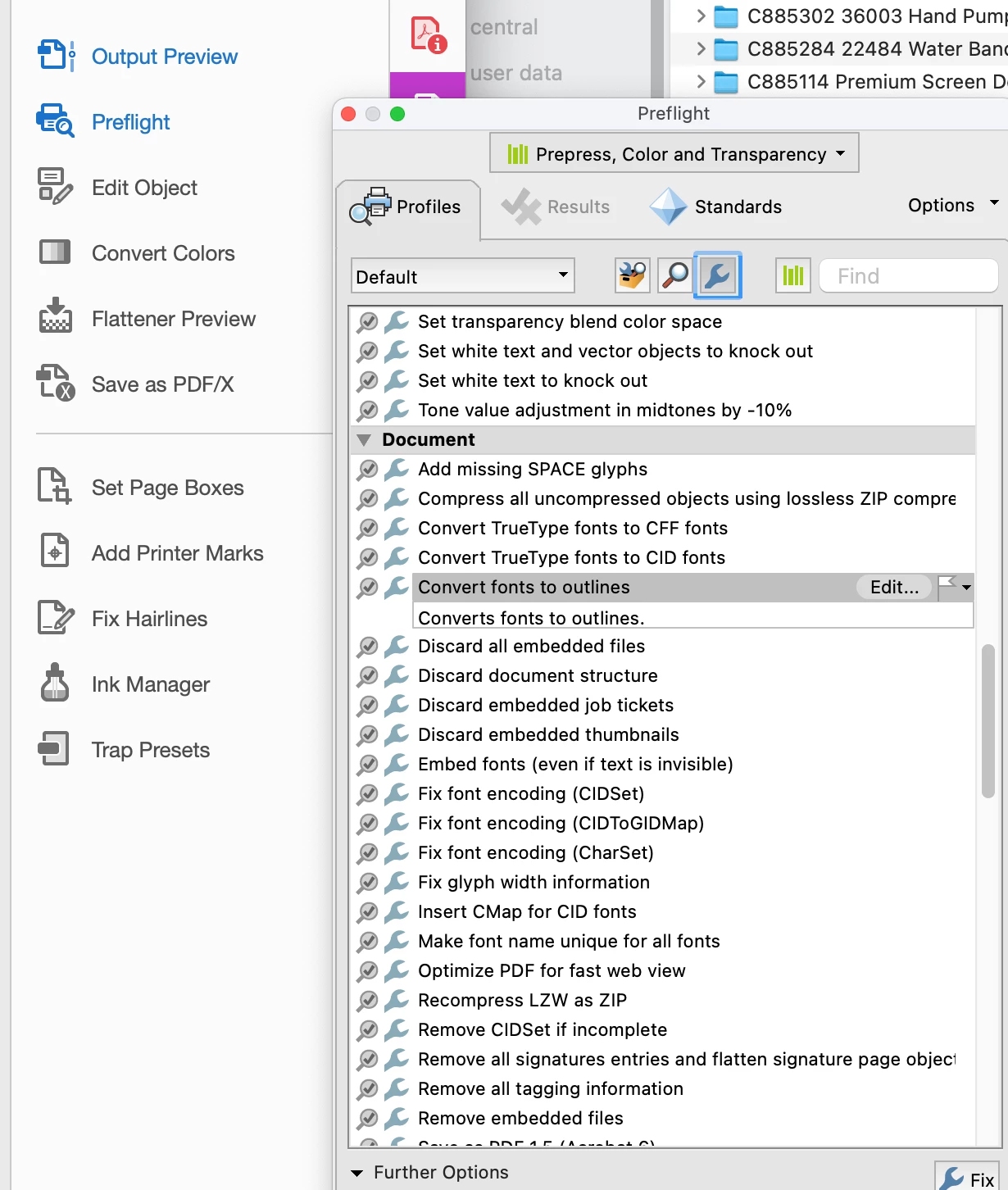
If you have a need for the text be be outlines (for instance, if you have no choice about what printer to use, and the printer is demanding this), then the way to do it is to create the PDF from InDesign with the live text, and then use the preflight tools in Acrobat to outline the text. It's under Print Production > Preflight

This will avoid all of the pitfalls associated with outlining large quantities of text directly in InDesign.


返信数 6

Participant
July 13, 2022

I had this same problem when trying to outline text that was typed on a path. I copied text into Illustrator, it converted to outlines. Then, I copied the text back into InDesign. It worked. Having to remember to outline text in Acrobat is not feasible for the amount of projects I'm working, so really happy to have found a workaround. Hope this helps others.

Community Expert
January 25, 2022

Hi Simon,

could you post your InDesign document where you see this issue?

I'd like to test something.


Thanks,
Uwe Laubender

( ACP )

simonb61272824
Inspiring
January 25, 2022

Yes - will do - thanks...

simonb61272824
Inspiring
January 25, 2022

I also have this newly manifesting problem in v17.0.1. I hope there's a fix in the next update as I keep having to open up the previous version of INDD to perform this simple task.

simonb61272824
Inspiring
January 25, 2022

...as a PS before someone suggests it; converting to paths in Acrobat is a pretty poor work around, for me. I convert to paths in INDD for elements like this so I have full access to object styling options, which are flaky and volatile when applied to live type. 

Community Expert
November 25, 2021

Hi hebegebestudio,

ok, you can solve this now in Acrobat.

Nevertheless I'd like to see into the issue more deeply.

Could you provide your sample InDesign document?


Thanks,
Uwe Laubender

( ACP )

Participant
November 26, 2021

The complete file is under an active NDA and can't be shared publicly. Would just the text layer in question be helpful?

Community Expert
November 26, 2021

Just the text layer would be ok, if you still can see the issue with that text layer.


Regards,
Uwe Laubender

( ACP )

SJRiegel解決!
Legend
November 24, 2021

Converting text to outlines in InDesign often creates more problems than it solves.  It is simply not a good practice, outside of small amounts done for design reasons (such as reshaping characters, or using the text as an image frame)

If you have a need for the text be be outlines (for instance, if you have no choice about what printer to use, and the printer is demanding this), then the way to do it is to create the PDF from InDesign with the live text, and then use the preflight tools in Acrobat to outline the text. It's under Print Production > Preflight

This will avoid all of the pitfalls associated with outlining large quantities of text directly in InDesign.



Participant
November 24, 2021

Thank you for the info. Outlining type in Acrobat Pro worked flawlessly. I will update my workflow with this helpful hack going forward!

Community Expert
November 24, 2021

What was the version of InDesign where it worked?

Could you install it again to finish this job?


What's your current version of InDesign?

What's your operating system?


Would it help if you outline the fonts in a PDF with Acrobat Pro DC?

When in Acrobat Pro switch to Print Production > Preflight and run the single fix "Convert fonts to outlines".


Regards,
Uwe Laubender

( ACP )

Participant
November 24, 2021

Thank you for the response. I have outlined type in every version of ID since CS4 and even in the current 2022 CC version. I will try the PDF Preflight solution. That would be helpful for other workflow issues, too! Thank you.