Inspiring
March 20, 2018
Answered

sub-bullets

  • March 20, 2018
  • 4 replies
  • 23638 views

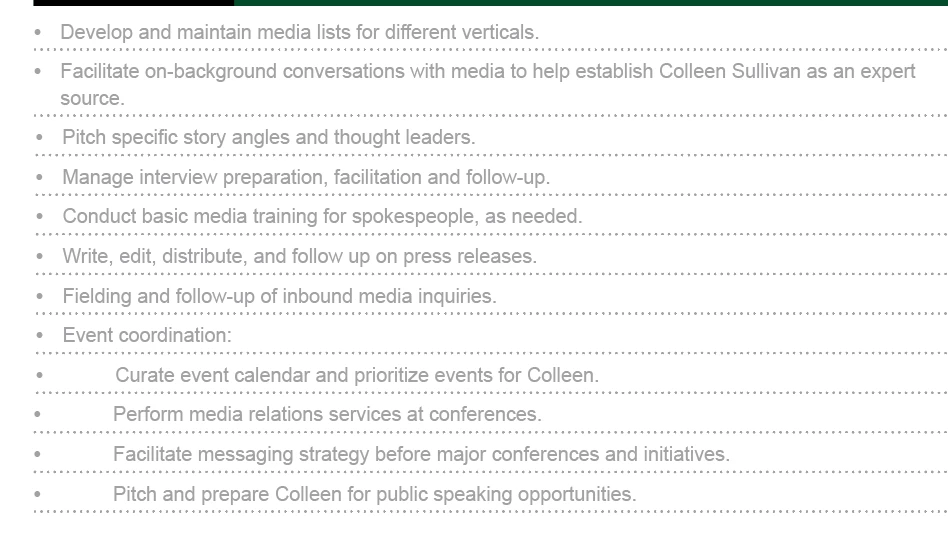
how can i alter the bulleting style to make the last four bullet points in this list appear indented as sub bullets under "event coordination"? i've tried creating a new paragraph style but it doesn't seem to be working

This topic has been closed for replies.
Correct answer barbara_a7746676

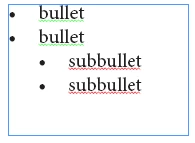
Here's an example:

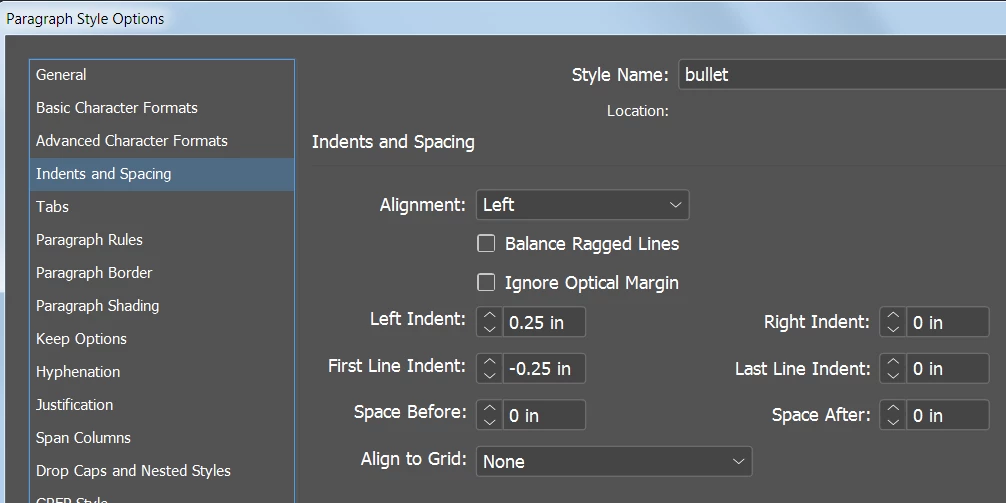
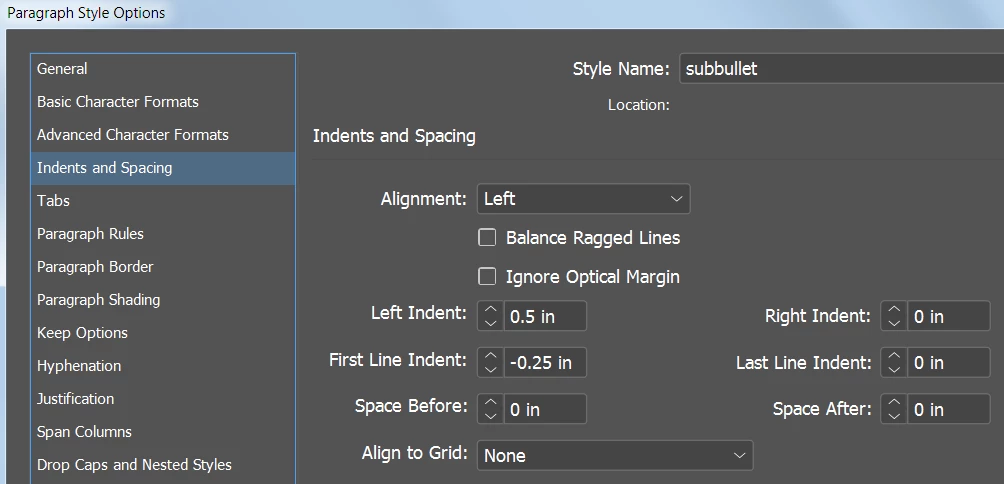
Note that the subbullet settings are Left Indent twice the amount of the bullet setting, and First Line Indent are the same for both styles.

Bullet settings:
Subbullet settings:
4 replies

Inspiring
March 20, 2018

all of that worked, but now i'm wondering how to align the second line in a sub-bullet with the first - i.e., how can i indent "each platform" to align with "identify social media..."?

Barb Binder
Community Expert
Community Expert
March 20, 2018

Select the list.

Alt/Opt click the Bullets button on the Control Panel

Set left, first and tab position as follows (leave blank or set to left indent value):

~Barb

~Barb at Rocky Mountain Training
barbara_a7746676
Community Expert
barbara_a7746676Community ExpertCorrect answer
Community Expert
March 20, 2018

Here's an example:

Note that the subbullet settings are Left Indent twice the amount of the bullet setting, and First Line Indent are the same for both styles.

Bullet settings:

Subbullet settings:

Legend
March 20, 2018

A new paragraph style should work. You need to change your indents. You can do this in the tab panel or the Indents and spacing panel

amaarora
Community Manager
Community Manager
March 20, 2018

Hi,

To achieve something like in your screenshot above, adjust the values of Tab Position in the "Bullets and numbering" section of paragraph style applied on the bullet text.

You can also adjust the "Left Indent" value to have a different kind of indented bullets like this...

-Aman