

Christopher Pickering
Known Participant
January 29, 2020
Answered

Tab lost between left paragraph indent and negative first line indent

  • January 29, 2020
  • 3 replies
  • 833 views

Hi,


Please check out this example:


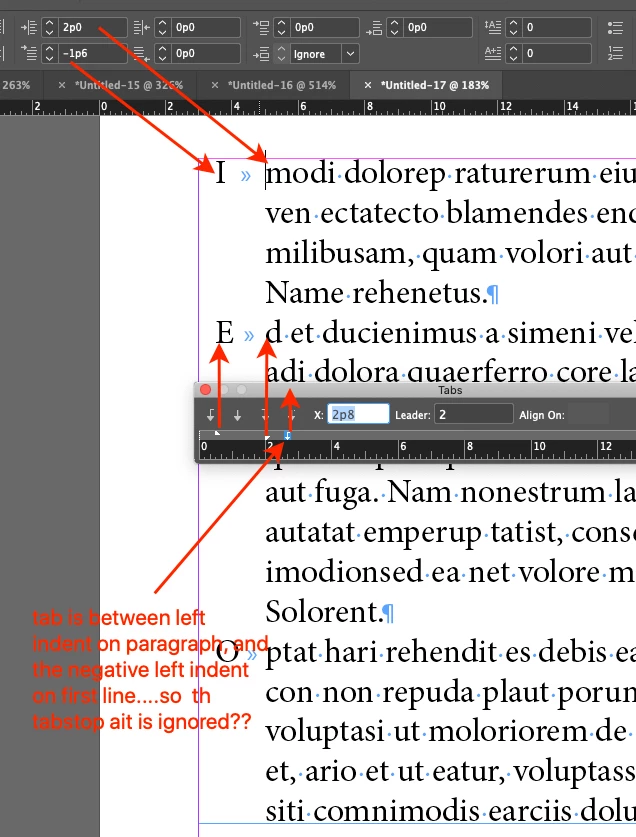
A paragraph with 2p left indent, and -1.5p left indent on the first line.

Then try to add a tabstop to make the starting text (modi in this pic) have some indentation.


It seems tab stop is not picking up the tabs that end in between the -1.5p and 2p indents.


Does the same thing happen to you? Do you have any ideas for a work around?
Thanks!

Christopher 


This topic has been closed for replies.
Correct answer federico platon

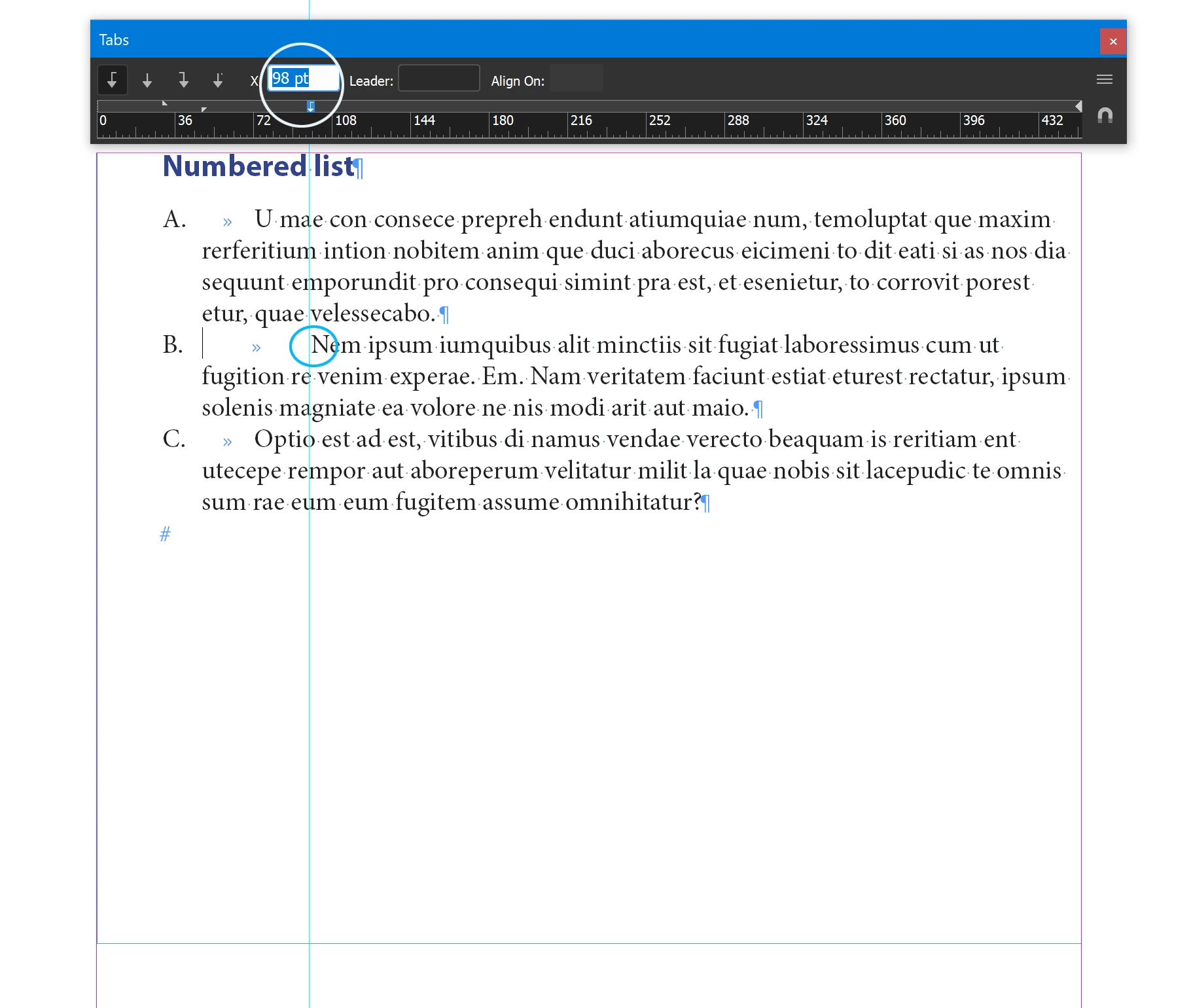
You can instead select those paragraps and convert to a numbered list, where you can then move the tab stop in those paragraphs further right as you need, adjusting its position with the Tabs ruler.

Once you have done it, to replace A, B, C with corresponding letters, select the text and Text>Bullet &  Numbering Lists>Convert numbering to text, and replace.

3 replies

federico platonCorrect answer
Legend
January 30, 2020

You can instead select those paragraps and convert to a numbered list, where you can then move the tab stop in those paragraphs further right as you need, adjusting its position with the Tabs ruler.

Once you have done it, to replace A, B, C with corresponding letters, select the text and Text>Bullet &  Numbering Lists>Convert numbering to text, and replace.

Christopher Pickering
Known Participant
January 30, 2020

Excellent, thank you! Yes, I'm actually using it for numbered text that is also indented. I will use that solution.


Thanks!

rob day
Community Expert
Community Expert
January 29, 2020

The tab isn‘t going to do anything unless it is to the left of the first line left indent marker. So a left aligned tab to the left of the marker would do this:


If you want less space between the indents you don’t need to include a tab stop:


But if there will be more than one character before the tab, you have to allow enough space for the extra characters to clear the first line indent:


Christopher Pickering
Known Participant
January 30, 2020

Thanks for the suggestions! 


I think I wasn't super clear though, or am misunderstanding you 🙂 


The first paragraph in this pic has the tab stop between the two indents.


The second paragraph is how I want it to look, but I had to put in 2 tabs. Is there a way to do it with only one tab?

Legend
January 30, 2020

If you use one tab the following text will move right up to your l;eft indent, it acts as a first stop, thus you need two tabs using your settings scheme.

BUT, you may instead, use just one tab and readjust your left and first line indents. That's, you wish to displace that text 24pt further to the right, left indent must increase 24pt and first line indent reduce 24pt.

(To move the indent points on the Tab ruler indepently press Shift while dragging, or select and change value in numerical window).

You may also insert an em space white space.

And please, keep in mind that tabs cannot be included in paragraph styles, 


Does you question relates to any practical or real sitruation?

I can hardly imagine a paragraph where the first line starts with just one letter left hanging, and the following first line text is right displaced from the following lines below.


Could you please show us an example using real text? Thanks


Legend
January 29, 2020

In your capture the tab stop shown on the ruler tab, is at the right of both indents.

If you place a (just one) tab in a position at the left of the Left Indent it does practically nothing, the text continues at the Left Indent position. (The tab stop is at right of the Left Indent)

While if you place the tab stop at the left of the Left Indent the text continues at that point, if there is enough space after the initial text starting at the First Line Indent and the Left indent position.

Please check by youself with bigger values to visualize it.


rob day
Community Expert
Community Expert
January 29, 2020

Sorry, I did not see your post