
Participating Frequently
August 6, 2017
Answered

Tab Spacing.

  • August 6, 2017
  • 3 replies
  • 6307 views

I'm just having a little bit of trouble trying to get my tab spacing to line up for me, and was hoping to get a little help.

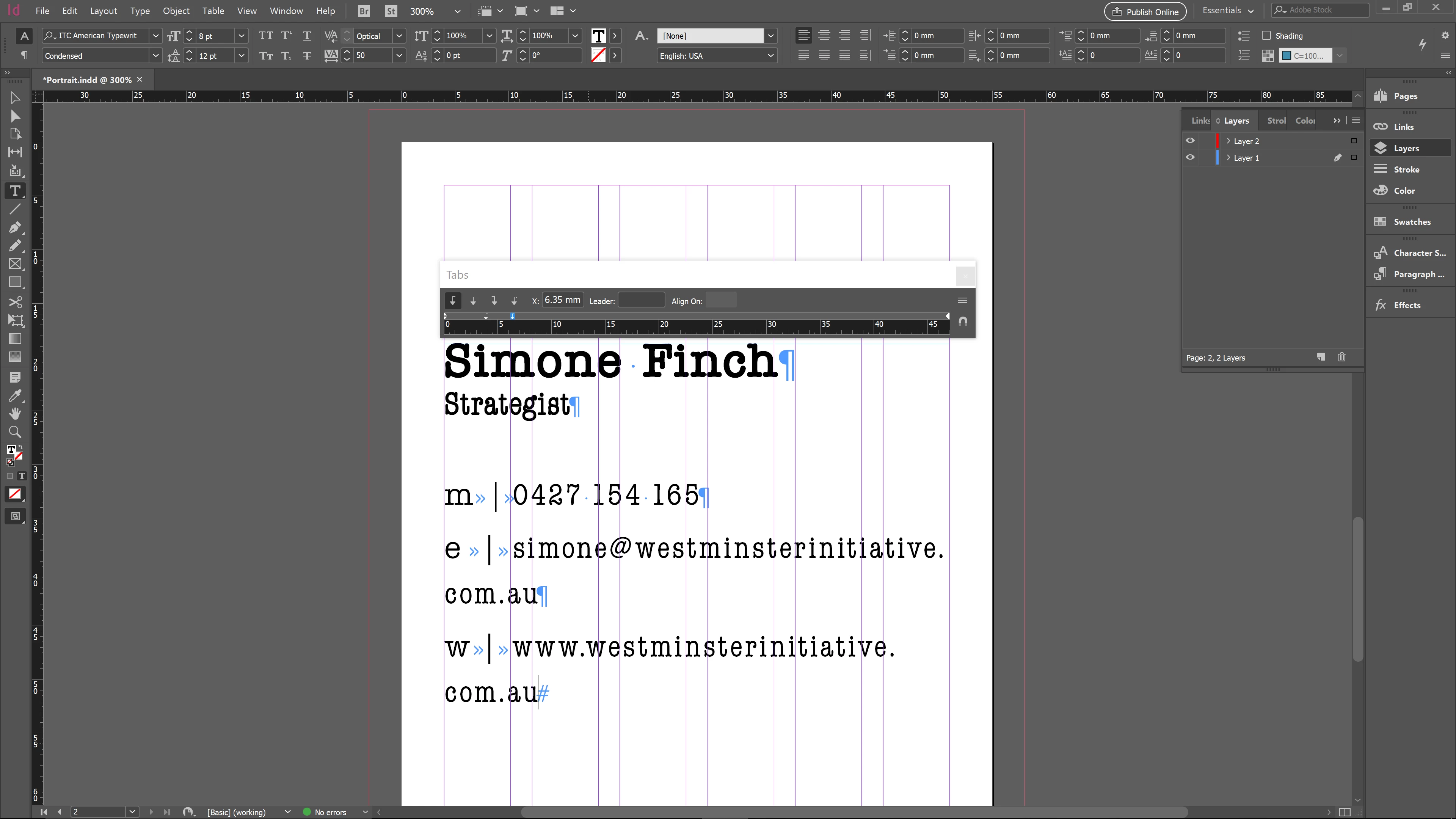
I have attached a screen shot to help explain. Basically I'm trying to get the verticel bar on all three lines to line up. I have opened the tab display and adjusted all three lines to where I want the tab to start and end. This seems to have worked here the "e" and the "w" are concerned, however as you can see the verticle bar after the "m" is further indented. I realise I've no doubt done something very stupid, or just forgotten to do something, but it's been driving me crazy.

I have tried adjusting each indivual line and trying to aling them visually, but I can't get them to line up right that way either.

Any help would be appreciated.

Cheers.
This topic has been closed for replies.
Correct answer jane-e

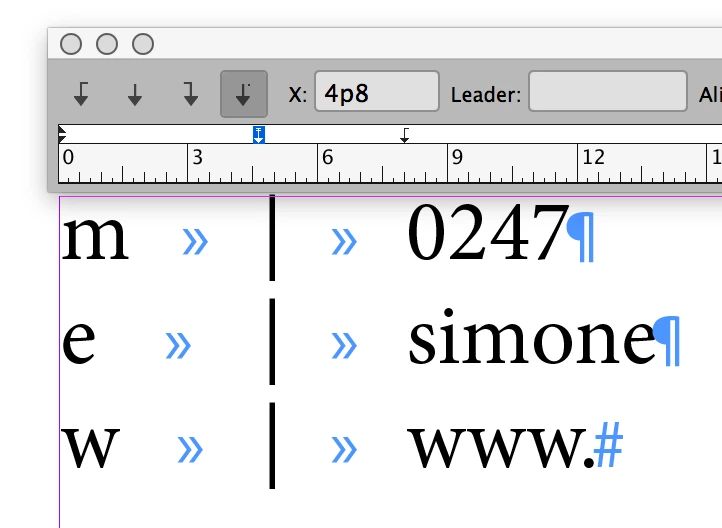
Your first screen shot shows the settings for your second (correct) tab. Neither shows what you have for your first tab. Since you are not you styles, select all three lines (or use shift+return at the end of the first two to make them one paragraph).

I suggest a decimal tab for the tab type, with the pipe character instead of the default period for the Align On, as shown below:

(If this does not work, please select your paragraphs PLUS the tab stop and post another screen shot.)

3 replies

Participating Frequently
August 6, 2017

I have tried adjusting them individually, and as a group, as well as setting the tab in a paragraph style as well as outside it.

I have selected all the lines and you can see that there is no blue tab indent indicating two different tab space settings.

jane-e
Community Expert
jane-eCommunity ExpertCorrect answer
Community Expert
August 7, 2017

Your first screen shot shows the settings for your second (correct) tab. Neither shows what you have for your first tab. Since you are not you styles, select all three lines (or use shift+return at the end of the first two to make them one paragraph).

I suggest a decimal tab for the tab type, with the pipe character instead of the default period for the Align On, as shown below:

(If this does not work, please select your paragraphs PLUS the tab stop and post another screen shot.)

Participating Frequently
August 7, 2017

I'm not sure exactly what I did lol. But this definitely put me on the right path. Thank you

Jongware
Community Expert
Community Expert
August 6, 2017

> I have tried adjusting each indivual line ...

Select all three lines at once and then adjust the tabs. You will initially see mixed tab stops; just select "Clear all" so you can see what you are doing.

BobLevine
Community Expert
Community Expert
August 6, 2017

Tabs can be set as part of a paragraph style. Have you done that or did you try to set each line individually?