
Table cell stroke issue
I'm having an issue with a table cell stroke that, try as I might, won't conform to what I want it to.
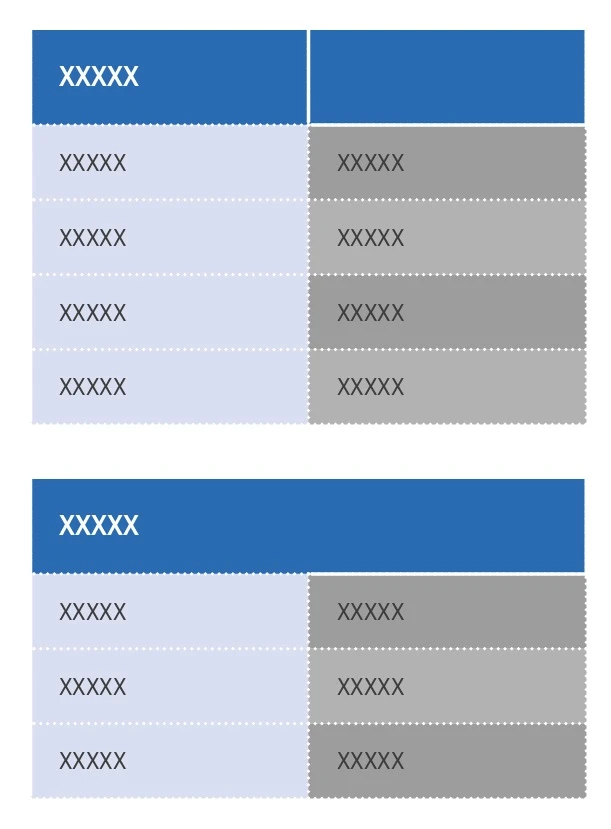
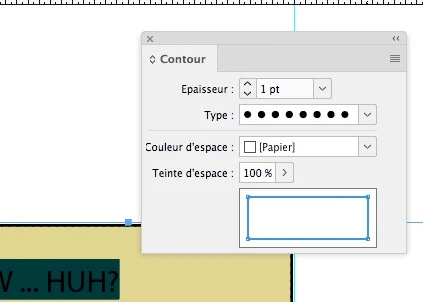
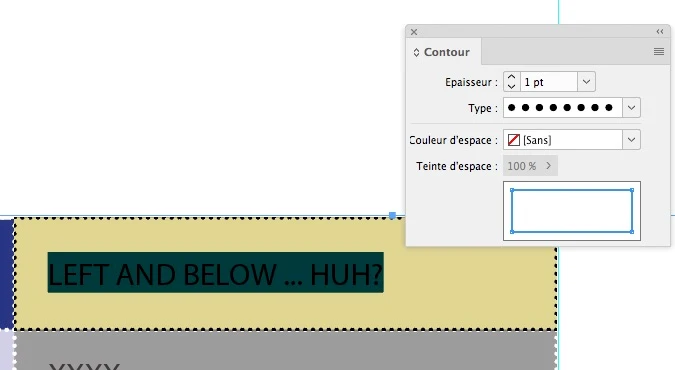
I've set all the cells to have a 1pt japanese dot border of colour 'paper'. However, cell A2 (if it were a spreadsheet) always seems to show a solid border, although suspiciously the corner of the stroke looks rounded. This happens also when the cell is merged with A1 (see below).
Note, I'm not using table headers or footers. Row A is just a standard row. The different cell styles are defined under "Cell Styles" and I've cleared both "cell attributes not defined by style" and "clear overrides in selection".
I've attached a file with the content removed apart from one of the tables that has the issue.
All help gratefully received, I've really been puzzling over this one for an unhealthy amount of time!

 AdChoices