ashimg23377171
Inspiring
July 19, 2019
Answered

table jumping to next page

  • July 19, 2019
  • 3 replies
  • 5391 views

Hello

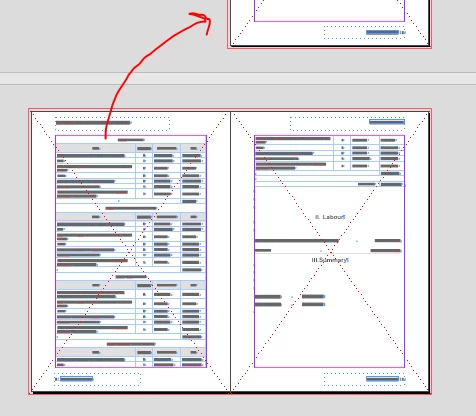
I have a table comprised of 41 rows, and each row/cell does not have a lot if information in it, but yet the entire table is jumping on to the next page. i have not witnessed something like this before. what could i be missing here pls.

Screenprints below:

I want the table to start after 'Materials' but it is moving on to the next page as shown in the screenprint that follows this one.

I don't have any breaks on this page.
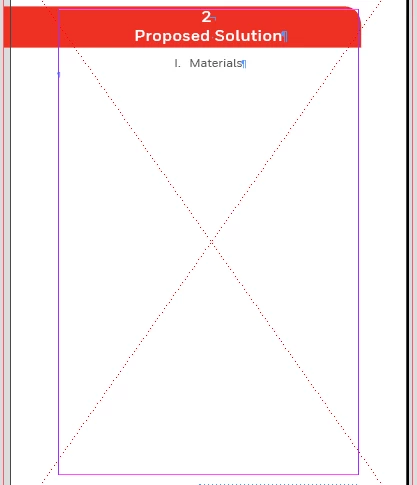
entire table moving to the next page, but flowing perfectly on to the next page. why is it then not starting from the preceding page - that is, right after the 'Materials' heading.
Any guidance would be greatly appreciated.

Regards
    This topic has been closed for replies.
    Correct answer Eugene Tyson

    And i would really like to get this right. And i am at a loss as to why it is happening. i can understand if any of my cell/row had a lot of content, InDesign breaks that row onto the next page.

    But why is it happening in this case.


    Ok- hoepfully we can get to the bottom of this!

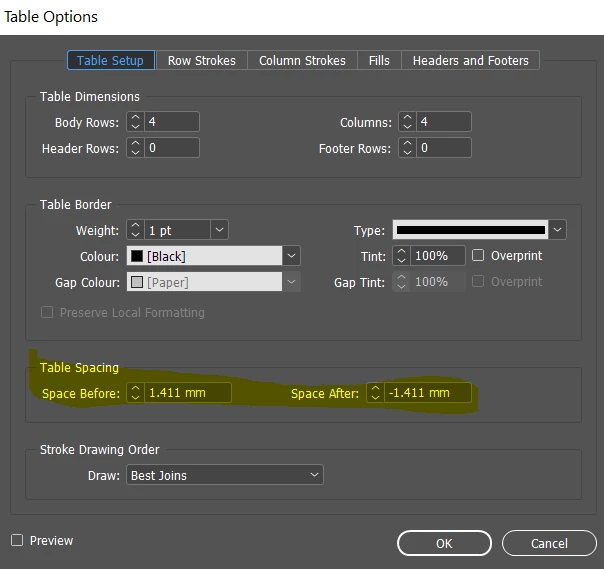
    In the table spacing does adjusting the Space Before/After have any affect?

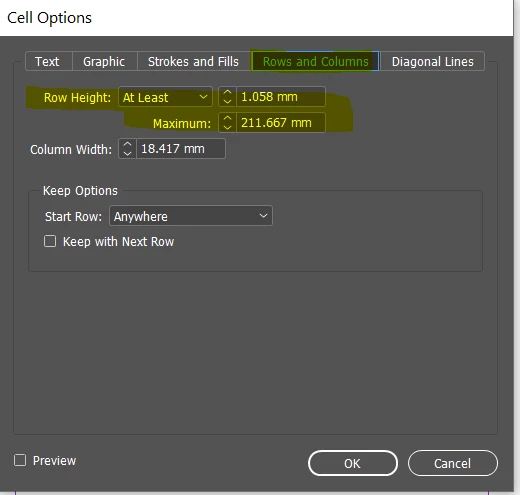
    In the cell options - does increasing/decreasing here have an effect?

    Your table will be inserted in a normal line of text - these can have paragraph styles applied to them.

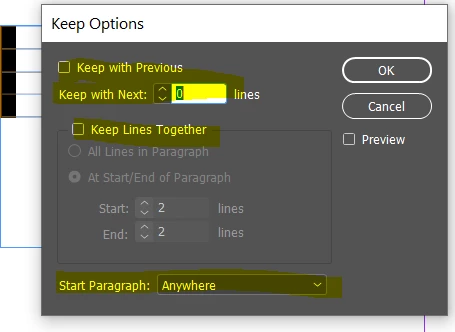
    One thing it might be is Keep option in the paragraph style.

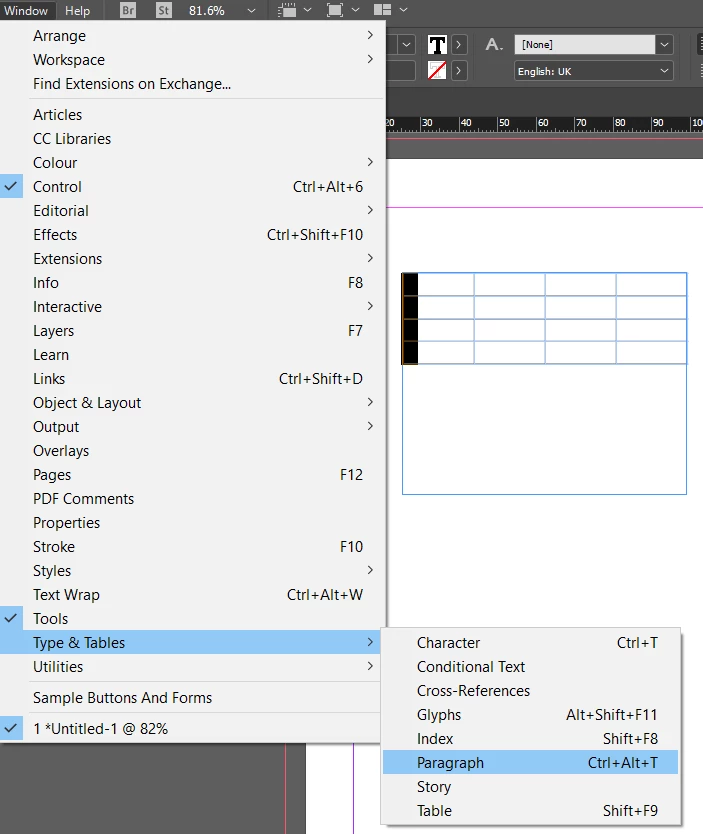
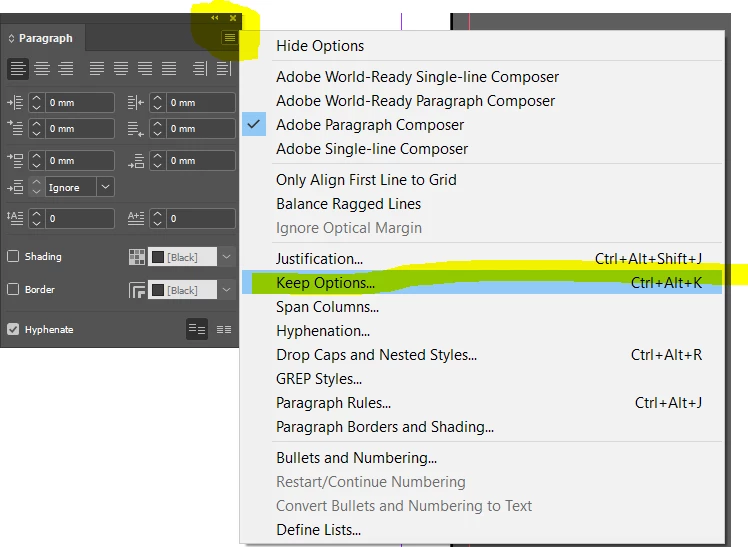
    You'll find this setting in the Window>Types & Tools>Paragraph - then in that panel go to the sub menu and select Keep Options

    (you might already know how to get there but for those that don't)

    3 replies

    Inspiring
    February 15, 2024

    Tables seemingly-randomly jump over to the next threaded text container, even though they'd fit in the first avaialble one and don't have any Keep options or Start paragraph settings applied. Editing the table's content will flick it back to the previous page, but the next edit will push it to the next page again, the next edit will push it back to the previous one, and so on et cetera …


    Try switching Paragraph settings > Span columns to *None*. Seemed to work for me. Trade off is now you have to manage column numbers in those text text containers.

    Community Expert
    July 19, 2019

    Excellent - it would be great if you could mark it as the correct answer as it would show up on the forums that it's answered.

    It's no problem at all - if you need anything else at all don't hesitate to post to the forums!

    ashimg23377171
    Inspiring
    July 19, 2019

    yup, thank you.

    Community Expert
    July 19, 2019

    Cells have a "Keep Row" option

    Is this turned on?

    ashimg23377171
    Inspiring
    July 19, 2019

    Hi Eugene

    No it is not turned on.

    ashimg23377171
    Inspiring
    July 19, 2019

    And i would really like to get this right. And i am at a loss as to why it is happening. i can understand if any of my cell/row had a lot of content, InDesign breaks that row onto the next page.

    But why is it happening in this case.