
Table of Contents Title not Showing Style Chosen
- February 7, 2025
- 1 reply
- 330 views
Hi
I am fairly new to InDesign and am trying to create a Table of Contents.
I have created a Paragraph Style with Large text, in bold, callled 'Table of Contents Heading'.
If I create some text using this paragraph style it shows exactly as I want.
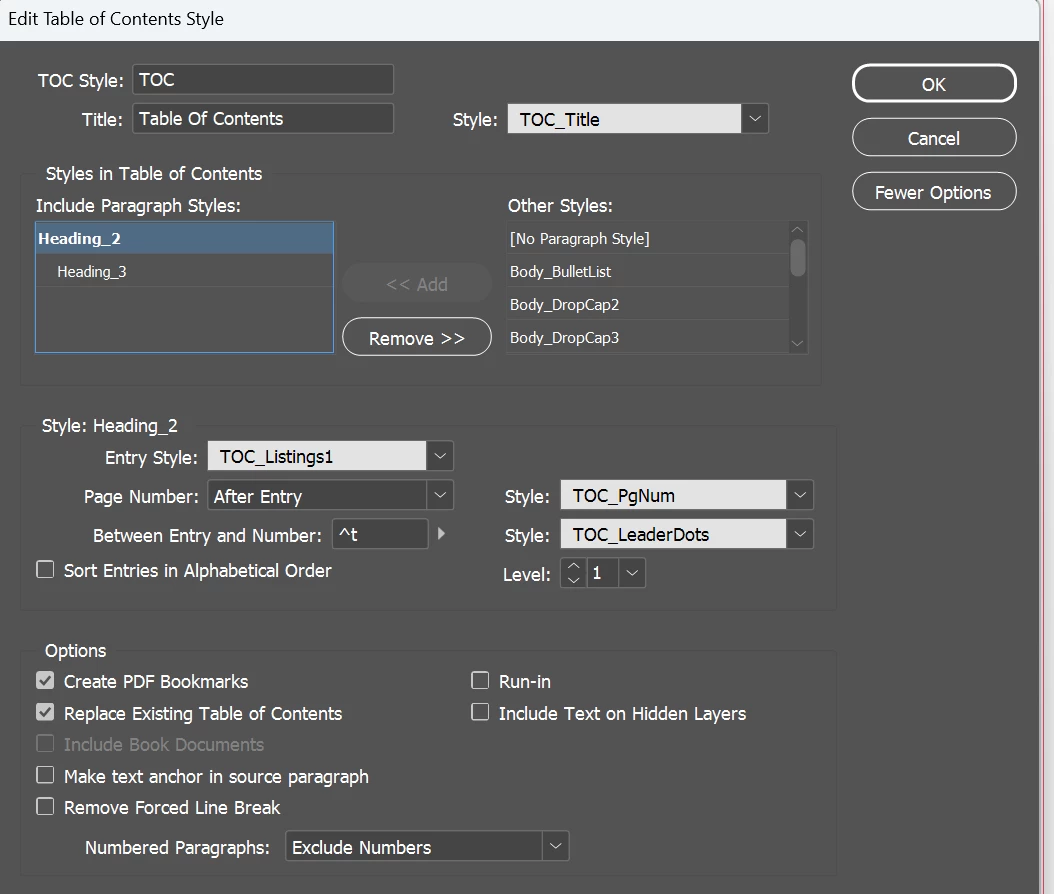
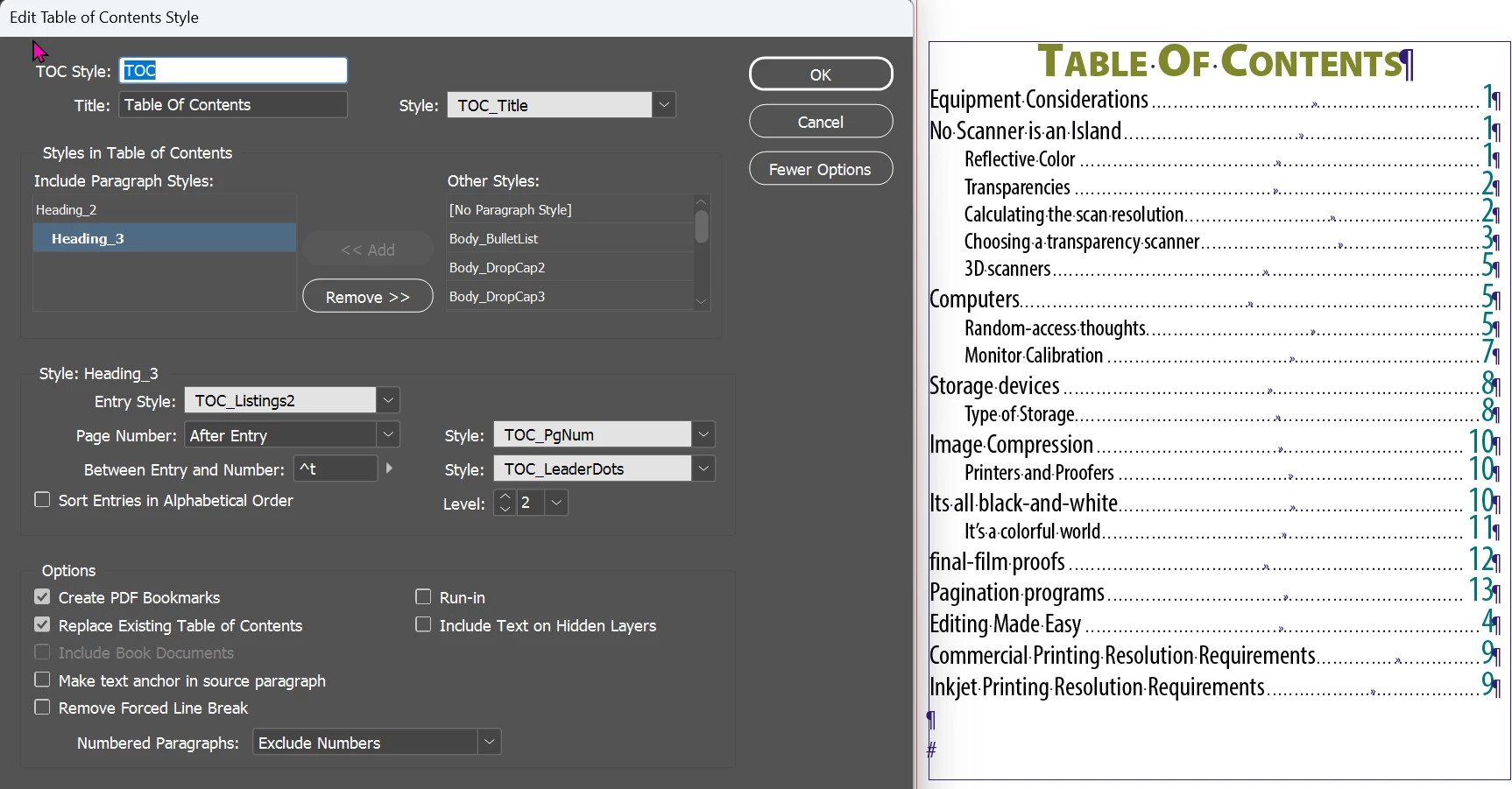
However, when I try to create a Table of Contents, and instruct InDesign to use this for the Title Style, it just shows a basic White Text. I have attached a couple of marked up screenshots showing the Table of Contents with the wrong Title Style and odd objects, and also a screen shot of the TOC Settings.
The Green shows the Parapgraph Style in a normal Text Box, all Good.
The Red shows the TOC Title which should look the same as the text circled in Green.
The Orange shows items I have no idea where they have come from.
Nothing I try makes any difference. If I double click into the Table of Contents and select the text, it states that it is in the Style I want, but the Font size and all other attributes are wrong.
Also, the Table of Contents has some odd character in which I do not know where they have come from.
Any help would be appreciated.
Kind regards
Mike
 AdChoices