Participant
February 7, 2025
Answered

Table of Contents Title not Showing Style Chosen

  • February 7, 2025
  • 1 reply
  • 330 views

Hi


I am fairly new to InDesign and am trying to create a Table of Contents.


I have created a Paragraph Style with Large text, in bold, callled 'Table of Contents Heading'.


If I create some text using this paragraph style it shows exactly as I want.


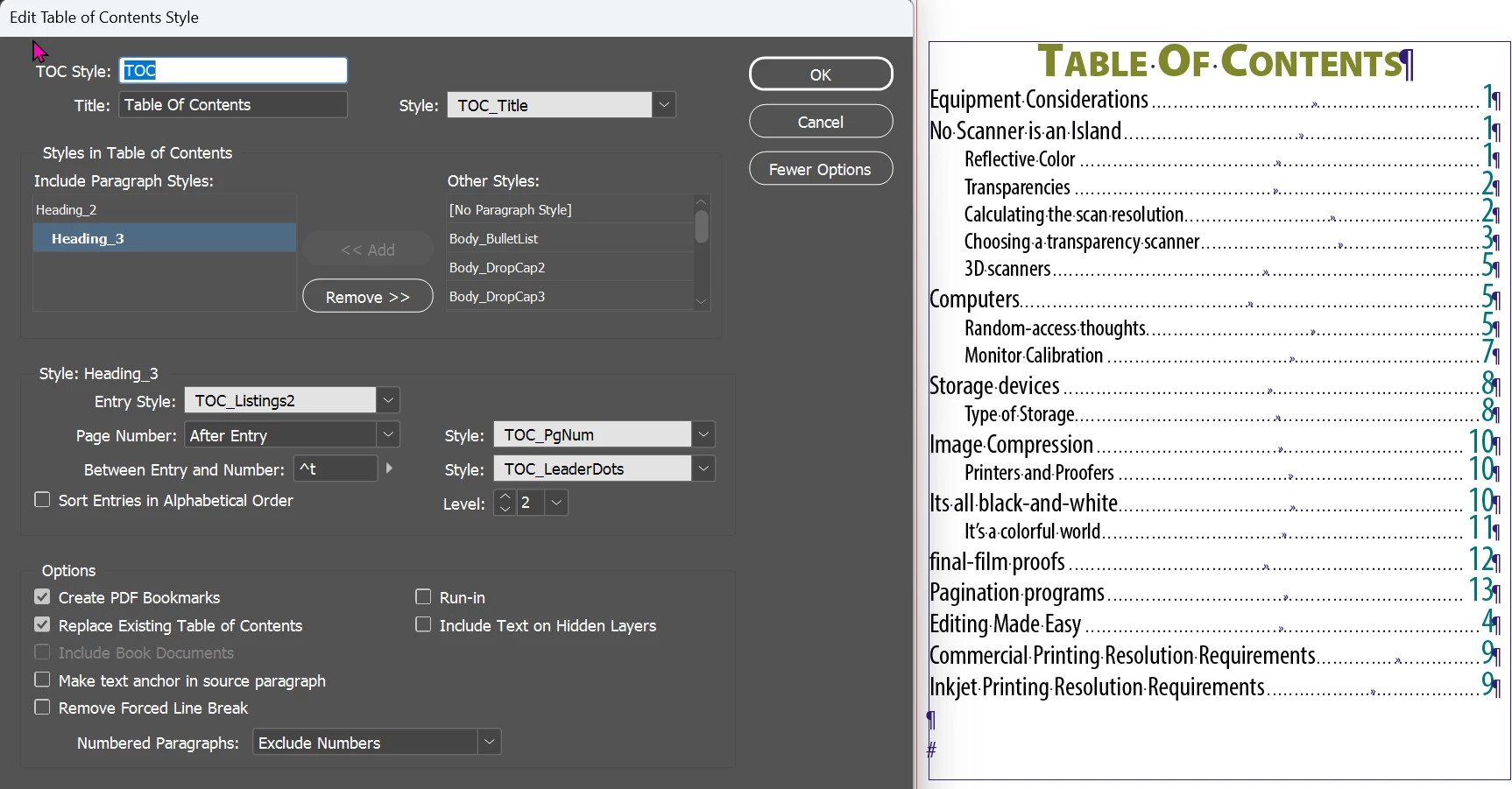
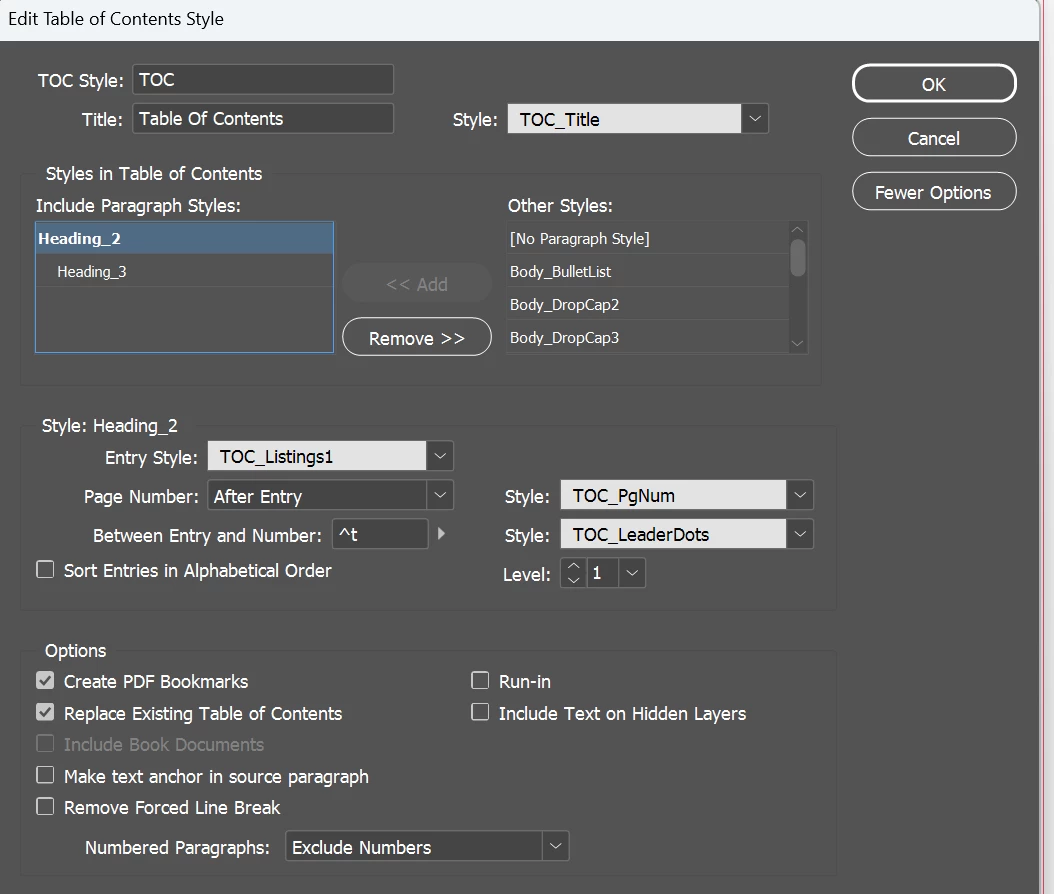
However, when I try to create a Table of Contents, and instruct InDesign to use this for the Title Style, it just shows a basic White Text. I have attached  a couple of marked up screenshots showing the Table of Contents with the wrong Title Style and odd objects, and also a screen shot of the TOC Settings.


The Green shows the Parapgraph Style in a normal Text Box, all Good.

The Red shows the TOC Title which should look the same as the text circled in Green.

The Orange shows items I have no idea where they have come from.


Nothing I try makes any difference. If I double click into the Table of Contents and select the text, it states that it is in the Style I want, but the Font size and all other attributes are wrong.


Also, the Table of Contents has some odd character in which I do not know where they have come from.


Any help would be appreciated.


Kind regards


Mike
Correct answer Dave Creamer of IDEAS

It's hard to see what's going on in your screen capture with white type on a light background, but I suspect something is going on with your styles. With the selection tool, deselect everything and see what your Character style panel is set to--it should be None.

Without looking at your document, this is what a typical TOC format should look like:


1 reply

Dave Creamer of IDEAS
Community Expert
Dave Creamer of IDEASCommunity ExpertCorrect answer
Community Expert
February 7, 2025

It's hard to see what's going on in your screen capture with white type on a light background, but I suspect something is going on with your styles. With the selection tool, deselect everything and see what your Character style panel is set to--it should be None.

Without looking at your document, this is what a typical TOC format should look like:


David Creamer: Community Expert (ACI and ACE 1995-2023)
Participant
February 8, 2025

Thank you @Dave Creamer of IDEAS 


You hit the nail on the head with Character Style.


Bit of background. I am using a Template to create the work I need and the template was issued from elsewhere, from a company I freelance for.


For some reason it was applying Character Styles. I set this to none and the Title is now workinng OK.

Just need to figure out where this stray line is coming from. There's something called 'v' on page 1 but I can not see anything.


Mike

Robert at ID-Tasker
Legend
February 8, 2025

Thank you so much for your help. Really appreciated.


Making progress. Slowly, but in a positive way.


Mike


@MichaelSiggers


Just to add / clarify what Dave said - if you, by accident, leave some Character Style selected / "active" - it will become applied to any text generated by InDesign - TOC / Index - even if in the settings you've selected some CharStyle(s) - InDesign will use this currently active CharStyle to apply everywhere else.


And to add / clarify even more - a lot of settings you can set "as default" for new documents - if you set those settings WITHOUT any document(s) open.