Salvispade
Participant
April 24, 2019
Answered

Text and images hidden behind Background

  • April 24, 2019
  • 1 reply
  • 9045 views

When I open my book document in InDesign, I see both text and images disappear. They are behind a full spread image or a spread of color block. I keep rearrange them, sending some back and some forward. But I'm worried that when I export the final file to Blurb, they will disappear again. Any suggestions?

{Renamed by MOD}

    This topic has been closed for replies.
    Correct answer Laubender

    I went to the end of the document, in this case page 164. I added 6 pages and then selected them from the panel and right clicked move to then input page 131. When I went back to check, the text and images had disappeared again. I do not have any made layers, but this is a Blurb plugin document so I took a screenshot of that.

    The file is much too big so that's why I can't share it. I'm unsure why if I'm using only pngs, jpgs, pdfs and tiffs.
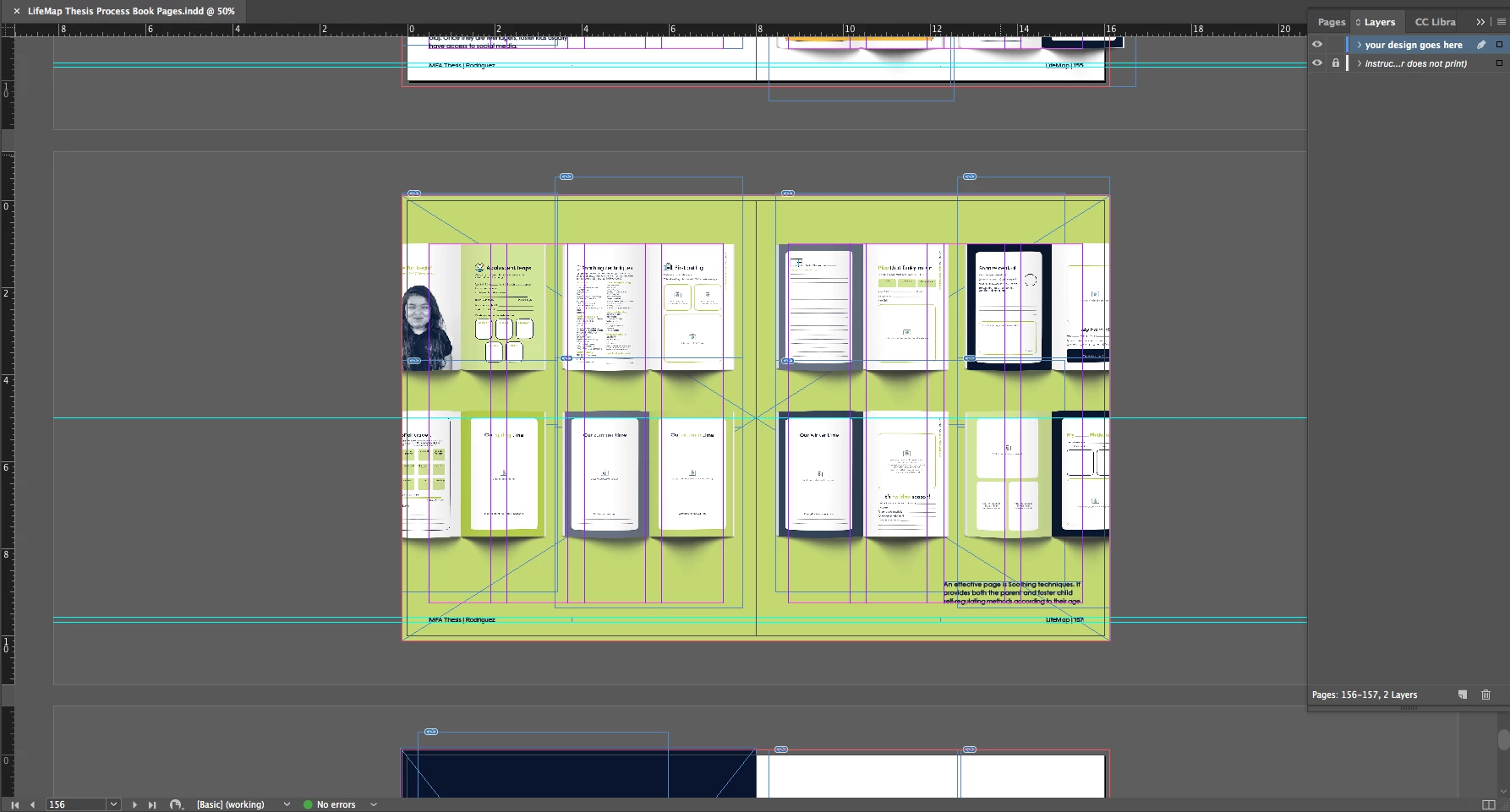

    Thanks for the screenshot where frame edges are visible!

    So the cause of your problem is the large rectangle that spans both pages.

    As already suggested:

    Do one rectangle per page instead of one for the whole spread of facing pages.

    Make sure that the rectangles do not touch the spine.

    As already suggested: Move them a tiny bit away from spine.

    0.01 mm would do.

    Reason: One object on the page, in your case the big rectangle, cannot belong to two pages.

    Only to one page. It wll not be duplicated nore split automatically if you move pages around.

    And that leads to the fact that your stacking order of elements will be different.

    Ergo: The contents now stacked above will be behind the rectangle that comes with an even or an odd page.

    FWIW: InDesign will decide for itself to witch page the rectangle belongs.

    Even if you think, that you placed its center exactly on the spine.

    Regards,
    Uwe

    1 reply

    Geоrge
    Legend
    April 24, 2019

    >>  I keep rearrange them, sending some back and some forward

    Save, close, re-open file and they again looks as disappeared?

    Remember, never say you can't do something in InDesign, it's always just a question of finding the right workaround to get the job done. © David Blatner
    Salvispade
    Participant
    April 24, 2019

    Sometimes they look fine. I think everything shifts when I add or move around pages.

    Srishti Bali
    Community Manager
    Community Manager
    April 24, 2019

    Hi there,

    As per your query, images and text both disappear behind another image or color spread. This is definitely not usual behavior. Would you mind sharing a few screenshots of the issue?

    Also, we might have to reproduce this issue at our end for which we would need a few more details like:

    • OS (Exact version of Windows/MAC)
    • Version of InDesign
    • Is the issue related to a specific document? If yes, can you please share the document with us?

    Thanks,

    Srishti