
Inspiring
July 12, 2022
Answered

Text flow box within another text box is growing up not down from anchor point

  • July 12, 2022
  • 4 replies
  • 817 views

Hello all,

If anyone could help that would be amazing please.

I am making a catalogue. However, the description of the catalogue is in a text flowing text box but is growing up not down from the anchor point. When I go on text frame options, it is set on the downward arrow so not sure what else to try. Thank you in advance


This topic has been closed for replies.
Correct answer Laubender

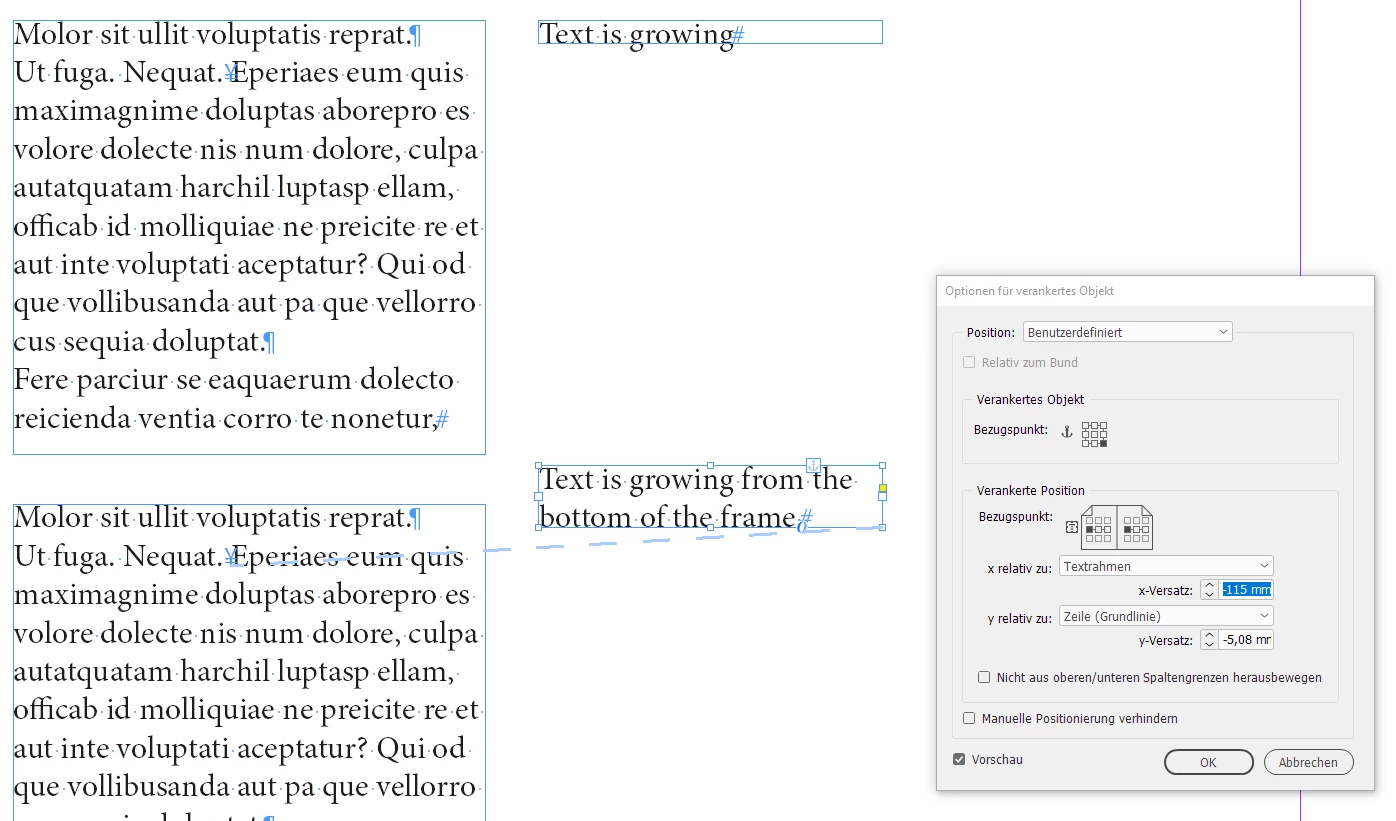
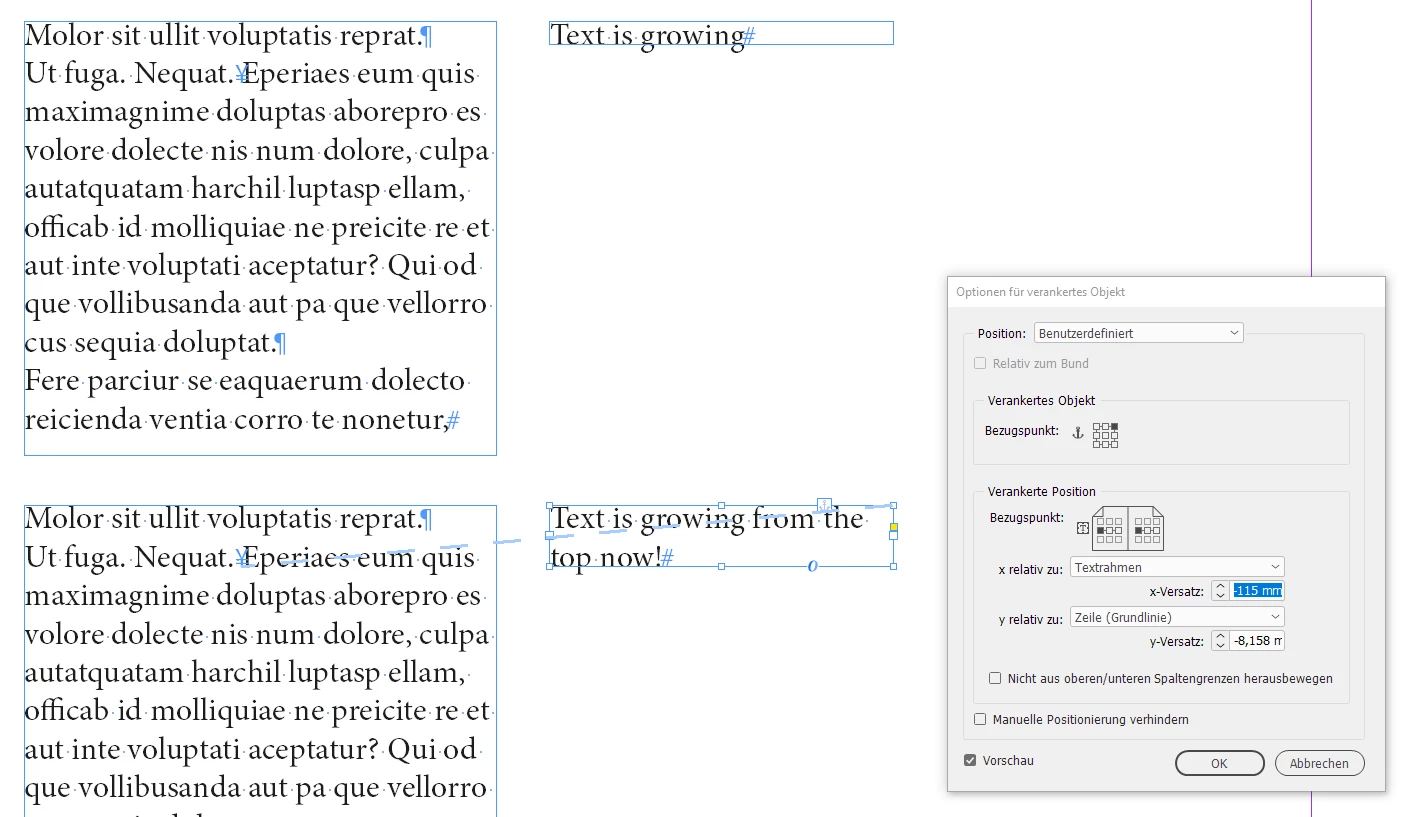
Here illustrated with two screenshots from my German InDesign:

Default behavior:


Changed behavior where the reference point is the top right one:


Regards,
Uwe Laubender
( Adobe Community Professional )

4 replies

Community Expert
July 12, 2022

The solution lies in the text frame anchored object settings.

Set the anchor point to one of the three anchor points on the top of the 9 anchor points.

Currently it's set to the bottom left anchor point, which is the default.


Regards,
Uwe Laubender
( Adobe Community Professional )

LaubenderCommunity ExpertCorrect answer
Community Expert
July 12, 2022

Here illustrated with two screenshots from my German InDesign:

Default behavior:


Changed behavior where the reference point is the top right one:


Regards,
Uwe Laubender
( Adobe Community Professional )

Inspiring
July 12, 2022

It's worked! Thank you so so much. 

Community Expert
July 12, 2022

Hi Helen,

hm. Then post a screenshot of the anchored object settings when you selected the anchored text frame.

Maybe I can see what's going wrong.


Thanks,
Uwe Laubender
( Adobe Community Professional )

Inspiring
July 12, 2022

Hello there,


I have attached a word document of settings for both the Text frame and Anchored Object. 

Thank you very much!


Helen

Community Expert
July 12, 2022

Hi Helen,

re-read the title of this thread: "Text flow box within another text box"

So the said text frame is anchored to text?

Well, then look into the anchored frame options of the anchored text frame.


Regards,
Uwe Laubender
( Adobe Community Professional )

Inspiring
July 12, 2022

Hi,


Thank you, I have done this as well but with no luck. You may well be right but I must be missing something!

Thank you for your help very much appreciated!

Helen

Community Expert
July 12, 2022

Hi @Helen25214903tykj ,

check the alignment of the text in the text frame from the Text Frame Options.

That's different to the control with autogrow. It's under tab General > Vertical Alignment

Could be that vertical alignment is set to bottom.


Regards,
Uwe Laubender
( Adobe Community Professional )

Inspiring
July 12, 2022

Hi Uwe Laubender,

Thank you for your reply. However, it is set to top so its not that. I have had a fiddle with all the text frame options and nothing seems to change how the text box grows. 
Thank you,


Helen