Inspiring
May 2, 2024
Resuelto

Text frames with different origins

  • May 2, 2024
  • 1 respuesta
  • 1483 visualizaciones

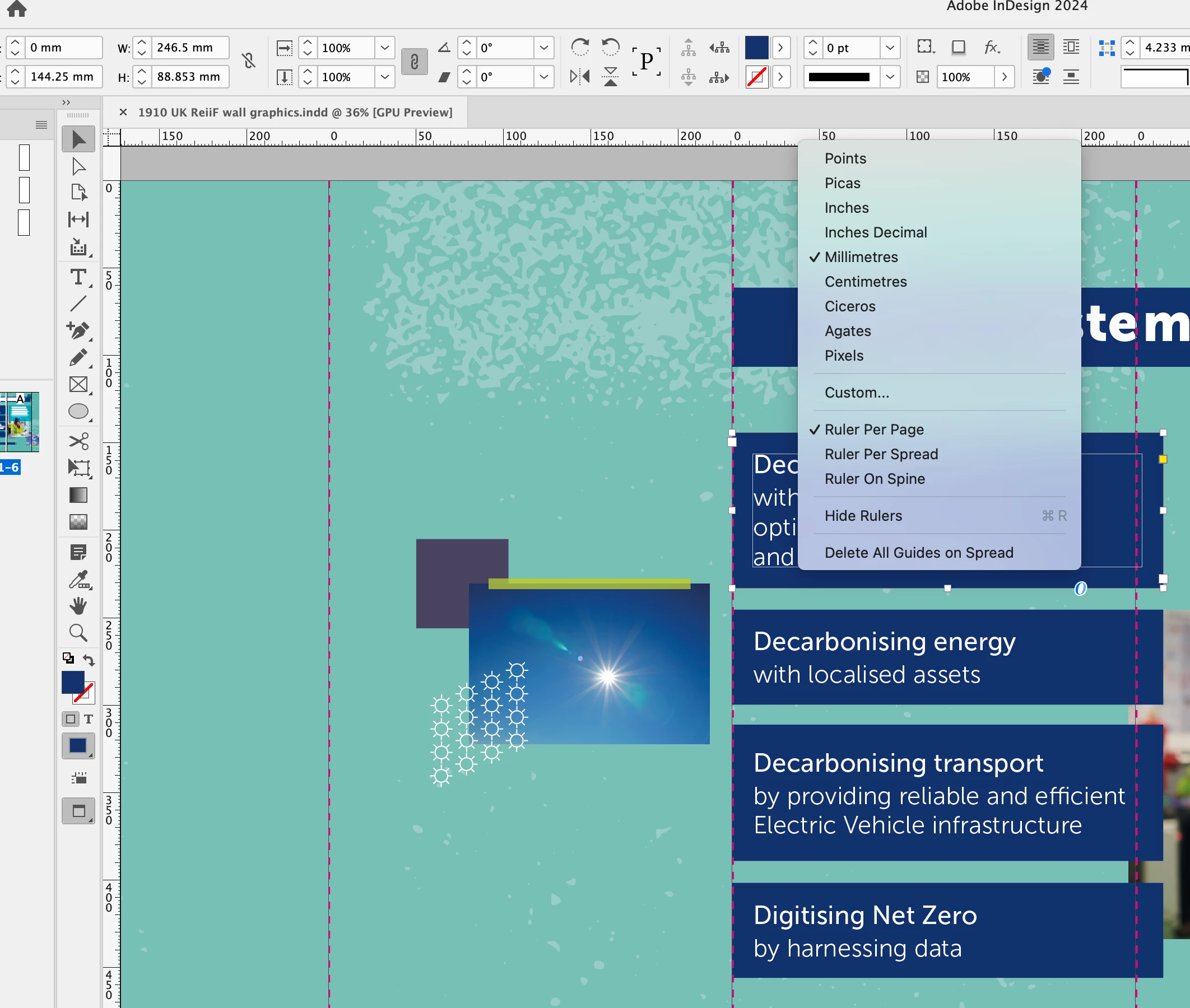
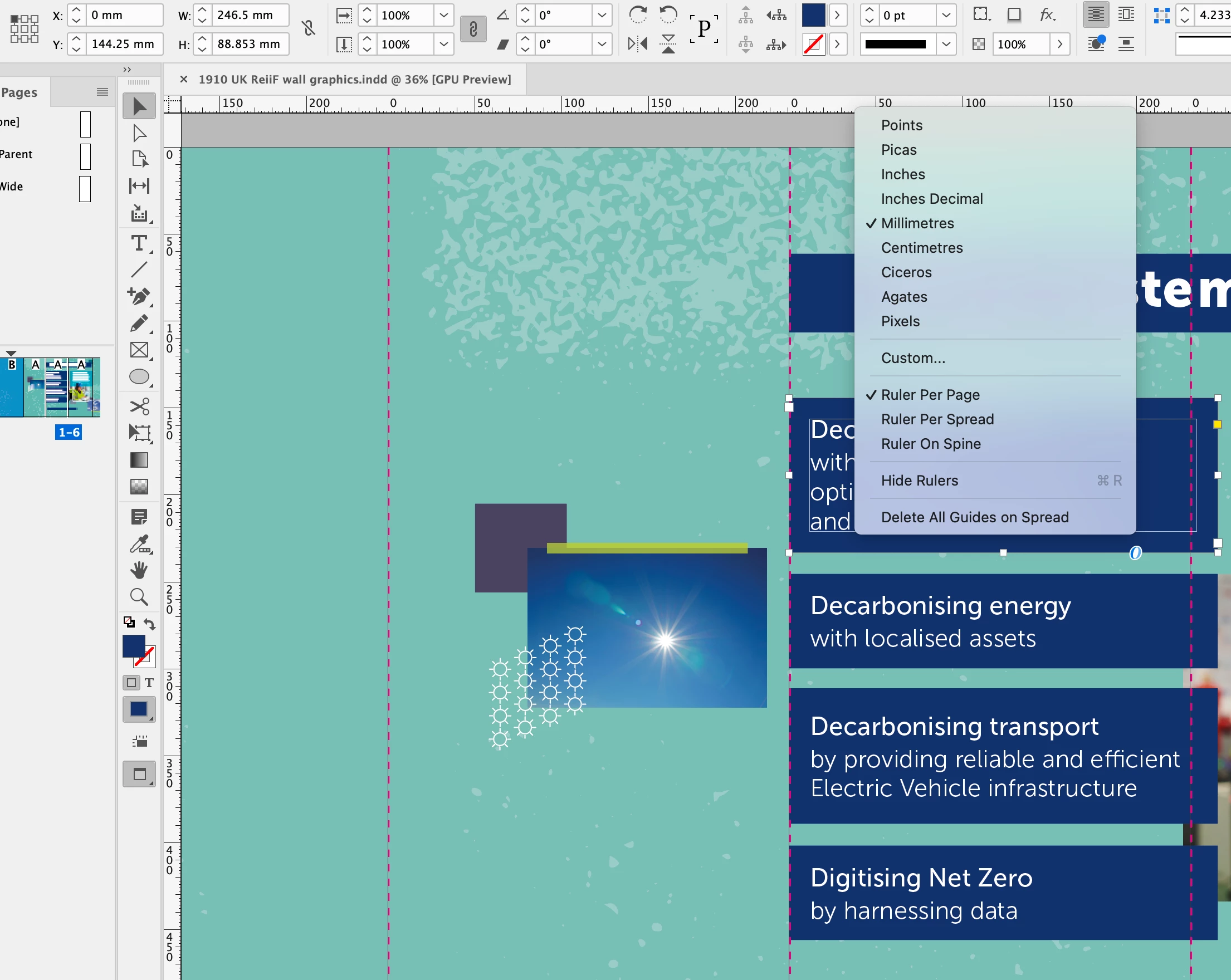
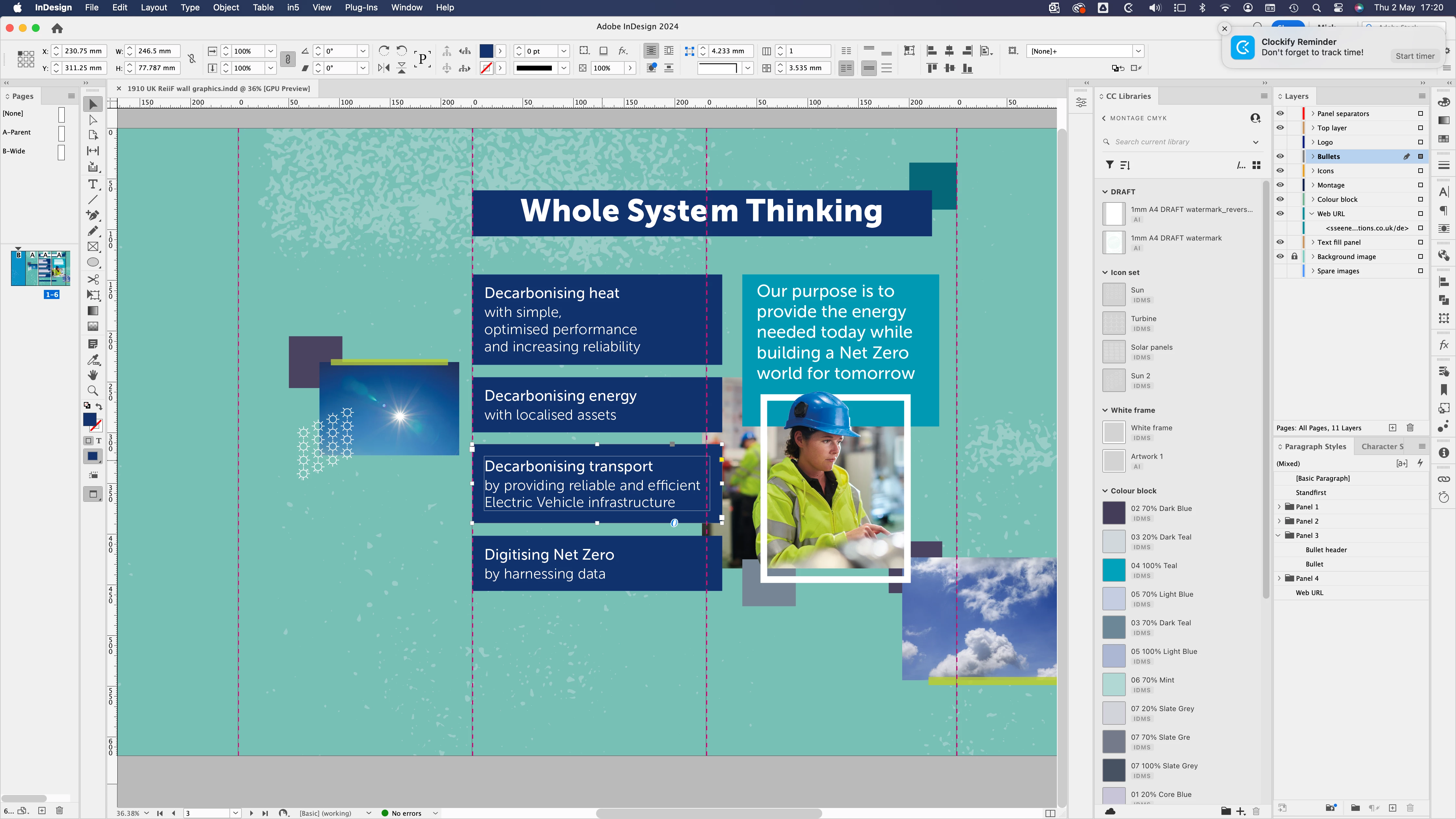
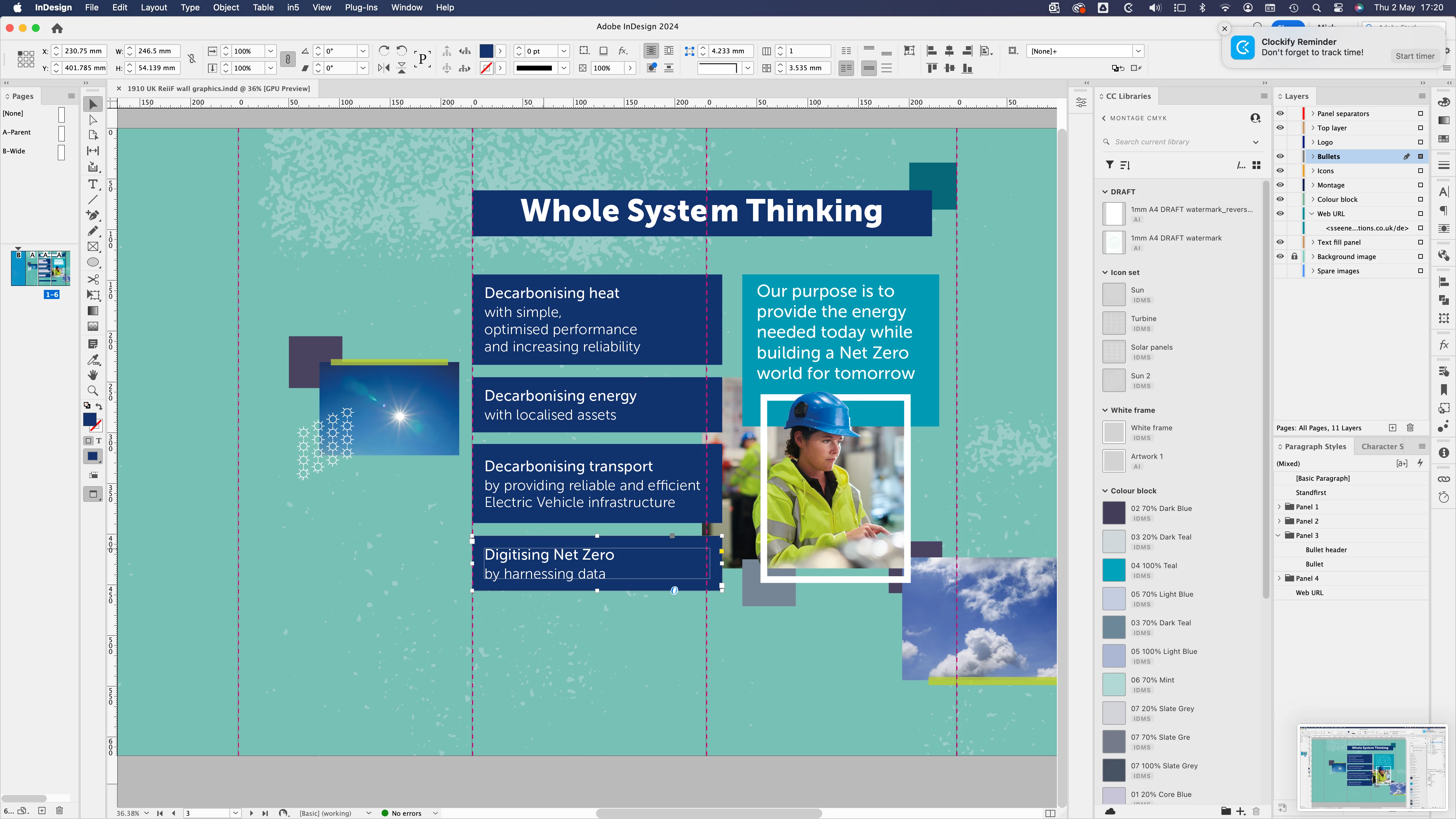
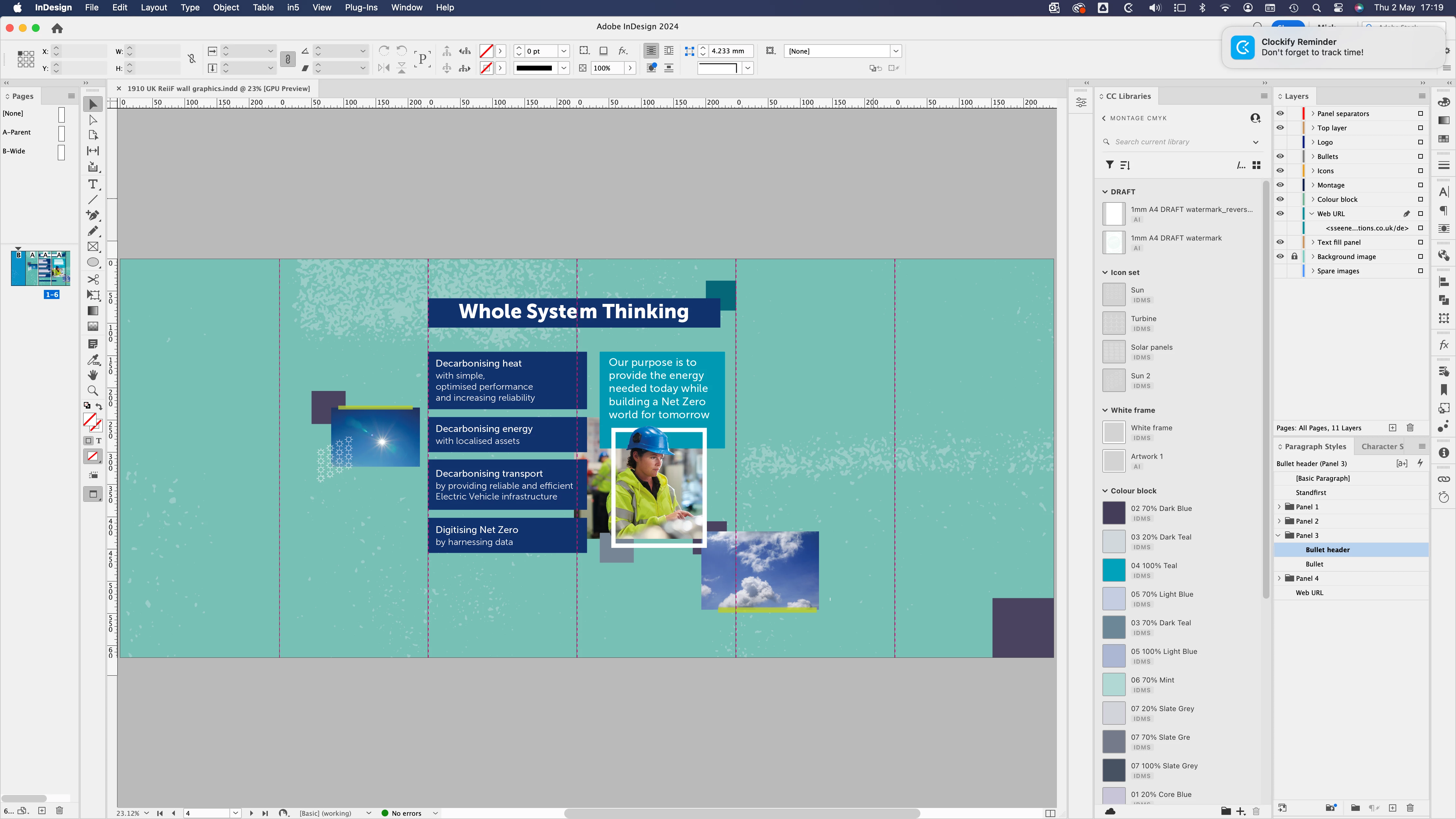
I've got an intriguing problem with a multipage (Panel) exhibition graphic which has Allow Document pages to Shuffle unchecked. The Origin in Preferences>Units and Increments>is set to Page and the Reference Point top left corner. 


On the 3rd page/panel there are 4 text frames (white on blue fill) vertically stacked with space between and are all the same width but 2 differ in height but all are meant to align at X: 0mm. However, whilst the first frame is exactly X: 0mm, the other 3 are X: 230.75, presumably, taking the measurement from the preceding panel. Any views on why this might be?
 

Este tema ha sido cerrado para respuestas.
Mejor respuesta de BobLevine


I think I see it now. Your text frame is actually on the prior page. I'm sure if you soom way in you'll find that to be the case. You can test it by changing the x number to zero if I'm correct it will move way to the left.

1 respuesta

BobLevine
Community Expert
Community Expert
May 2, 2024

Probably based on the spread.

Inspiring
May 2, 2024

I restarted InDesign in case that might be an issue. However, another thing not mentioned is that of the six panels, the 2 adjacent panels where this is occuring with frame positions are a different width (using Page Tool) to the other 4? Just wondering aloud...

Inspiring
May 2, 2024

Could you remind me of the best way to post an InDesign file?