- Home
- InDesign
- Discussions
- Re: Text Thread Problem using Bullet Points
- Re: Text Thread Problem using Bullet Points

Copy link to clipboard
Copied
Hi guys,
hope everyone is good.
I've run into a problem trying to flow bullet-point text between frames.
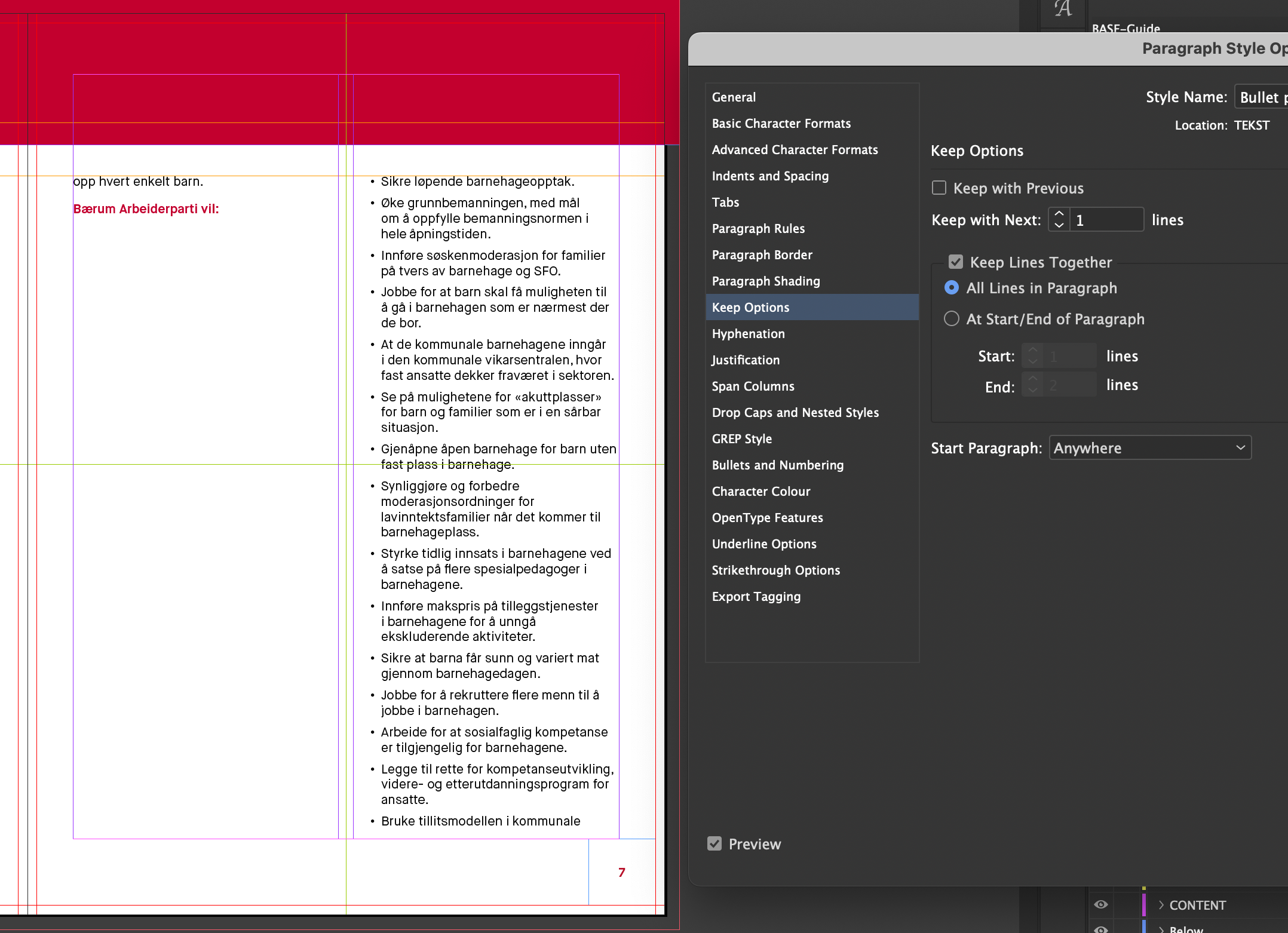
In short, when I flow the bullet points from one frame to another, a single line of the bottom line of a bullet point automatically flows to the next frame, despite there being sufficient space in the first frame to accommodate the text. I've attached a few images to try and show this. (Pls note, that I have tried this without the background image and the same thing happens)
I appreciate that it is probably an obvious problem but, the more I look, the less chance I have of seeing it!
Can anyone help me out please? I've never seen this happen before.
Kind regards...Chloe


 1 Correct answer


I would suggest if you don't want any bullet items to split, change your Style's Keep options to Keep All Lines Together. As for why the next bullet won't flow into the space below, check if you've accidentally assigned a Keep to Next Lines value.

 5
Replies
5
5
Replies
5

Copy link to clipboard
Copied
I would suggest if you don't want any bullet items to split, change your Style's Keep options to Keep All Lines Together. As for why the next bullet won't flow into the space below, check if you've accidentally assigned a Keep to Next Lines value.
Copy link to clipboard
Copied
Thanks so much for the advice. I now have everything working OK.
Really appreciate you taking time to respond so quickly.
Kind regards...Chloe

Copy link to clipboard
Copied
Hi!
Following up on this with a related issue I keep running into.
I've been clicking around in the Style's Keep Options for ages now, trying to get my bullet points to not split over to the next frame unnecessarily, but it keeps doing it with various degrees of severity.
Selecting Keep All Lines Together makes all my bullet points go into the next frame. Keep Lines Together at the first 2 and last 2 lines of each paragraph creates similar flow issues. Although having Keep Lines Together set to 1 line at the start and 2 at the end comes the closest to filling the whole of each frame with text, it seems determined to only change the frame in the middle of a bullet point instead of between two bullet points (as in Screen 2023-01-08 at 17.47.44) regardless of how much space is left, as in Chloe's original issue. Do you have any tips or ideas? I feel quite lost.
All my best, and thanks for any advice,
Erlend
Copy link to clipboard
Copied
As naturally occurs, after posting this, I appear to find the solution immediately myself.
To anyone browsing for a solution to that in the future:
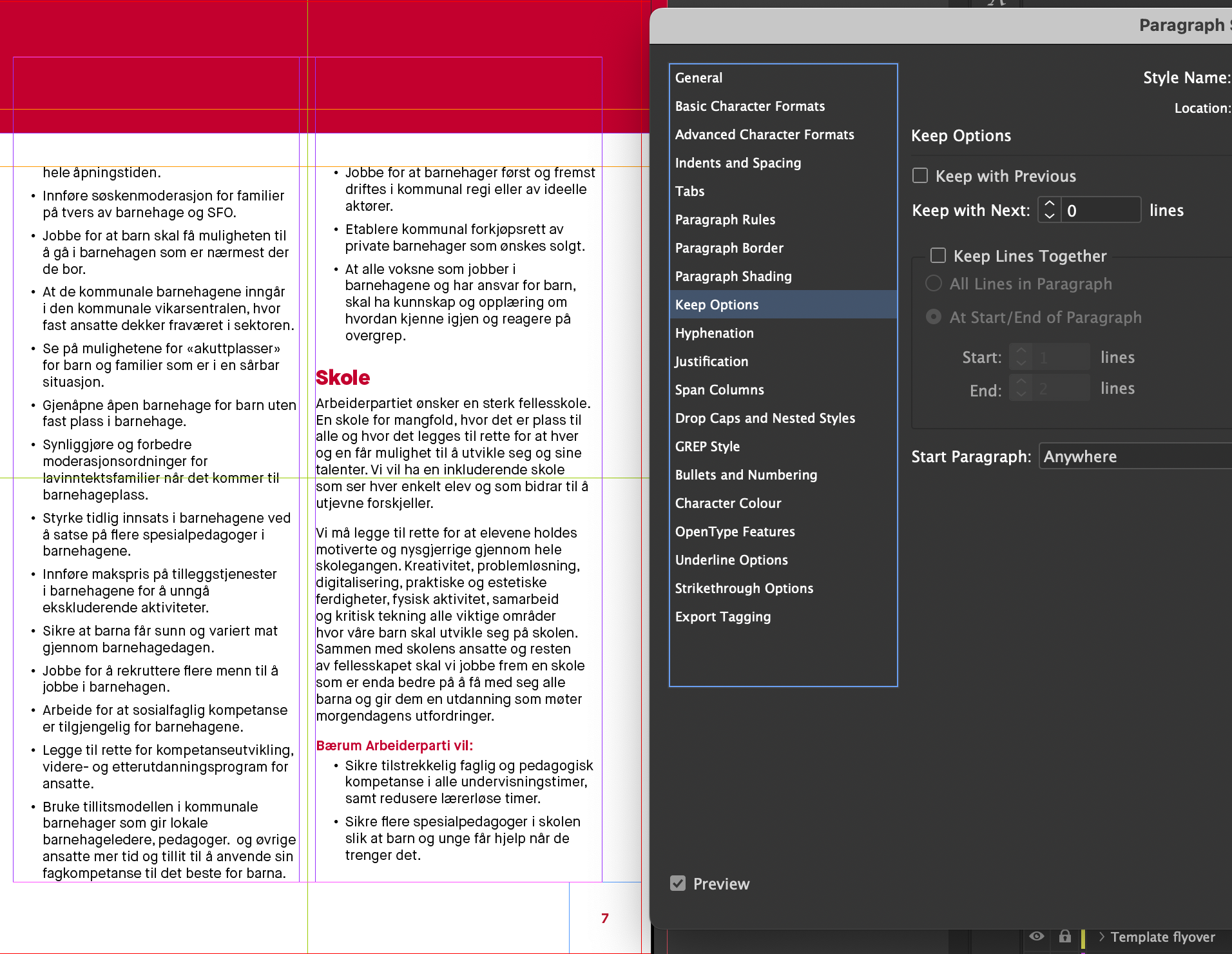
The issue is resolved when reducing the "Keep with next x lines" to 0. I presumed this meant keep with the next lines in the paragraph, and then also in the specific bullet point, but it seems to have resulted in the forcing of bullet points to always split across frames, instead of allowing a new bullet point to start at the beginning of a new frame as is now the case in my screenshot below.

Copy link to clipboard
Copied
That line in the Keep menu is possibly the most confusing one in the entire spectrum of ID settings. Until v18, unless I am completely misremembering, it was indented under the checkbox option above, making it look as if the checkbox controlled it; this forum is full of bitterly frustrated posts by users who could not make keep/flow work properly because of this misunderstanding.
It really needs to be rewritten and reframed on the menu to make its purpose and 'stand alone' nature more clear.


Get ready! An upgraded Adobe Community experience is coming in January.
Learn more
 AdChoices