


Inspiring
May 16, 2021 11:50 AM UTC
Answered

The "Import PDF comments" issue

Hi there,

Since Indesign 15, there is a big issue with the Import PDF Comments feature :
The imported comments are not correctly aligned and for that reason unusable.


It bothers me a lot, since I have to stay with Indesign 14.
But I spent some time on it, and finally found why.


Here's what I mean :
On TOP you have a PDF exported from Indesign with a simple text.

I inserted some comments, and imported them in Indesign (BOTTOM)
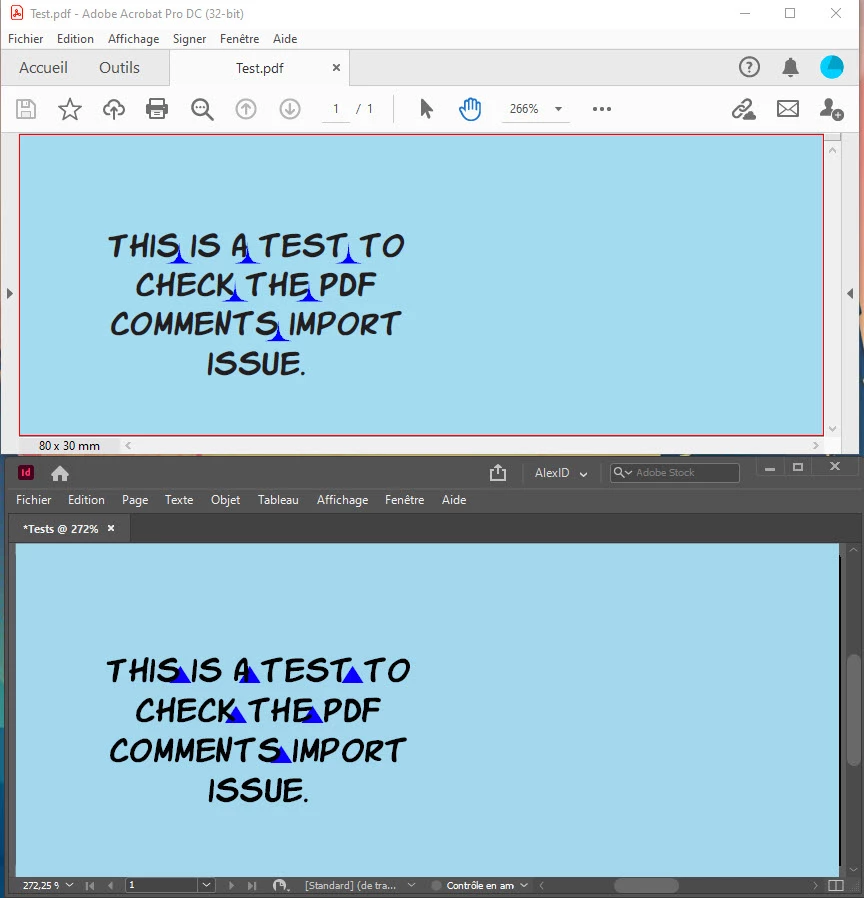
As you can see, everything is OK and works as it should be.


But, if you add a stroke on the text, then the issue appears.
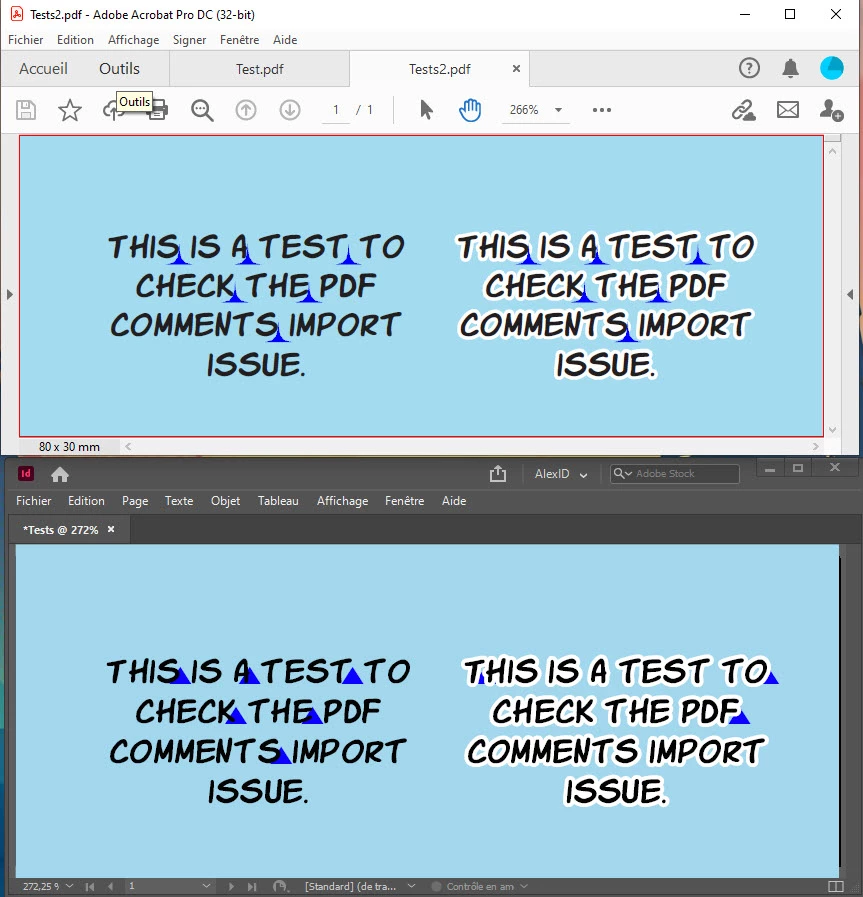
Nothing is at its good place on the text with a stroke, and you can really do anything to fix this.


This bug appeared with Indesign 15 and still has not been fixed since.
Here's the same situation in Indesign 14 :
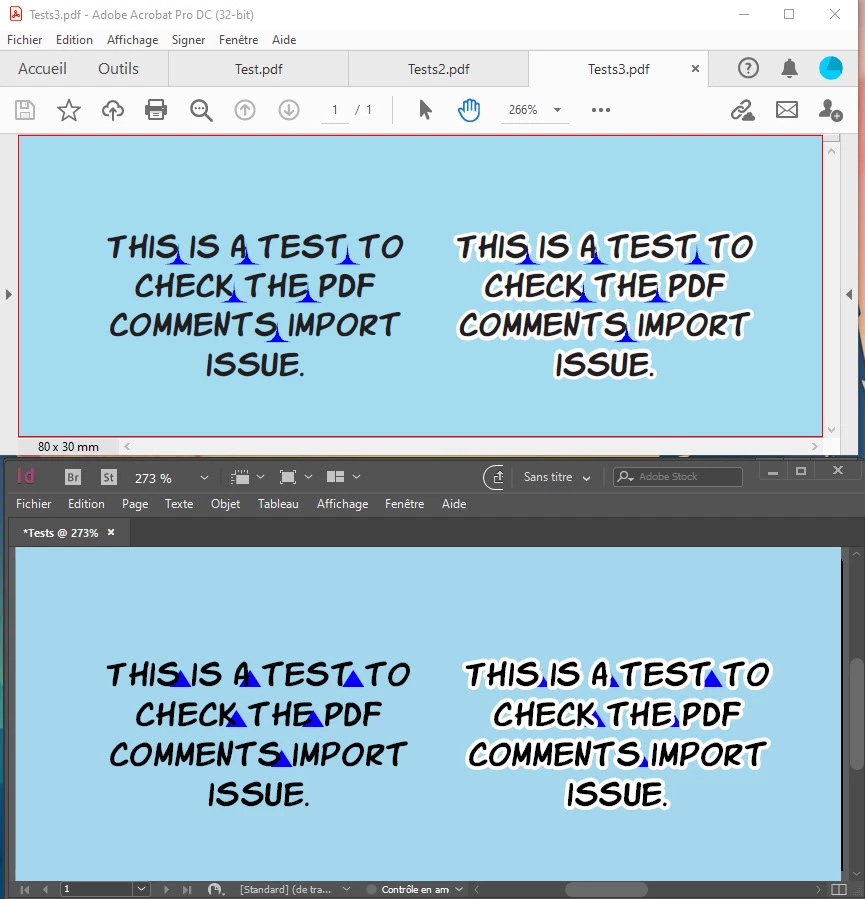
It's perfect.


PS : Here's the IDML if you want to try : https://we.tl/t-2UTWWMfDWe
PS2 : I already created a thread a few weeks ago, but it was messy.
This one is simple and clear.

This topic is closed to new replies. Start a new post to keep the conversation going.
AlexUzanCorrect answer
Inspiring
May 17, 2021 9:00 AM UTC

I opened a ticket 
PDF comments importation Issue (wrong position) – Adobe InDesign (uservoice.com)


Your vote would be appreciated 🙂

6 replies

Community Expert
Nov 11, 2021 11:26 AM UTC

Hi Alex,

currently it seems that I cannot continue my tests about this PDF Comments issue, because I also experience a crash with InDesign 2022 version 17.0.0.96 when I try to import my commented PDF to the PDF Comments panel.


Below a couple of screenshots I took when InDesign 2019 crashed:


All of my test files can be downloaded from my Dropbox account:

211111-1-Crash-Import-CommentedPDF.zip

https://www.dropbox.com/s/84fp3uhfnalo55z/211111-1-Crash-Import-CommentedPDF.zip?dl=1


Regards,
Uwe Laubender

( ACP )

Translate
Community Expert
Nov 11, 2021 10:34 AM UTC

Hi Alex,

just downloaded and tested your document with InDesign 2019 version 14.0.3 on Windows 10.

I experienced a crash when I tried to import my commented PDF to the PDF Comments panel.

Filled out the crash form and was sent to this Fixed Issues page:

https://helpx.adobe.com/indesign/kb/fixed-issues.html#InDesign2020version150


I still wonder what the reason for the crash is. This one?

"InDesign crashes on opening a file having a large number of Document Fonts"

No. Just had the four KOMIKA font styles stored there…


Well. I'll test on.


Regards,
Uwe Laubender

( ACP )

Translate
Willi Adelberger
Community Expert
Community Expert
May 24, 2021 3:05 PM UTC

After exporting the pdf until importing the comments you must not work on the text. Don't make outines or any edits between.

Translate
AlexUzanAuthor
Inspiring
May 26, 2021 8:30 PM UTC

Hi Will,


I did not.

1) I write the text, one with outline, one without.

2) I export a PDF.

3) I open the PDF in Acrobat, add comments, and save,

4) I import the PDF comments in my Indesign project.

5) The comments are perfectly aligned on the text without outline, and not at all on the text with outline.


If  I do the same on Indesign 14, the comment are perfectly aligned on both text.

This bug appeared with Indesign 15.

Translate
AlexUzanAuthorCorrect answer
Inspiring
May 17, 2021 9:00 AM UTC

I opened a ticket 
PDF comments importation Issue (wrong position) – Adobe InDesign (uservoice.com)


Your vote would be appreciated 🙂

Translate
AlexUzanAuthor
Inspiring
May 24, 2021 12:53 PM UTC

Ok, zero vote.

That probably means that no one care about this feature.

Translate