

Amybeth M. ACI G7
Community Expert
Community Expert
January 12, 2023
Answered

Thread anchored frames in Indesign?

  • January 12, 2023
  • 3 replies
  • 567 views

Creating a Brochure Parent page, that will have content flowed in with Data merge.

3 Rows, 4 Colums  facing pages

s.
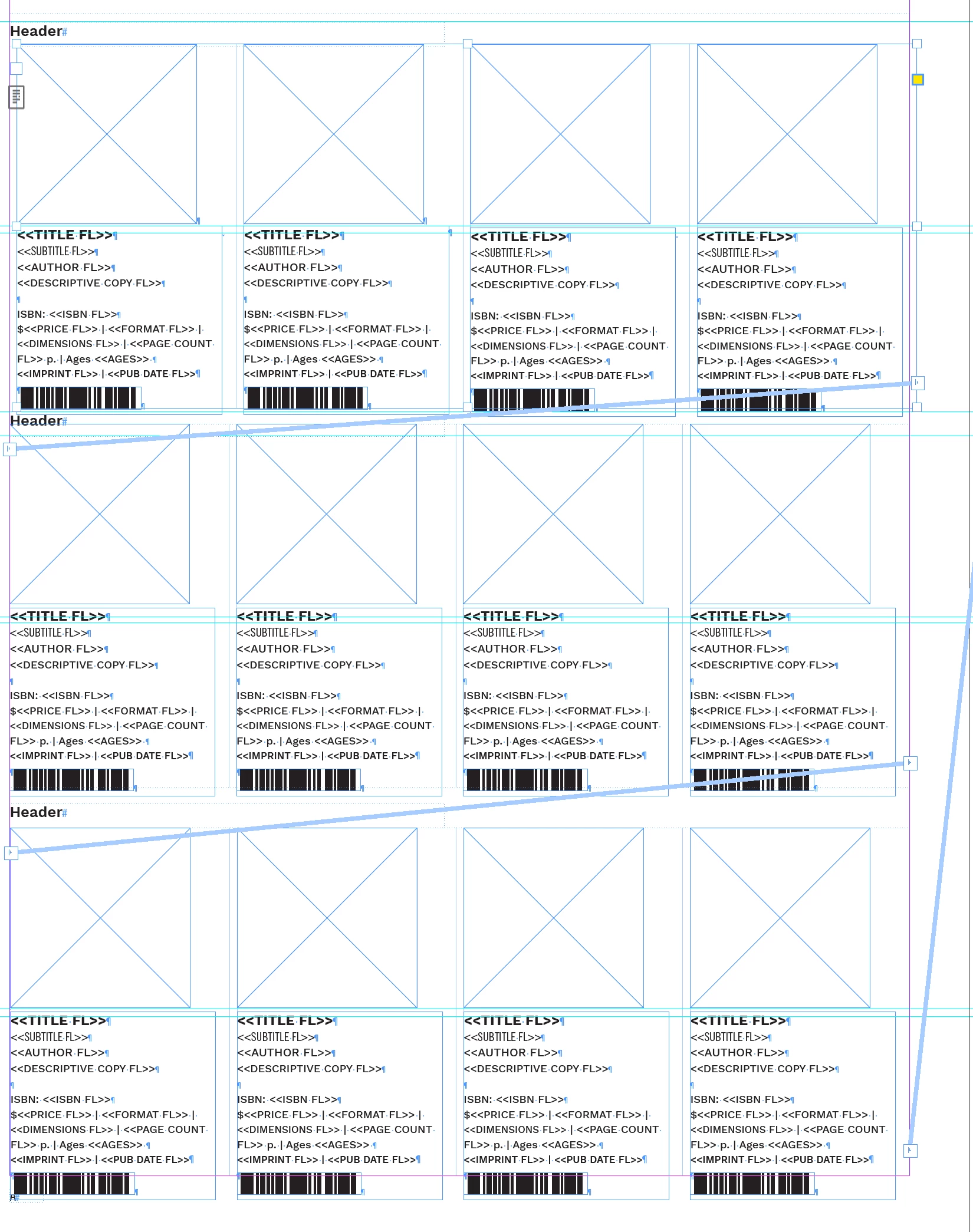
Each Row is a text box split into 4 colums with a picure box and an anchored text frame.

Text frame is followed by a column break.

Is there anyway to get the inline text frames to also thread so I can ...

  1.  Flow the Data into the document 
  2. Have it flow nicely from column to column?

Thread the ports that are anchored in the columns? 

Suggestions welcomed

This topic has been closed for replies.
Correct answer John Mensinger
quote

Is there anyway to get the inline text frames to also thread ...


The fact that you're asking as opposed to just doing it leads me to suspect you've tried and discovered InDesign won't let you thread anchored frames. So no, your plan for this as you've described it won't work.


My other concern for your plan here is that Data Merge won't populate discrete records into multiple, pre-existing instances, as your layout appears to anticipate (let alone the threaded instances you desire). For that, you'd need a catalog plugin. If/when you attempt an InDesign Data Merge into this layout, you'll only get (12) copies of the first record in your data sheet.


3 replies

James Gifford—NitroPress
Legend
January 12, 2023

Yes, anchoring a text box makes it into a completely different kind of animal. Many things no longer work, including threading (which leads to 'no break across pages') and more.


A general rule is not to use anchored text boxes as any main part of a layout — just for inserts, pulls, side definitions, etc.


Community Expert
January 12, 2023

With this kind of layout you could group the photo frame with its accompanying text frame. Copy and paste the group into a larger text frame, using tabs to position the four items in a row.


As for a data merge, a multiple record merge will not thead the groups as you have shown, but could layout independent frames similar to your screenshot.


If you would like the frames in a thread, here is a data merge suggestion, but uses a third party plugin. Set up the merge as a single record layout, using my first suggestion of grouping photo and text frame. Perform the merge with creating a new document, each record will be on it's own page. Use the plugin: AutoStitch, to thread all frames/pages together. Create a new document to page size, and flow the new text thread as needed.

Amybeth M. ACI G7
Community Expert
Community Expert
January 12, 2023

Its important that the ancored images flow with the text beneath.

I think the best option to avoid a lot of manual copy and paste would prob be to buy Easy Catalog.

Thanks!

Amybeth MACI G7 Certified Expert
John Mensinger
Community Expert
John MensingerCommunity ExpertCorrect answer
Community Expert
January 12, 2023
quote

Is there anyway to get the inline text frames to also thread ...


The fact that you're asking as opposed to just doing it leads me to suspect you've tried and discovered InDesign won't let you thread anchored frames. So no, your plan for this as you've described it won't work.


My other concern for your plan here is that Data Merge won't populate discrete records into multiple, pre-existing instances, as your layout appears to anticipate (let alone the threaded instances you desire). For that, you'd need a catalog plugin. If/when you attempt an InDesign Data Merge into this layout, you'll only get (12) copies of the first record in your data sheet.


Amybeth M. ACI G7
Community Expert
Community Expert
January 12, 2023

Figured as much, thank you John!

Amybeth MACI G7 Certified Expert