Susan Culligan
Inspiring
April 18, 2025
Answered

Three chapters missing from TOC

  • April 18, 2025
  • 5 replies
  • 2954 views

I'm having a problem that I found several previous posts about, but none of them solve my problem. Three chapters are missing from my TOC (Abstract, Intro, and Chapter 1), and I can't figure it out. Here's what I've done after reading the posts:

1. Checked the paragraph styles, which are all correct. I synchronized the book using a chapter that is included in the TOC just to make sure

2. Checked that the text in the naughty chapters aren't on hidden layers and selected "include text on hidden layers" just to be extra thorough

3. I have no style groupings in this book, so that's not the problem


Attached are screenshots of my TOC creation box and the test TOC, plus a shot of the book file with the missing chapter highlighted.

I'm happy to share the TOC file and one naughty and one nice chapter.

Thanks for any help!

Susan

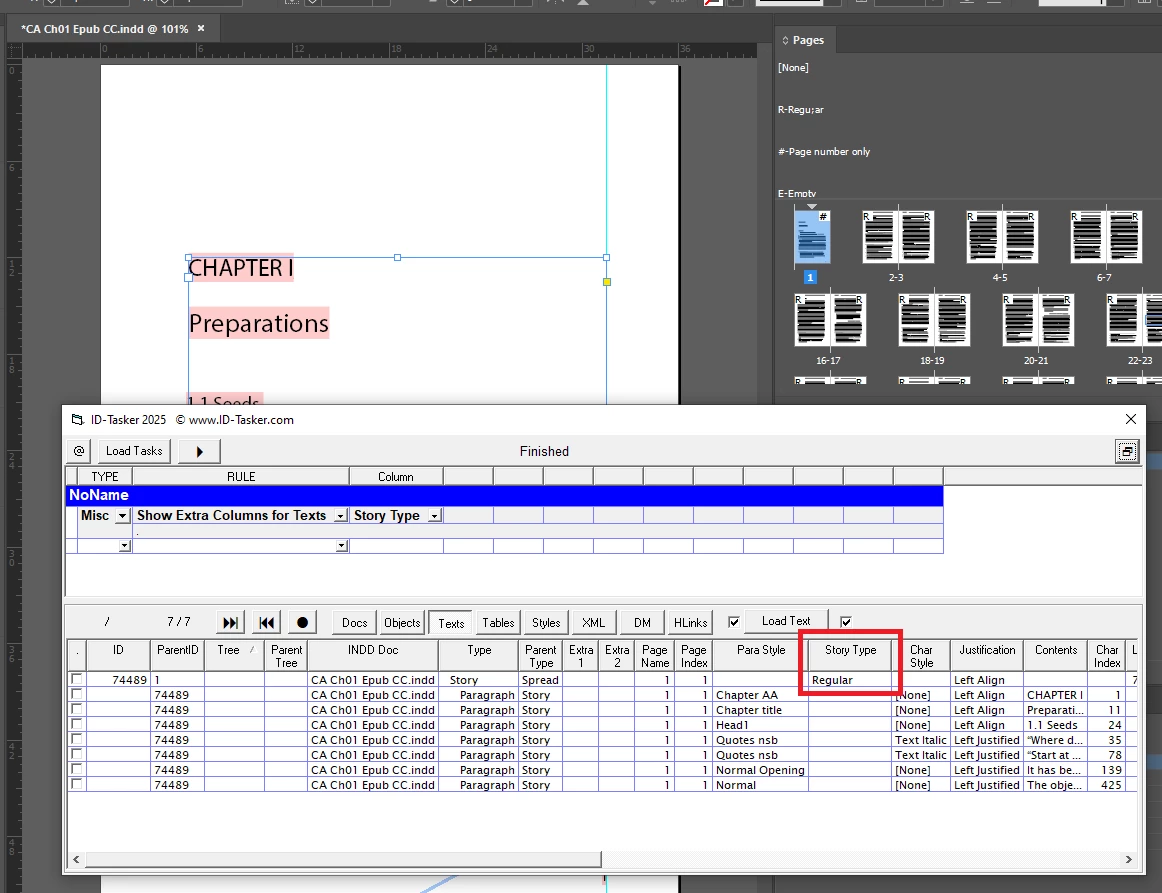
Correct answer Robert at ID-Tasker

Unfortunately, I don't have any idea what this means or how to fix it. I could have run a TOC from another file by mistake, as Barb mentioned. But how do I change the type of story in the naughty docs?

Barb fixed Ch1, and I could do that with the other three docs, but changing the type of story seems quicker.

Oy!


quote

[...] but changing the type of story seems quicker.


By @Susan Culligan


OK, I should've checked before posting 😉


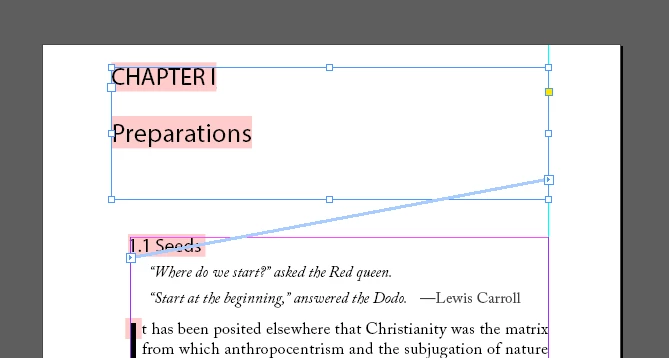
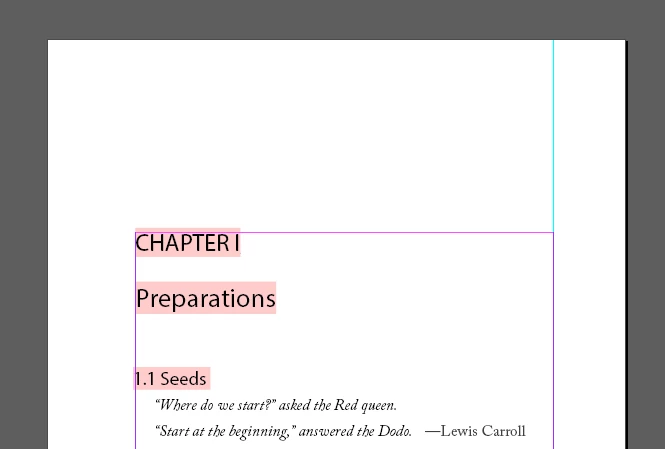
You need to crate a new TextFrame - connect it to the first TextFrame of your old Story:


then delete this new TextFrame:


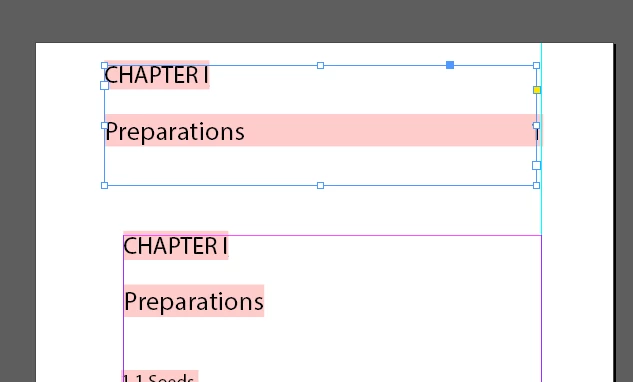
Then, when you create TOC - it won't automatically replace your main story:


5 replies

Barb Binder
Community Expert
Community Expert
April 20, 2025

This is fascinating, Susan. Did you inadvertently create a TOC in ch01, delete it and then flow in the text? Or base ch01 on the TOC chapter? I've never seen this before.


~Barb

~Barb at Rocky Mountain Training
Barb Binder
Community Expert
Community Expert
April 20, 2025

Thank you for trusting us with your files, Susan. I'm happy to remove them for your privacy after you are clear on the answer.


So I took a very close look at your files and couldn't find any reason why the content isn't being pulled into the TOC.


I finally created a new file, copied the ch01 text and pasted it in the new file. I didn't change anything other than saving it and adding it to the book and it worked exactly as expected. This points to corruption in the ch01 file (that saving as .idml didn't fix).


My recommendation is that you move the ch01 content to a new file. This would be simplied/streamlined by opening a working chapter like ch02, saving it under a new name and then replacing the ch02 content with the ch01 content. Add it to the book and update. If it pulls in the content then you can stop and review the new ch01 to make sure everything is in place.


~Barb

~Barb at Rocky Mountain Training
Robert at ID-Tasker
Legend
April 20, 2025

There is no corruption. 


Barb Binder
Community Expert
Community Expert
April 19, 2025

Hi Susan:


As per Willi, this is often the case of a slight difference in style names. If that is what the problem is, you'll see the variation in the right column, but you've scrolled too far down right for us to see it in your screen shot.


If that's not it, I'm also happy to take a quick look at your files.


~Barb 

~Barb at Rocky Mountain Training
Susan Culligan
Inspiring
April 20, 2025

Thanks, here are

  • Contents file, which has the correct TOC Style box (and which also doesn't show in the TOC)
  • Chapter 1 (naughty) and Chapter 2 (nice)
  • Screenshots of the TOC, the TOC style box, and the Book file with the (now 4) missing chapters. My TOC style box keeps reversing the Chapter# and Chapter title (see highlightes), don't know why.

I've loaded the relevant Chapter 2 Paragraph Styles into all the naughty files, so I know they're the same.

If you (or anyone) can figure this out, may blessings fall upon your head.

Thanks,

Susan

Robert at ID-Tasker
Legend
April 20, 2025

@Susan Culligan 


OK, styles look the same...


Willi Adelberger
Community Expert
Community Expert
April 19, 2025

Check, if the paragraph styles of the headlines and their folders have exactly the same name. Those are case sensitive and a space at the end of a style name makes an invisible difference. 

Robert at ID-Tasker
Legend
April 19, 2025

Please click my nickname and send me link privately. 


Robert at ID-Tasker
Legend
April 19, 2025

@Susan Culligan


I don't rember if you work on Windows, but if you do, then you could use free version of my ID-Tasker tool - you could just open a "good" and a "bad" file, load all ParaStyles, sort by Name and check if you've all the same styles in both files.