
Known Participant
May 30, 2021
Answered
TOC out of order in EPUB fixed
- May 30, 2021
- 3 replies
- 6009 views

Hi @ꟺƕᵻ§ꝉ£€ßɵɱß:
Your two frames didn't need to be threaded (though it won't hurt). If the TOC appears out of order as it did in your very first screen shot, try cutting the chapter title frame and the paste it back in place (Edit > Cut, Edit > Paste in Place). The stacking order will make a difference in unthreaded frames.
Also note that while a frame break is an option, in a long document a better alternative is to use assign Start Paragraph: In Next Frame to your Chapter Title style so that you can use a style to control the position instead of remembering to manually add a character. It's in Keep Options.
Since you have gone ahead and threaded the frames, did you remember to update the TOC in the InDesign document prior to re-exporting to EPUB?
~Barb
Frames not threaded. No frame break character. Correct navigational TOC in the fixed-layout EPUB file.
c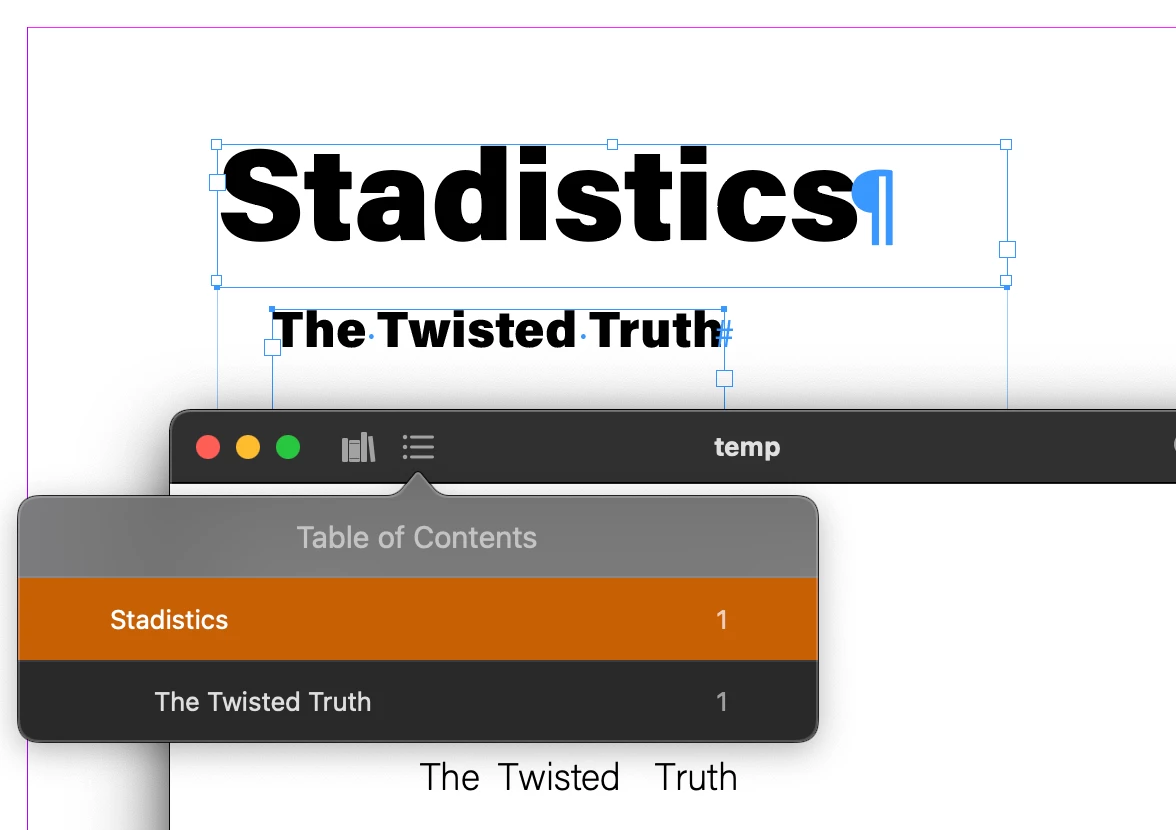
Already have an account? Login
Enter your E-mail address. We'll send you an e-mail with instructions to reset your password.
 AdChoices