
Answered
Tools are 'locked'
All my tools, except Text tool, are locked (greyed out) - what have I done?
I've uninstalled and reinstalled without luck...
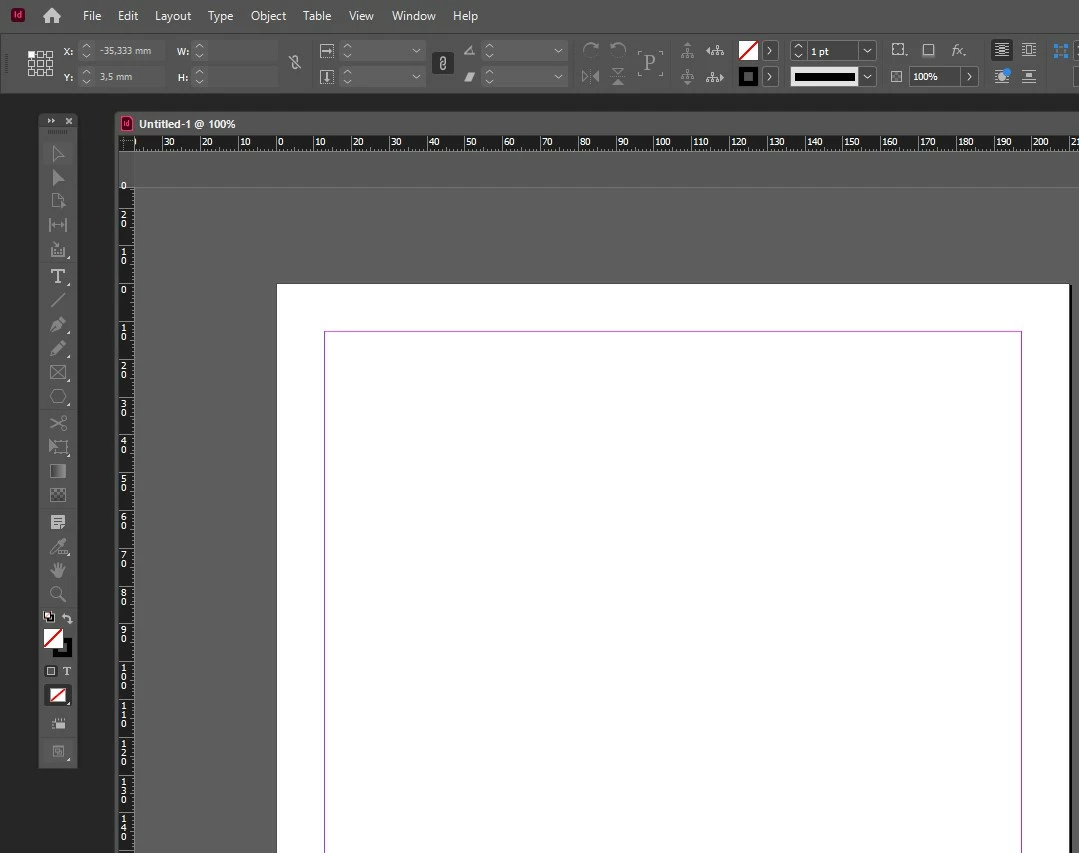

All my tools, except Text tool, are locked (greyed out) - what have I done?
I've uninstalled and reinstalled without luck...
OK, let's see if we can figure out what's going on.
I'm guessing from your screenshot you don't like working in Tabs, but for the moment it would help, so please go to Window > Arrange > Consoildate all Windows
Now please make a new screen capture showing your monitor screen including the task bar along with the whole InDesign window.
I followed this tip - AND it worked!
Troubleshooting 101: Replace, or "trash" your InDe... - Adobe Support Community - 2280649
Already have an account? Login
Enter your E-mail address. We'll send you an e-mail with instructions to reset your password.
 AdChoices