Participant
July 13, 2020
Answered

Transparent Gradient Washes Out Photo

  • July 13, 2020
  • 3 replies
  • 1785 views

I have created a Gradient Feather from black to transparent, but I feel that it is really washing out the photo underneath. Is there a way to maintain the color of the photo and have a gradient? See photo: at the bottom it looks very white.
This topic has been closed for replies.
Correct answer rob day

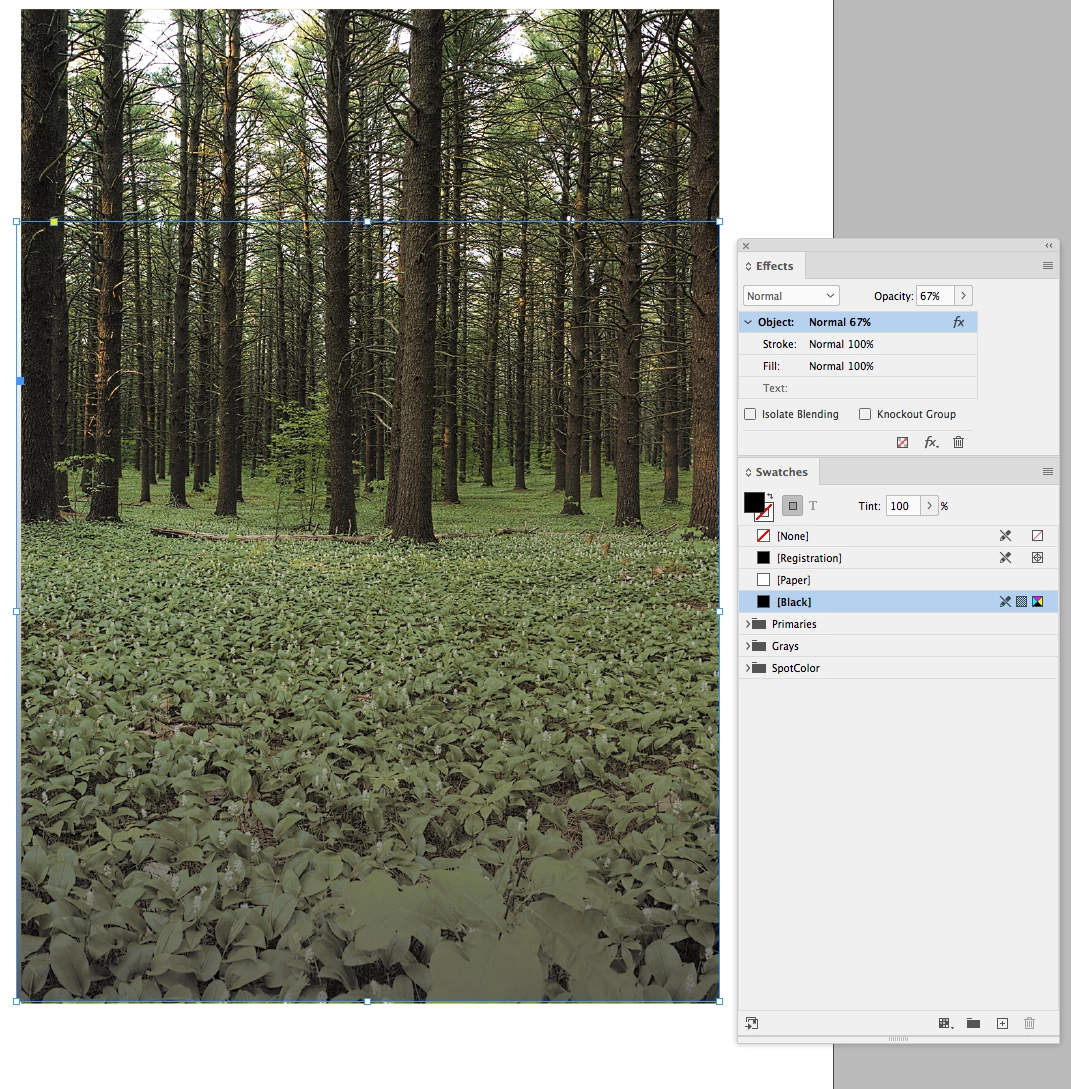
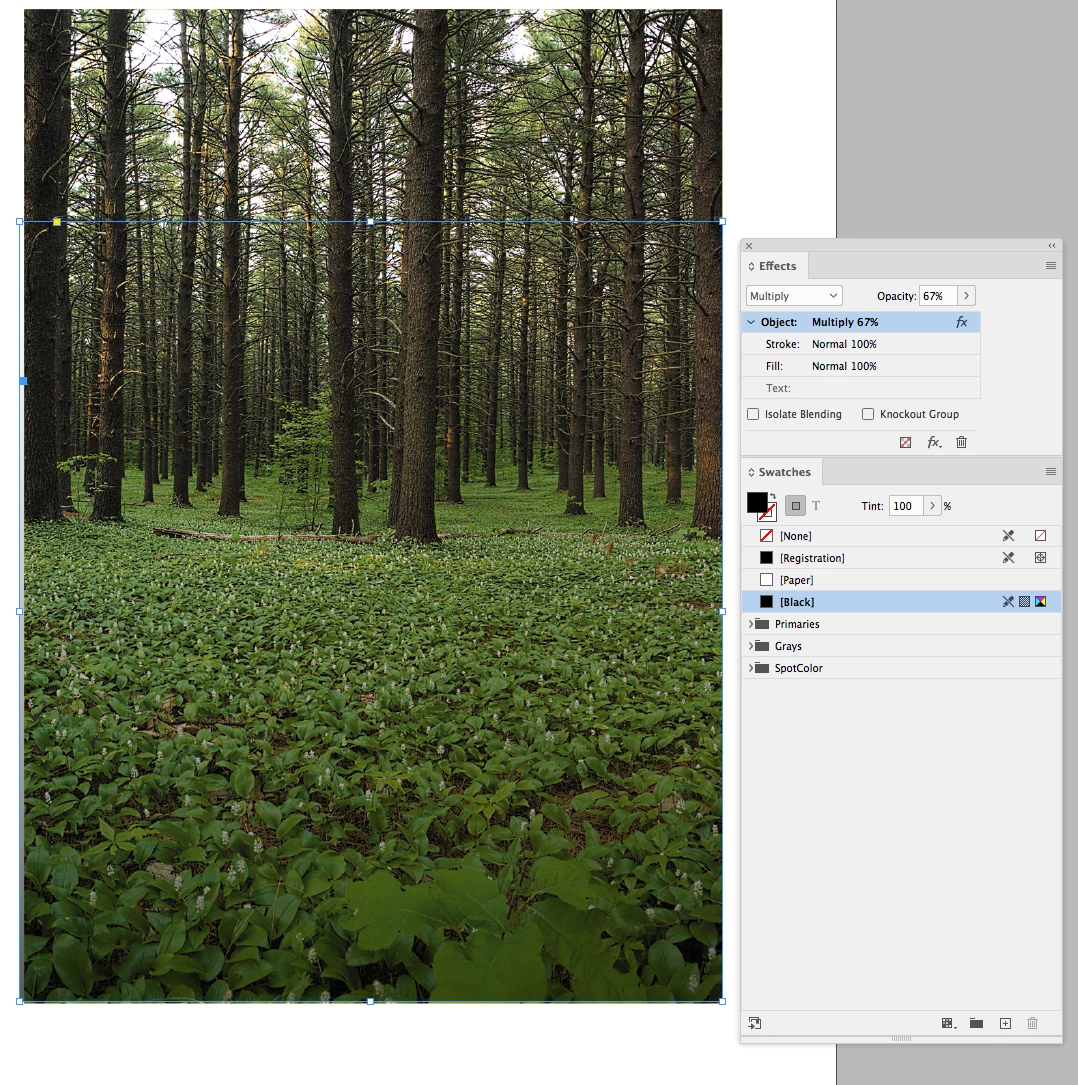
Try setting the frame with the Gradient Feather Effect to Multiply, or set the document’s Transparency Blend Space to RGB. Here my frame has a default [Black] fill with the Gradient Feather applied (looks like you have black to white Gradient Swatch applied along with the Gradient Feather?)


Normal Blend mode


Multiply with CMYK Blend Space:


RGB Blend space with Normal Blend Mode:

3 replies

Barb Binder
Community Expert
Community Expert
July 13, 2020

Because I still had the test file open when I saw Jeff's answer, I went ahead and recorded it to show the difference. If this works for you, please mark Jeff's answer as correct, or tell us and I'll take care of it. 


~Barb 

~Barb at Rocky Mountain Training
Participant
July 13, 2020

Yes, I have done what both of you have suggested and it looks the same. 

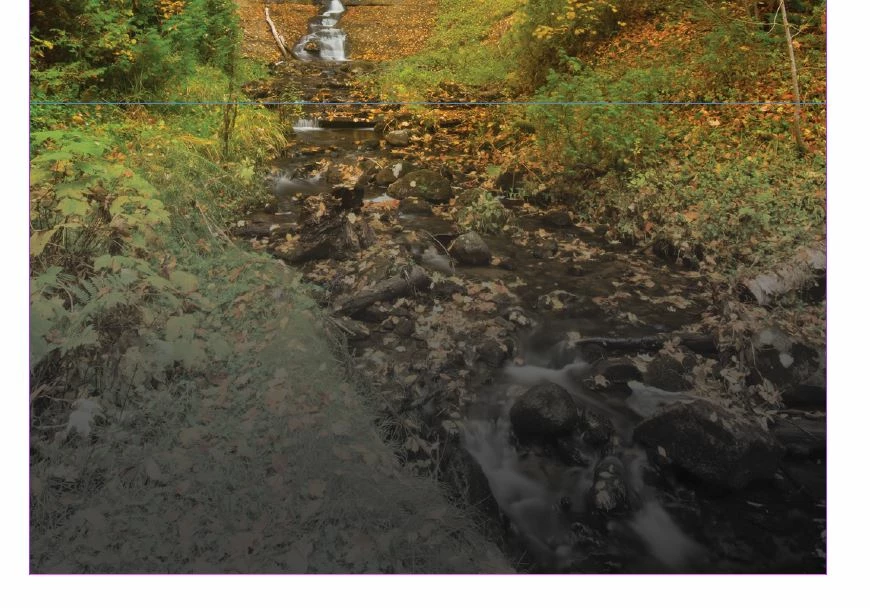
I want it to look like this (see below). This gradient is something I copied over from another document that someone else created. I want to know how to recreate this gradient that keeps the rich color. When I try to recreate the gradient rectangle, it never turns out the same, even though I match the settings.... any ideas?

rob day
Community Expert
rob dayCommunity ExpertCorrect answer
Community Expert
July 13, 2020

Try setting the frame with the Gradient Feather Effect to Multiply, or set the document’s Transparency Blend Space to RGB. Here my frame has a default [Black] fill with the Gradient Feather applied (looks like you have black to white Gradient Swatch applied along with the Gradient Feather?)


Normal Blend mode


Multiply with CMYK Blend Space:


RGB Blend space with Normal Blend Mode:

Barb Binder
Community Expert
Community Expert
July 13, 2020

That's what the feature gradient does—it fades from full color to transparency. You can prolong the color fade by dragging the gradient line well below the box. That said, the color in the photo doesn't look like I would expect. How exactly did you define the gradient?


~Barb 


~Barb at Rocky Mountain Training
Jeff Witchel, ACI
Community Expert
Community Expert
July 13, 2020

Make the Fill of the Graphic Frame a Rich Black (C:50, M: 40, Y: 40, K: 100). Select the image itself by clicking on the Content Grabber in the center. Then apply the Gradient Feather to the image itself, NOT the Frame.

Hope this helps!