
Tura Turizm
Participant
June 18, 2019
Question

Transparent tiff image shadow problem at Black Background

  • June 18, 2019
  • 2 replies
  • 1928 views

Hello Everyone. I have a problem.

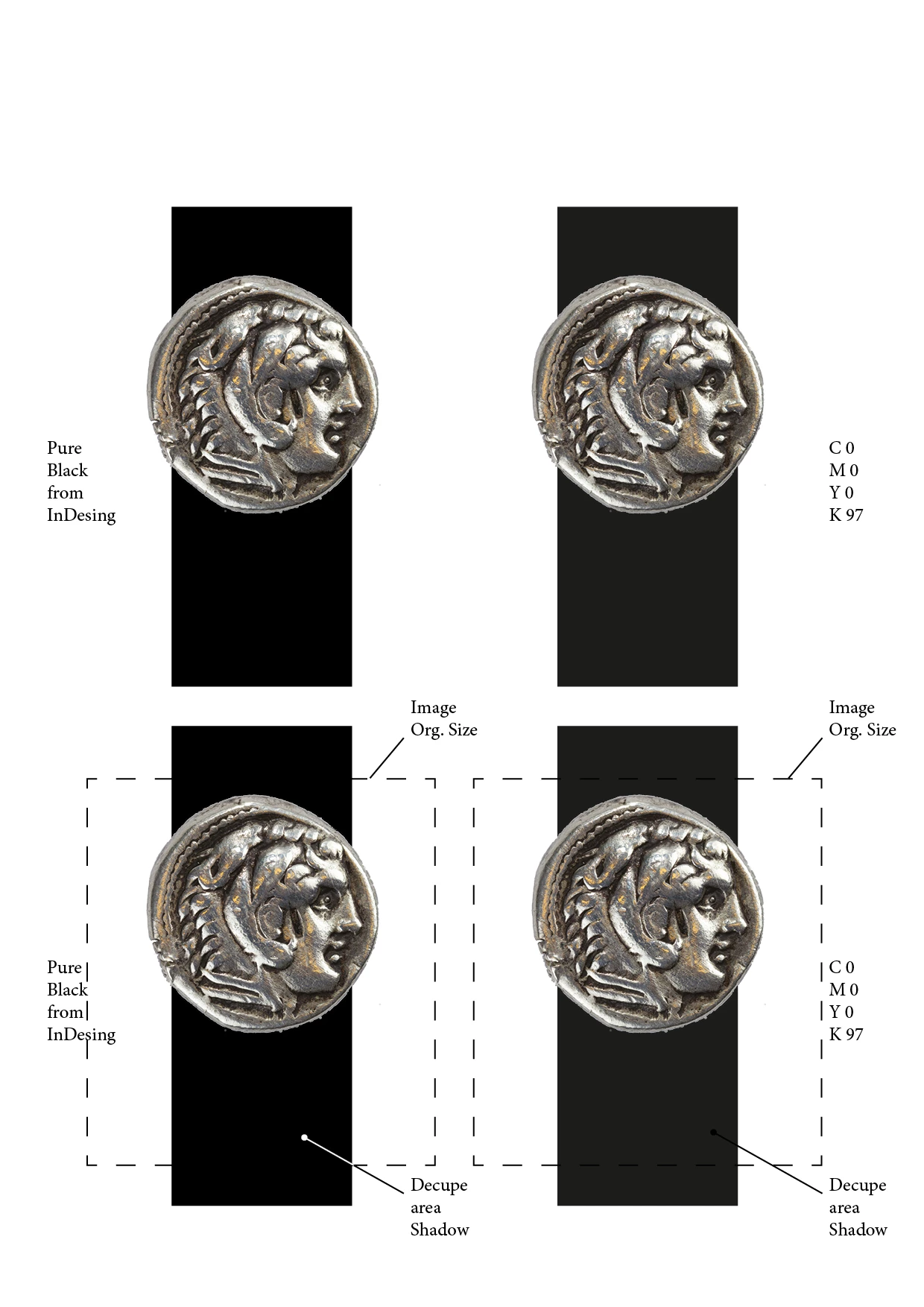
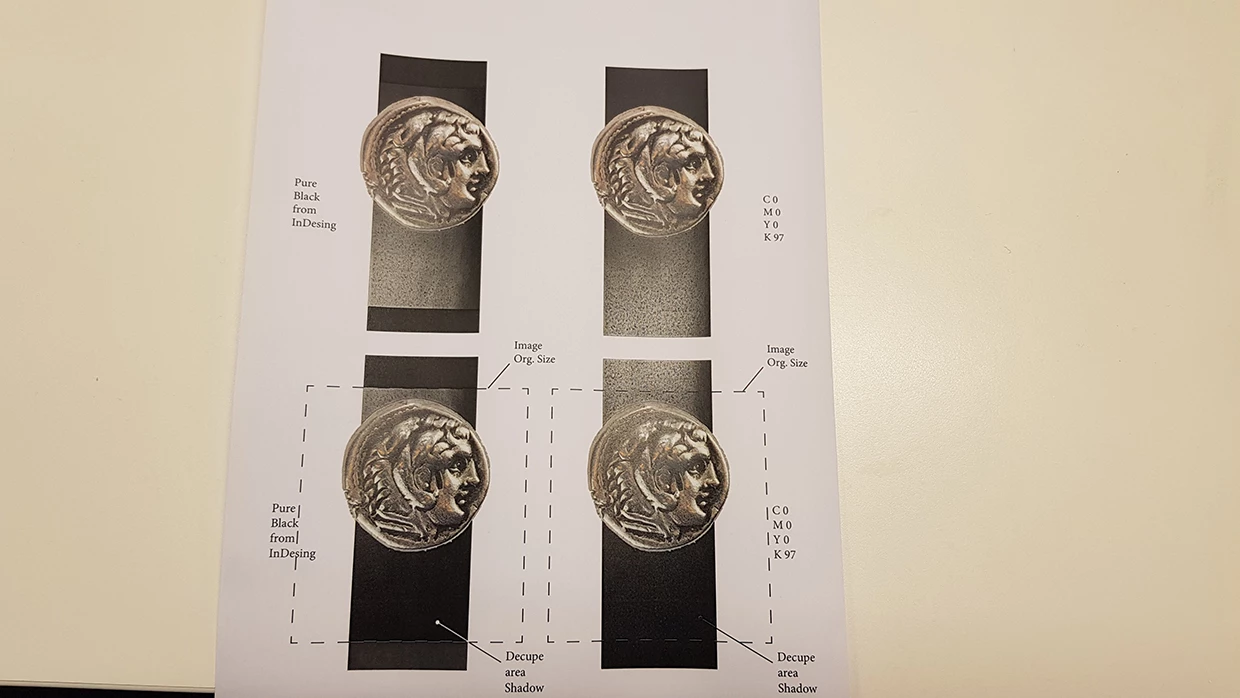
I have a image (decoupled CMYK and TIFF). When I use a black background (InDesign CMYK file) a shadow appears in the print. This shadow does not appear on the screen. It just looks in print. I have tried many different backgrounds (C0 M0 Y0 K100 - C100 M100 Y100 K100 - Very Dark Blue or very dark Grey). Only the C0 M0 Y0 K97 does not appears this shadow. It's dark Gray. I want use to black. What dou you anythig this problem. Please help.
This topic has been closed for replies.

2 replies

Community Expert
June 18, 2019

In the images you provided, the top image it seems as though the coins are over a flat color, while the bottom image (printout), the coins appear over a textured image. Is the rectangle an image or flat color?

Tura Turizm
Participant
June 18, 2019

Rectangle is flat color C=0 M=0 Y=0 K=100.

rob day
Community Expert
Community Expert
June 18, 2019

The drivers for composite color printers are usually RGB, so it may be that your print driver isn't handling the transparency flattening or color management correctly. Have you tried exporting a PDF and printing from Acrobat? In that case you could force the source color into RGB and flatten on export by setting the Output tab to something like this:

Community Expert
June 18, 2019
Tura Turizm
Participant
June 18, 2019

that's not like same problem.

John Mensinger
Community Expert
Community Expert
June 18, 2019

I'm not sure I know what you mean by "decoupled CMYK and TIFF" and "decupe area shadow."

Is the space around the object fully transparent? Is there a reason you didn't crop it closer?

When placing a CMYK image with transparency in InDesign, the Document Intent: in the New Document dialog must have been set to Print.

This helps ensure the black swatch will be C:0|M:0|Y:0|K:100, and the Transparency Blend Space (Edit > Transparency Blend Space) will be set to CMYK. If the Document Intent was set to Web or Mobile, InDesign's black swatch may be RGB Black, and/or the Transparency Blend Space may be be mismatched to the CMYK image and/or the underlying black.