


Copy link to clipboard
Copied
Hello Community,
Iv been all over the internet trying to find a good system for folding lines on a trifold.
I see some older articles saying that the inner panel should be 3.625 while the outer two should be 3.6875. Others say that there are 3 progressively smaller panels (each a different size).
I just wanted to know what method is the best / do you use!
Thanks for any insight.
bc


 1 Correct answer


Check with your print provider first - they should have templates or provide you with one.
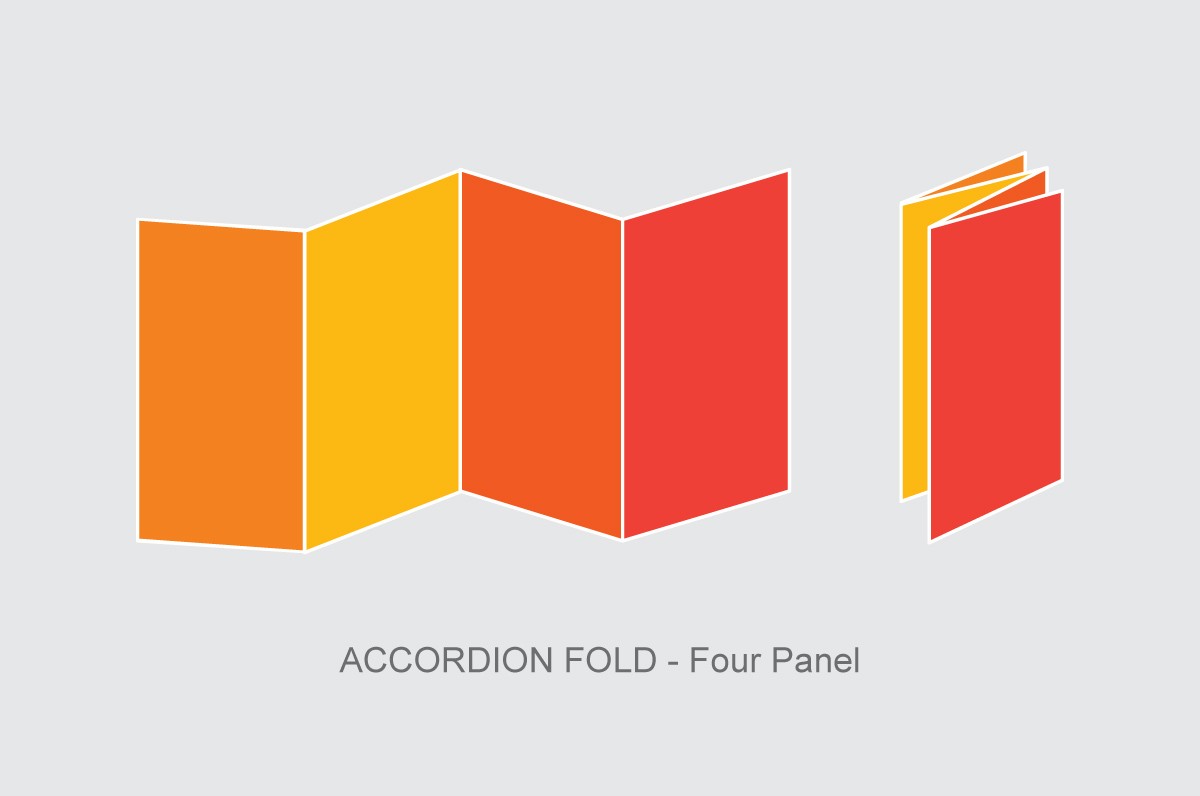
For an Accordian fold each panel should be the same size.
Each panel folds neatly onto each other.
For a tri-fold brochure the pages fold into each other - called a ROLL FOLD. You see the "outer flap" - if that was the same size as the page that it is folding onto - the "inner left" page would not be able to fold over the top of it. That's because the outer flap would be sitting right on the crease of the i
...
 5
Replies
5
5
Replies
5


Copy link to clipboard
Copied
5 | 6 | 1 |
|---|
Outside
2 | 3 | 4 |
|---|
Inside
Panels 6, 1, 2, 3 width = 3.6875 in.
Panels 5, 4 width = 3.625 in.
This folding method is more common than the progressively smaller method
Copy link to clipboard
Copied
Check with your print provider first - they should have templates or provide you with one.
For an Accordian fold each panel should be the same size.
Each panel folds neatly onto each other.

For a tri-fold brochure the pages fold into each other - called a ROLL FOLD. You see the "outer flap" - if that was the same size as the page that it is folding onto - the "inner left" page would not be able to fold over the top of it. That's because the outer flap would be sitting right on the crease of the inner flap.
Most printers and finishers know this - and typically will trim off an extra 1mm anyway to account for this.

The Fold Factory https://www.foldfactory.com/ have very good folds and a Plugin for InDesign
https://www.foldfactory.com/pages/template-builder to allow you to create a template - however, I would recommend learning how to do this yourself, it's very easy.
There are also free online resources if you search for them - I found this one
InDesign Brochure Templates for Design and Layout for Printing
But back to the original point - contact your print provider who will set you up with a template that suits their capabilities.
Copy link to clipboard
Copied
Does this all still apply when hand folding? (keeping one panel shorter).
The company I am currently at does all in house and hand folding of their print collateral.
Thanks!

Copy link to clipboard
Copied
Yes, no matter how it's being folded, you have to compensate for the thickness of the paper or the folded piece will buckle.
Copy link to clipboard
Copied
Yes, it's virtually impossible for the fold in panel not to be slightly smaller.


Find more inspiration, events, and resources on the new Adobe Community
Explore Now
 AdChoices