Participating Frequently
June 21, 2018
Answered

Trouble with table format when exported to epub

  • June 21, 2018
  • 4 replies
  • 4427 views

Hello,

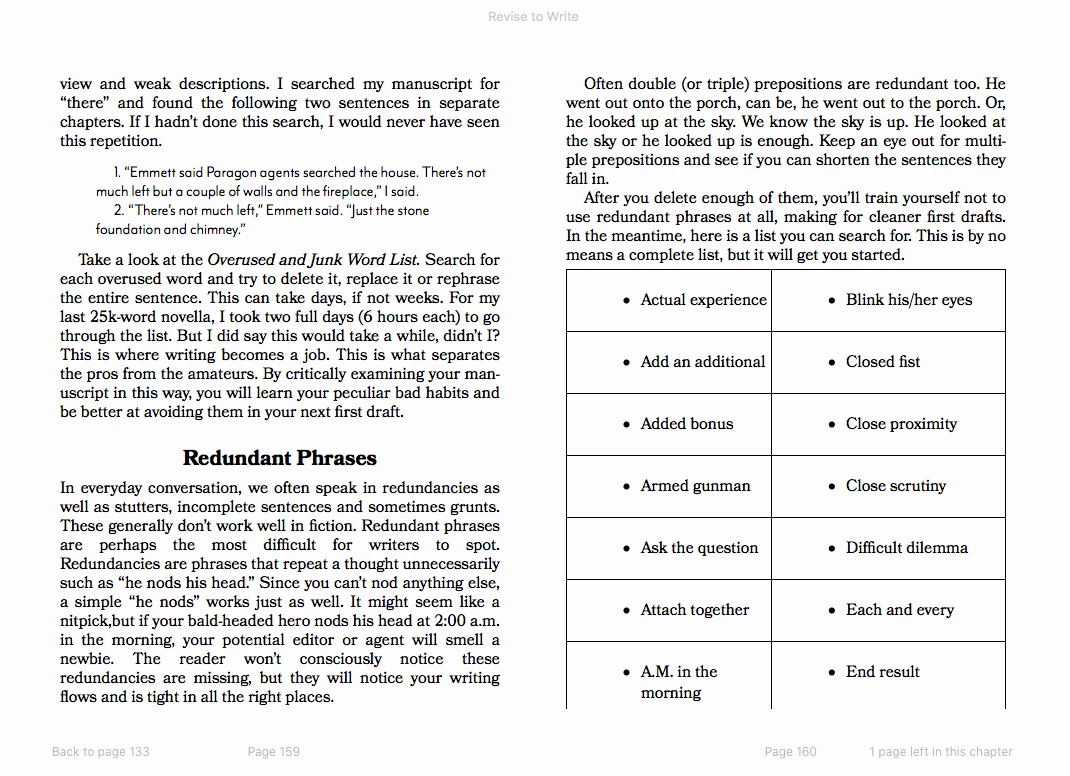
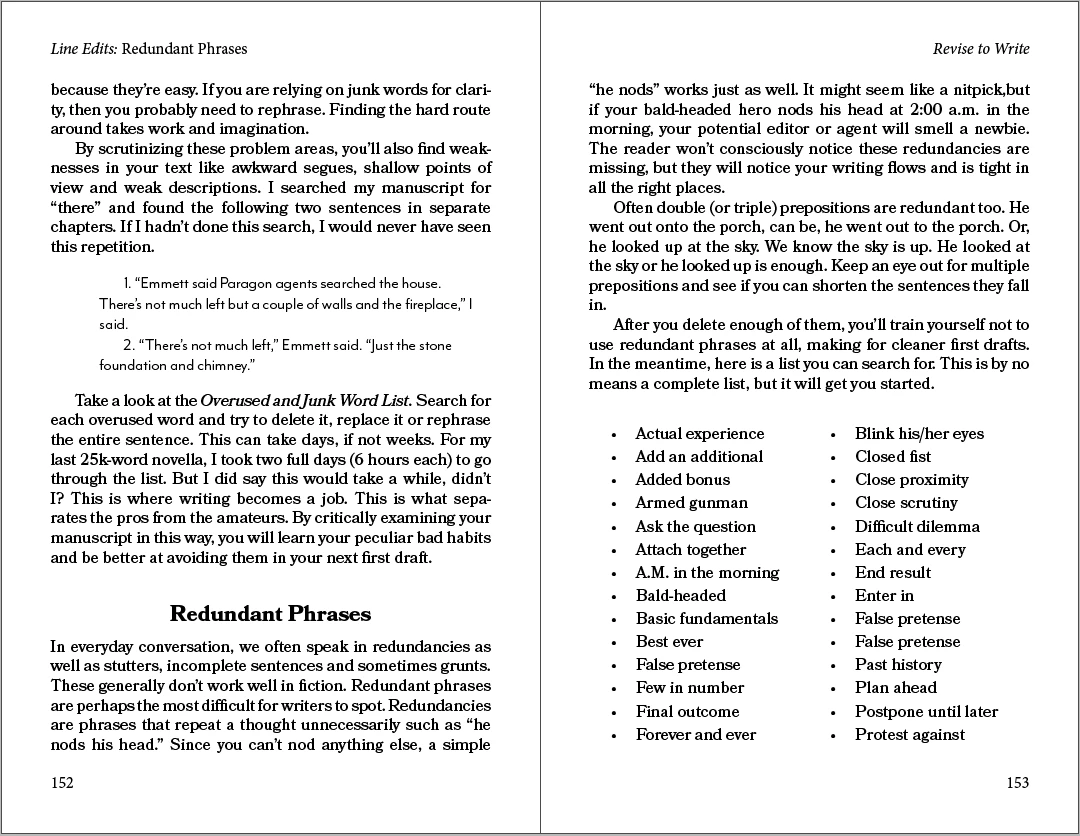
First, any help is truly appreciated. I just did a whole Lynda.com tutorial on creating epubs from Indesign and managed to get a pretty clean file. I have only one unresolved issue. I have two tables in the file that are just lists of words. I used the table function, hoping it would reflow better in an epub. In InDesign, my tables have no borders. When I export it, there is a thin black border around the all the cells. The cells are also much too high. I tried setting the cells to a fixed height, but this didn't change anything. Can anyone suggest a way to:

a. get rid of the black border

b. size the cells smaller

Screen shots of the InDesign file and iBooks page included.

Thanks again for any help!

Kim McDougall
This topic has been closed for replies.
Correct answer BobLevine

Proper markup is ESSENTIAL! Converting bullets to text is just plain wrong.

As for tables, they should only be used for truly tabular data, not to fake columns. These are called reflowable EPUBs for a reason. Stop trying to force what you think it should look like on your readers. It's more trouble than it's worth and will invariable cause problems.

Readers will be able to change the font, the size of the text. The reader app needs to be able to make those adjustments while keeping things readable. What you're doing will break that.

Finally, keep in mind that not everyone can actually see. I'm sure Bevi will concur that accessibility is very important. While it may be difficult to make your material 100% accessible, the things you're talking about here will actually make it less accessible and that, IMO, is inexcusable.

4 replies

KimMcDAuthor
Participating Frequently
June 21, 2018

Thank you all for your suggestions. I made some tests, trying out the different suggestions. First off, it is a reflowable epub 3. Sorry, should have mentioned that. I was viewing it in iBooks. I will try to view it across other platforms as soon as I figure this out.

BarbBinder, I tried your suggestion and it worked as you said. Screenshot below. I understand about changing the border in CSS at the end. However, I have a lot of bullet lists in this epub. By converting them all to text am I losing any functionality? They look the same in the epub. Screen shot with bullets converted to text.

Several people suggested using split columns, which I tried too and yes, it converts to one column in the epub. I might as well make it just one column and be done with it, since I made a separate indd file for my print version.

BobLevine, you said:

I wouldn't have used a table. I'd have used a split column. Wouldn't convert the bullets to text either as you'll lose the ul and li markup. Better off using proper styles in InDesign which I am almost positive were not used. Adjust the spacing there.

What do you mean by using proper styles? Paragraph styles? Table styles? Also what is the disadvantage of losing the ul a li markup? The epub looks exactly the same.

So, I guess my question now is: Is there any advantage or disadvantage to using a table? Will some e-readers have trouble with tables?

Thanks again everyone for all your help.

Kim

BobLevine
Community Expert
BobLevineCommunity ExpertCorrect answer
Community Expert
June 21, 2018

Proper markup is ESSENTIAL! Converting bullets to text is just plain wrong.

As for tables, they should only be used for truly tabular data, not to fake columns. These are called reflowable EPUBs for a reason. Stop trying to force what you think it should look like on your readers. It's more trouble than it's worth and will invariable cause problems.

Readers will be able to change the font, the size of the text. The reader app needs to be able to make those adjustments while keeping things readable. What you're doing will break that.

Finally, keep in mind that not everyone can actually see. I'm sure Bevi will concur that accessibility is very important. While it may be difficult to make your material 100% accessible, the things you're talking about here will actually make it less accessible and that, IMO, is inexcusable.

BobLevine
Community Expert
Community Expert
June 21, 2018

So, it sounds like my best choice is just a single column bullet point list. No point in trying to force a double column that would make in less accessible. This actually makes things easier.

Thanks!

Kim


Correct. I originally thought this was going to be a print publication AND an EPUB. If it’s only an EPUB, stop making extra work for yourself and overthinking things. I know it’s natural to do but once you have the EPUB exported, open it in iBooks and start changing the fonts and the sizes and you’ll see what I’m talking about.

BobLevine
Community Expert
Community Expert
June 21, 2018

One other thing. What EPUB reader is being used and what version is it being exported to? Should be using EPUB 3

Barb Binder
Community Expert
Community Expert
June 21, 2018

So Bob, I tried a split column. It worked as expected in a fixed layout EPUB but went to a single column in the reflowable.

~B

~Barb at Rocky Mountain Training
Bevi Chagnon - PubCom.com
Legend
June 21, 2018

but went to a single column in the reflowable

That's as it should have done.

A reflowable EPUB should break a multi-column layout into single columns.

|    Bevi Chagnon   |  Designer, Trainer, & Technologist for Accessible Documents ||    PubCom |    Classes & Books for Accessible InDesign, PDFs & MS Office |
BobLevine
Community Expert
Community Expert
June 21, 2018

Moving this thread to the InDesign EPUB forum.

Barb Binder
Community Expert
Community Expert
June 21, 2018

Hi Kim:

First of all, I assume you need a reflowable ePub? (Fixed layout ePubs don't do this.)

If so, you can reduce the spacing by changing the bullets to Convert to Text.

The only option for the table border that I am aware of is to open the ePub and edit the .CSS directly in a text editor. (Change the extension to .zip and use the extract command.) You will want to change the border to none:

td, th {

border-style:none;

}

should do it. You can play with it now, but the border will come back with the next export, so wait until you are done to do it for the final time.

~Barb

~Barb at Rocky Mountain Training
BobLevine
Community Expert
Community Expert
June 21, 2018

I wouldn't have used a table. I'd have used a split column. Wouldn't convert the bullets to text either as you'll lose the ul and li markup. Better off using proper styles in InDesign which I am almost positive were not used. Adjust the spacing there.

As for the CSS, you can append that to the file without breaking open the EPUB.

Bevi Chagnon - PubCom.com
Legend
June 21, 2018

I wouldn't have used a table. I'd have used a split column. Wouldn't convert the bullets to text either as you'll lose the ul and li markup. Better off using proper styles in InDesign

That would be my suggestion, too.

Using a table for layout isn't recommended for any of our digital technologies because it doesn't allow the content to respond (or reflow) to the device that it's being viewed on.

|    Bevi Chagnon   |  Designer, Trainer, & Technologist for Accessible Documents ||    PubCom |    Classes & Books for Accessible InDesign, PDFs & MS Office |