

rutar_n
Participating Frequently
January 26, 2024
Answered

TRUBLE FORMATING IMPORTED EXCEL TABLE IN INDESIGN (2024)

  • January 26, 2024
  • 1 reply
  • 551 views

hi there!

I've posted about this issue already but before I could solve it, it disappeared and I assumed it was a bug.

now it has returned and I'm once again asking for your help since I have a project deadline next week and this is making it very hard to finish it in time...to the problems we go:

1. when I import a file via PLACE command, I import it with the usual settings as I did till now (which had never failed me before) and the table, instead of importing only FULL cells, it also imports endless columns of EMPTY cells.

2. table imports out of text area, outline in red (example 1)
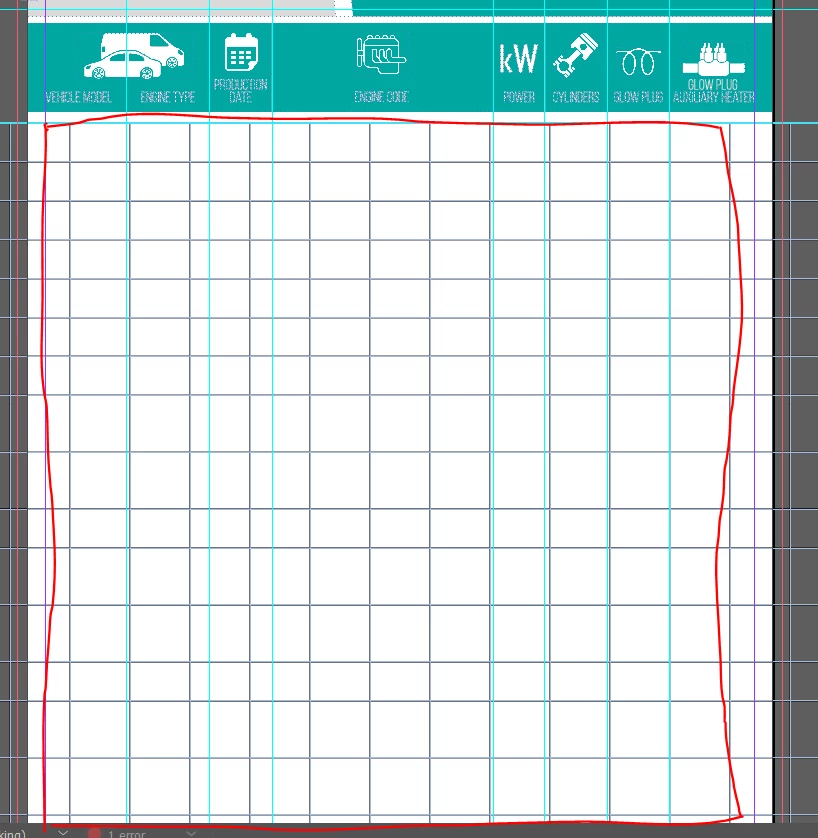
3. and lastly, the program doesn't allow me to adjust column width to my liking. When I try to adjust one column, the other one adjusts as well (video example)


I am in big need of help, and slightly losing my mind...PLS HELP!


This topic has been closed for replies.
Correct answer BobLevine

Usual settings means nothing to us. What are they exactly? Are you using named ranges? Is this a real Excel file or one saved from a third party such as Google Sheets or Numbers?


Adjusting columns works exactly as shown. Hold the shift key while adjusting columns to keep the table width the same. This will of course cause the adjacent column to also be resized.

1 reply

BobLevine
Community Expert
BobLevineCommunity ExpertCorrect answer
Community Expert
January 26, 2024

Usual settings means nothing to us. What are they exactly? Are you using named ranges? Is this a real Excel file or one saved from a third party such as Google Sheets or Numbers?


Adjusting columns works exactly as shown. Hold the shift key while adjusting columns to keep the table width the same. This will of course cause the adjacent column to also be resized.

rutar_n
rutar_nAuthor
Participating Frequently
January 29, 2024

Sorry, usual settings was ment the setting is always used before this problem occurred. It is an Excel file, here are importing settings I'm using:

The column resizing doesn't work properly based on previous projects I did.

The main mystery here is why the sudden error. I did 100+ pages of imported Excel files and no problem. Settings haven't been changed nor importing options.

BobLevine
Community Expert
Community Expert
January 29, 2024

Did you intend to import 1414 rows? How many are actually importing and again...I don't know what you were doing before but what you're seeing in the changing column width is perfectly normal behavior.