
Trying to check spelling but dictionary is stuck in French (rather than English UK)
I've tried this from the help menu but no effect:
- - - -
Set the default language dictionary for the current document
You can change the default language dictionary for a document or for all new documents you create. Changing the default dictionary in an existing document doesn’t affect text that has already been created or text that you type into an existing text frame.
Note:
Use the Character Style or Paragraph Style panel to set a specific dictionary for a specific style. The Language menu appears in the Advanced Character Formats section.
- Open the document.
- Select the Selection tool from the toolbar and make sure no items are selected in the document.
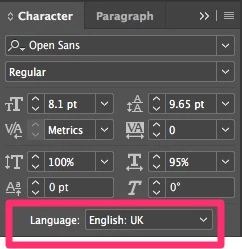
- Choose Type > Character.
- - - -
So as it stands I can't spell check. I do frequently do jobs in French and use French within the H&Js so wondering if I've made a problem somewhere. But it's something I've done for several years and not had the issue before.
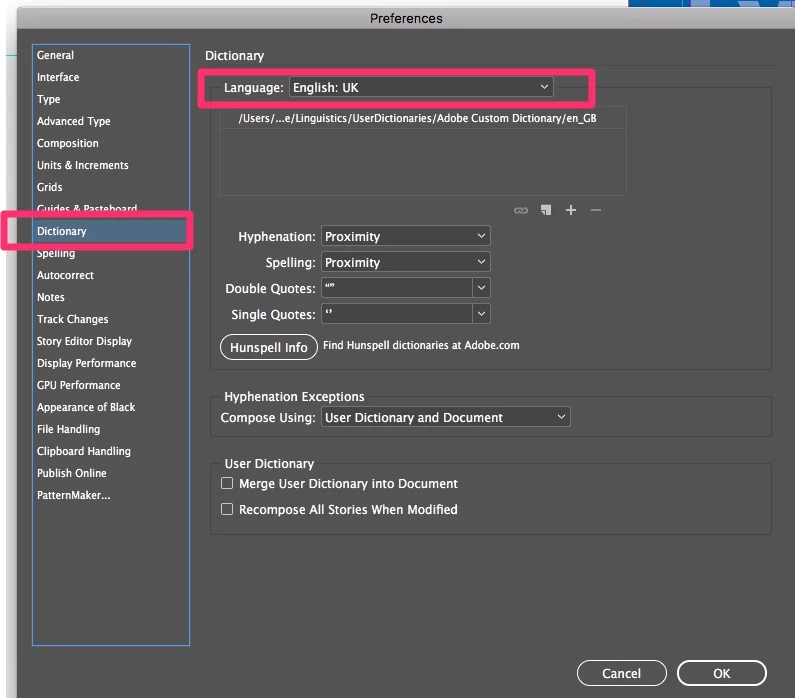
Any help much appreciated, a screengrab attached.
Mac Sierra 10.12.4
InDesign 12.1.0.56
PS A couple more grabs:
 AdChoices