
Known Participant
March 7, 2025
Question

Trying to line up a left column of numbers anchored to a right column of text blocks

  • March 7, 2025
  • 3 replies
  • 7079 views

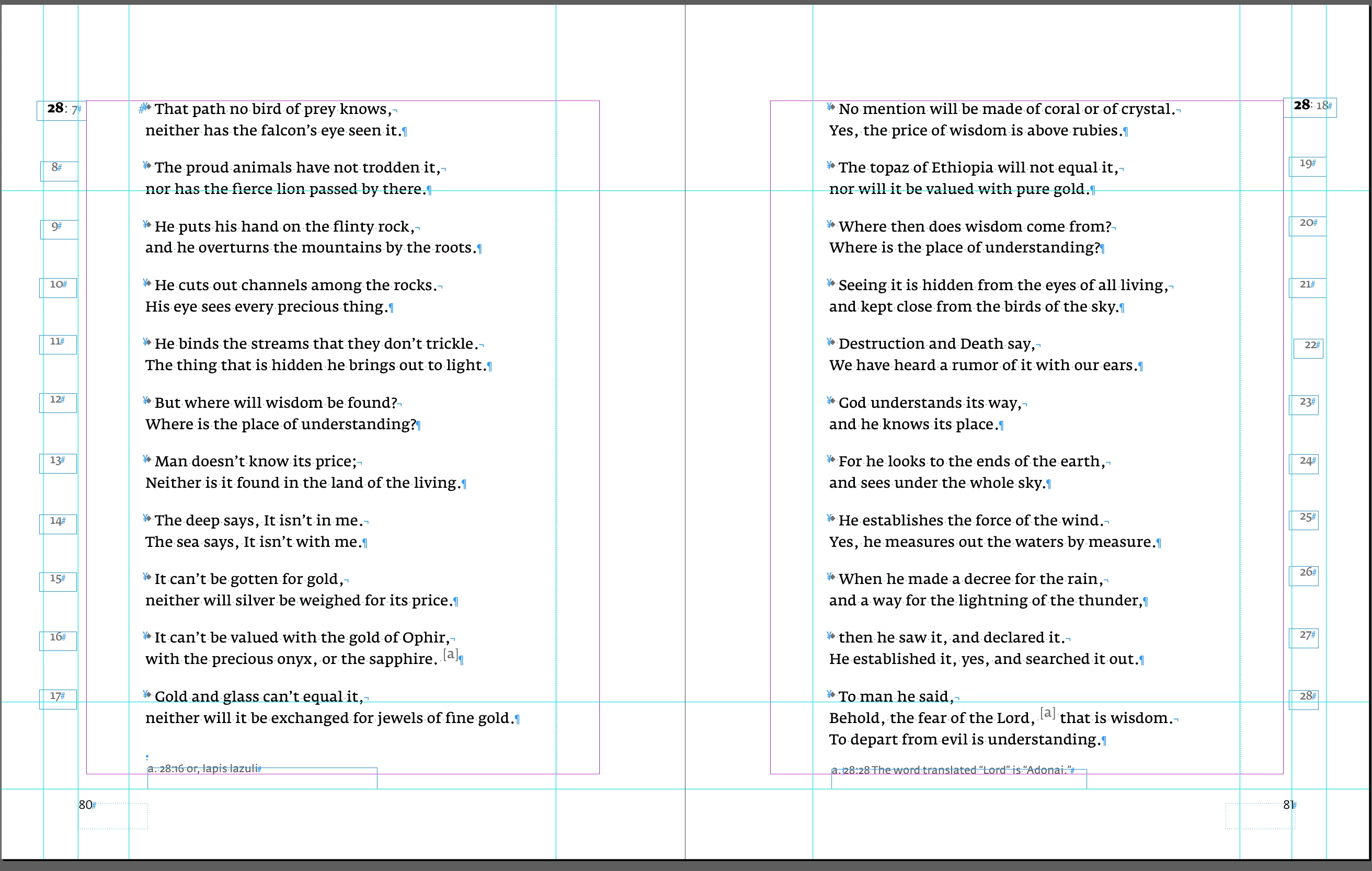
Here's an example of the page spread I am trying to line up the numbered section on the left column after I have anchored the number to the right column text reference. 
3 replies

Peter Spier
Community Expert
Community Expert
March 7, 2025

It looks to me like you mean aligning the numbers on the horizontal axis as they read down the column.


Your text frames should all be the same width and you can set a text alignment as part of the paragraph style assigned to the numbers.

Known Participant
March 7, 2025

Can I set up a fake decimal point for vertical alignment going down the column in paragraph styles? Currently, I have the numbers anchored to the scripture reference text. Now I am trying to figure out the best way to line those numbers going down. 

Known Participant
March 21, 2025

First, the baseline grid problem. Your body text itself is not aligning to the grid uniformly in IMG_0893 while the numbers are. I think you'll want to adjust the grid spacing to match the bodly text leading, and you may need to adjust the space before/after settings as well to get the correct gap.

I realize I mislead you about the anchoring in the private message I sent. The problem here is that the frames are spaced equally from the margin on both sides, but because all the numbers are right aligned those on the left page are closer to the text than those on the right, and I don't actually know how to fix that using a single object style.


Okay, I am wondering if I have set up the style sheets incorrectly in the Objects panels. Maybe the X and y numbers are off? I do have them set to align with the spine. I just don't know how to fix this and as I mentioned I've been trying to get it all to line up both horizontally and vertically.

Willi Adelberger
Community Expert
Community Expert
March 7, 2025

Use a 2 column table 

Robert at ID-Tasker
Legend
March 7, 2025

With each number and text in a separate row.


Known Participant
March 7, 2025

They are in separate text boxes. I just can't figure out how to place the numbers in the same position going down the pages.


Thank you,

Jeanette


Robert at ID-Tasker
Legend
March 7, 2025

Set up and turn on Align to Baseline Grid. 


https://helpx.adobe.com/uk/indesign/using/aligning-text.html