
Known Participant
September 27, 2017
Answered

Turn off Content Collector keyboard shortcut

  • September 27, 2017
  • 2 replies
  • 1586 views

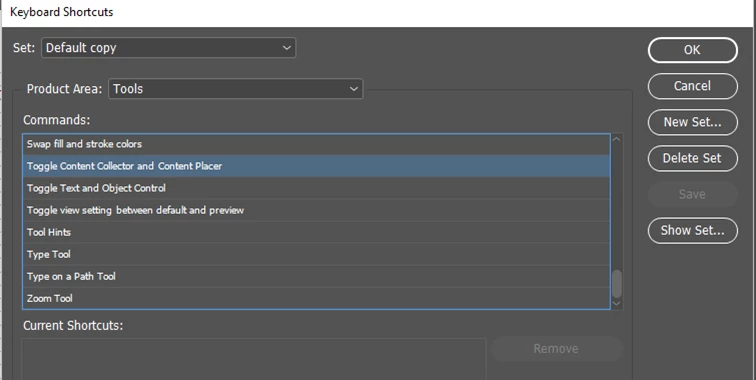
I often accidentally invoke Content Collector by hitting B on keyboard. I tried to disable the shortcut using edit keyboard shortcuts but could not locate the shortcut to turn it off.

Could anyone help with locating this tool in the edit shortcuts window? It doesn't appear under the Tools dropdown. There may be another solution I haven't considered but it isn't a serious problem - just a time waster.

Thanks

E French
Correct answer amaarora

Hi,

Found it in the Tools menu only. Remove the shortcut in the new KBSC set you create.

-Aman

2 replies

Participating Frequently
January 3, 2025

I am trying to turn off "Content placer" so i don't keep triggering it everytime i hit "B". This has been such a pain to deal with over the years.
I wish Adobe would stop with moving around shortcut commands and controls. They should be building on what they have and not constantly reinventing things.

amaarora
amaaroraCorrect answer
Inspiring
September 27, 2017

Hi,

Found it in the Tools menu only. Remove the shortcut in the new KBSC set you create.

-Aman

goanna2Author
Known Participant
September 27, 2017

Thanks Aman - fixed