
Known Participant
June 19, 2019
Answered

Turn page around in inDesign

  • June 19, 2019
  • 2 replies
  • 9639 views

Hello folks,

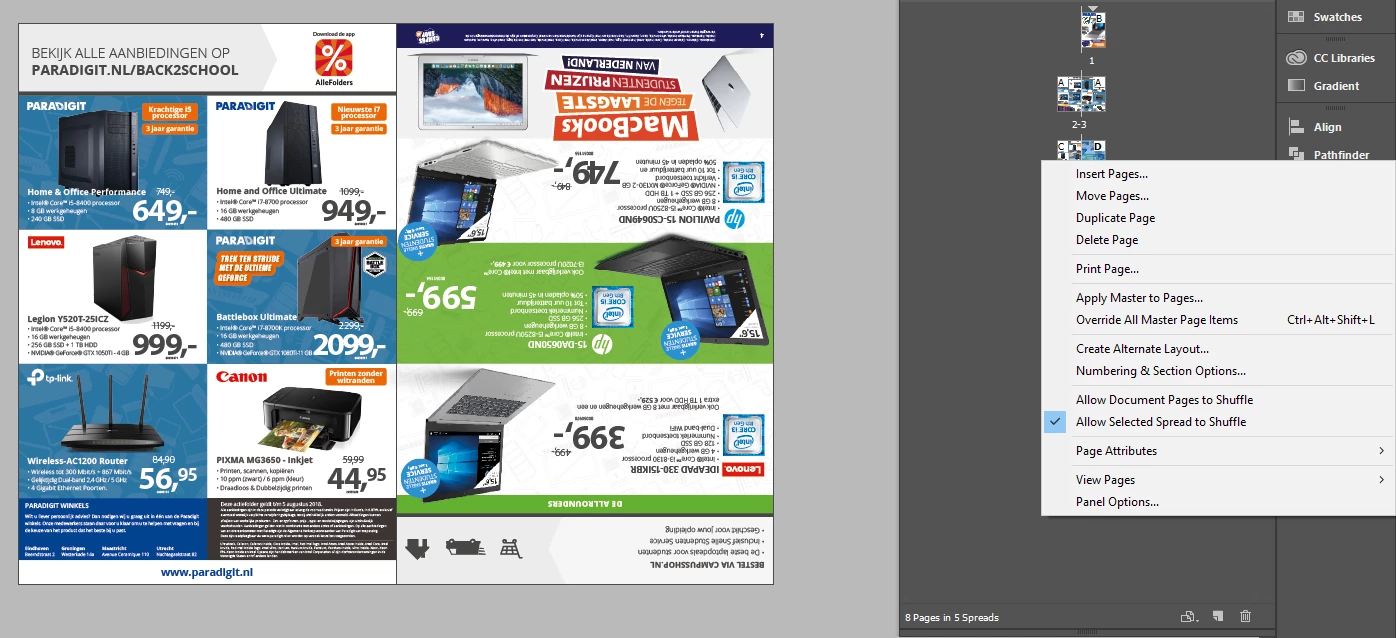
I'm working on a magazine that has 8 pages in total. We've split the magazine in 2 parts of 4 pages each. The first 4 pages are normal and the 4 pages after that are upside down. But when I'm designing the magazine I just want all pages to face up. Is there a way to turn the pages around easily with the pages window?
I know I can turn a spread with right click - Page Attributes - Rotate Spread View - 180. But I want to turn 1 page around instead of a whole spread.
Correct answer Steve Werner

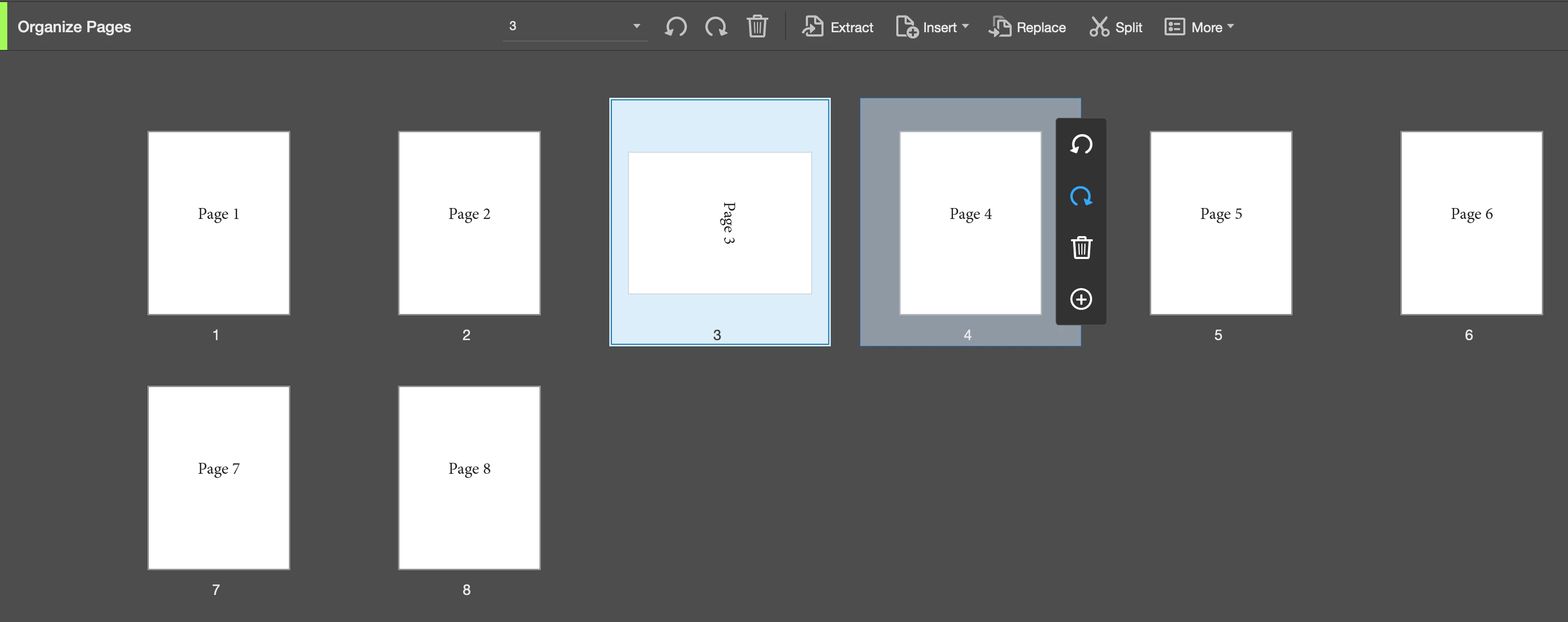
In current versions of Adobe Acrobat, you can rotate pages using the Organize Pages tool (illustrated below). That will definitely rotate the printed image. But if you're commercially printing from the PDF, you definitely need to consult with your printer about how they would like your pages prepared for printing.

2 replies

rob day
Community Expert
Community Expert
June 19, 2019

But when I'm designing the magazine I just want all pages to face up

Is the document being exported to a PDF? It would be easy to rotate specific pages in AcrobatPro.

Known Participant
June 19, 2019

Yes eventually it will be exported to a PDF. Can you tell me how to rotate a page in AcrobatPro? And will it have any effect on the printable pdf that I send to the printer?

Steve Werner
Community Expert
Steve WernerCommunity ExpertCorrect answer
Community Expert
June 19, 2019

In current versions of Adobe Acrobat, you can rotate pages using the Organize Pages tool (illustrated below). That will definitely rotate the printed image. But if you're commercially printing from the PDF, you definitely need to consult with your printer about how they would like your pages prepared for printing.

Bill Silbert
Community Expert
Community Expert
June 19, 2019

With the relevant pages selected in the Pages Panel go through the Pages Panel pull-down menu to Page Attributes to Rotate Spread View and then choose the 180° option.

This will only rotate the pages on screen. Any pdf or print will still be upside down.

Bill Silbert
Community Expert
Community Expert
June 19, 2019

Sorry. I missed the last line of your post before I added my first post. You're right that the option I showed will only rotate spreads. You might want to see if there is a script available for this in the InDesign scripting forum InDesign Scripting .