AndressaSA
Participant
March 23, 2021
Answered

Turning pages to the wrong way

  • March 23, 2021
  • 2 replies
  • 606 views

The problem is simples,but I can not solve it.

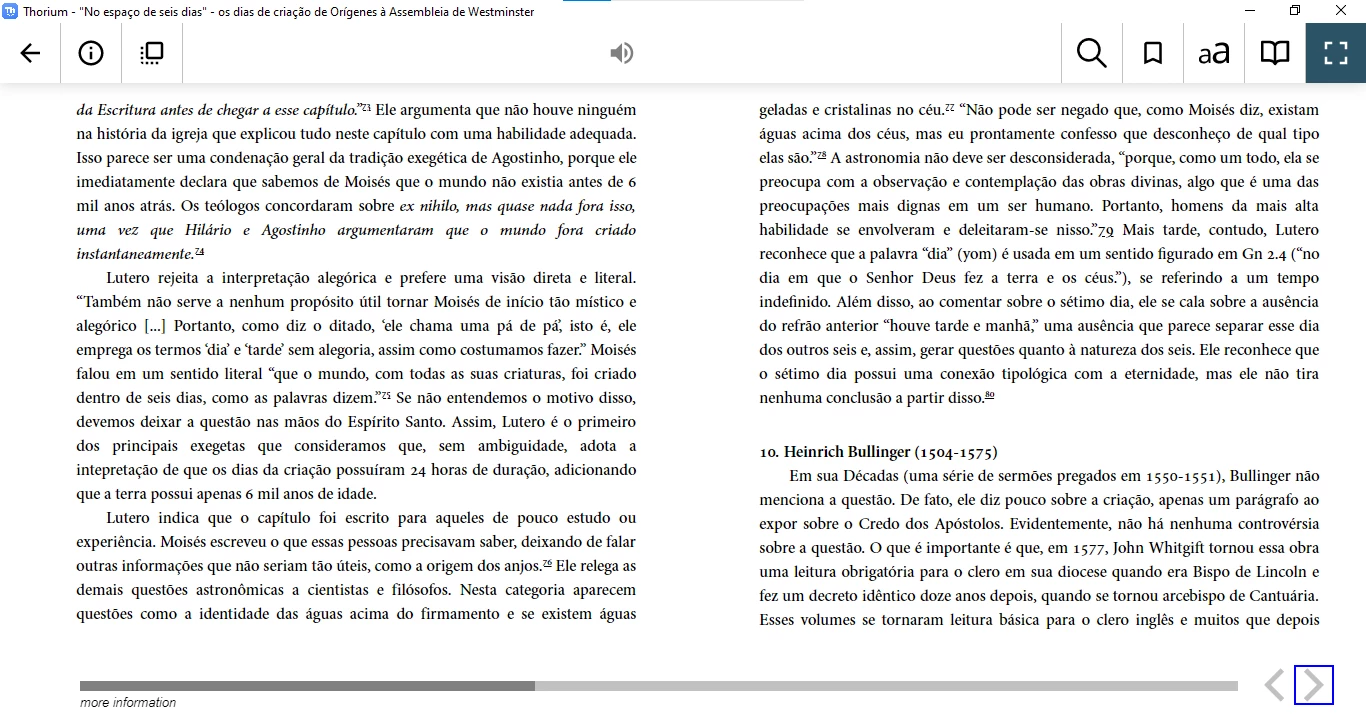
I click in the right bottom at Thorium Reader and the article goes to the previous page. I click in the left bottom and the article goes to the next page, when it's supose to do the opposite, right? haha

Anyone knows how to fix it?
thanks ahead


This topic has been closed for replies.
Correct answer Laubender

Hi Andressa,

do as Jane suggested; show the Pages panel of your InDesign document.

Could be the wrong page binding direction in your document.


The screenshots below are from my German InDesign 2021 on Windows 10.


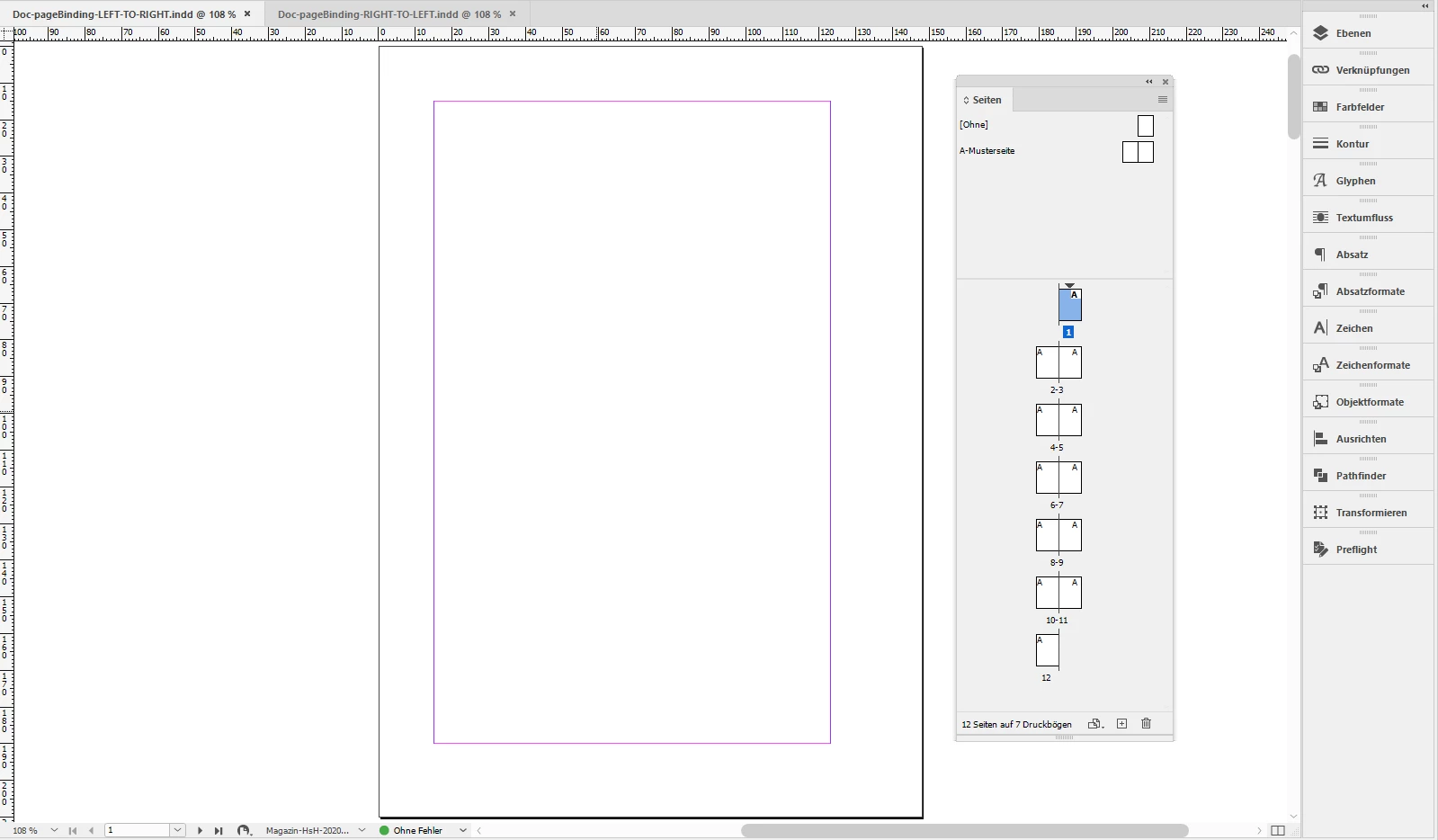
This is left-to-right page binding which is ok for your contents as shown in your screenshot:


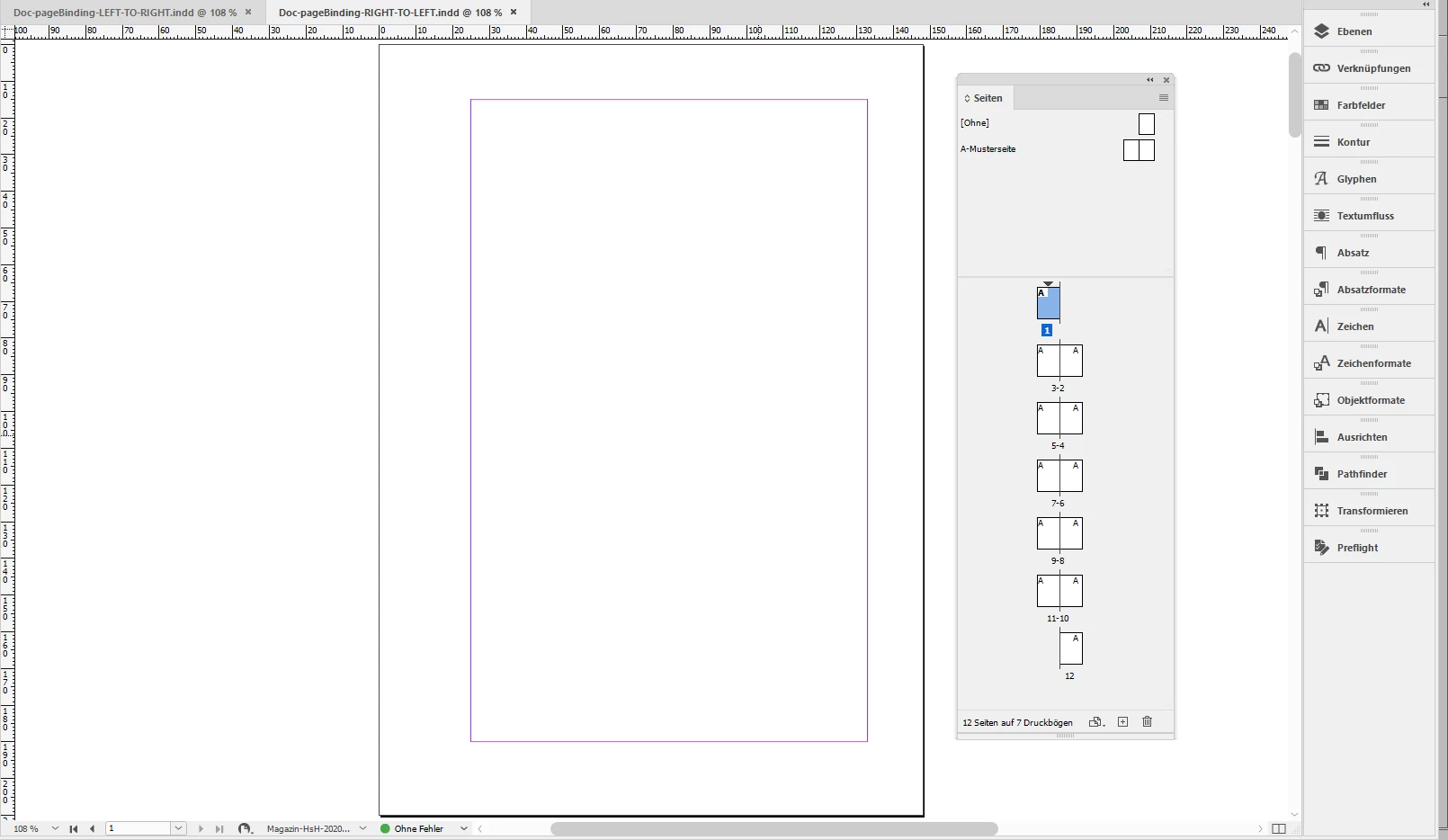
This one is right-to-left which is ok for e.g. arabic books.

Note how e.g. the second spread is showing the order of pages 2 and 3:


Regards,
Uwe Laubender

( ACP )

2 replies

LaubenderCommunity ExpertCorrect answer
Community Expert
April 7, 2021

Hi Andressa,

do as Jane suggested; show the Pages panel of your InDesign document.

Could be the wrong page binding direction in your document.


The screenshots below are from my German InDesign 2021 on Windows 10.


This is left-to-right page binding which is ok for your contents as shown in your screenshot:


This one is right-to-left which is ok for e.g. arabic books.

Note how e.g. the second spread is showing the order of pages 2 and 3:


Regards,
Uwe Laubender

( ACP )

Mike Witherell
Community Expert
Community Expert
March 23, 2021

Maybe you could post your question here:

https://github.com/edrlab/thorium-reader/issues


Mike Witherell
AndressaSA
Participant
April 6, 2021

thank you dear, but I believe I configured something wrong in the very Indesign, cause when I sent to the book's app that I work for, similar problems appear. For example, the first page it shows is the last one. It's seems like a oriental book type of reading hahah

jane-e
Community Expert
Community Expert
April 7, 2021

@AndressaSA wrote:

I believe I configured something wrong in the very Indesign,


Show screen shots from InDesign instead of Thorium Reader. Include the Pages panel and the settings you used for exporting.


~ Jane