dublove
Legend
February 15, 2025
Answered

Two queries please regarding the use of numbering for table columns.

  • February 15, 2025
  • 1 reply
  • 615 views

The first one is:
Empty cells must be placeholder to generate numbering, is there a way to save time, such as not using placeholder.
I am using very fine space ( ~|) for placeholder.

The second is:
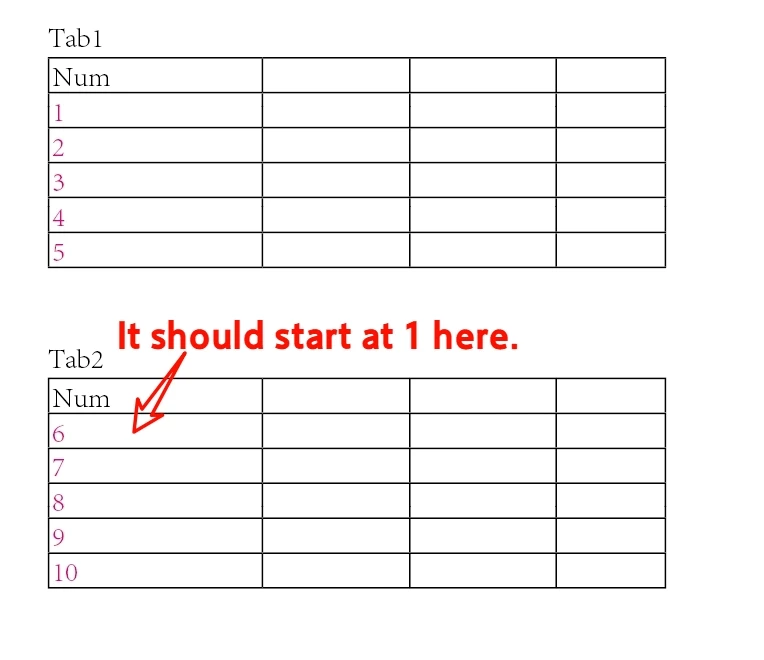
A text box with multiple tables, how to set up, so that each table is numbered from 1.
Instead of continuing the numbering from the previous one.

It would be possible to do this by building a separate paragraph style for each one, but that's not practical.


 Thank you very much.
Correct answer Eugene Tyson

Content needs to be added to a table or be there before you create the table. 


You could have 

<thin space> <tab> <tab> etc. 

Then select this and create the table - then the Thin Space will be in the part of the table required.


Only other way would be a script or something complex that probably isn't required. 


For Text Above the Tables (Tab 1 etc.)

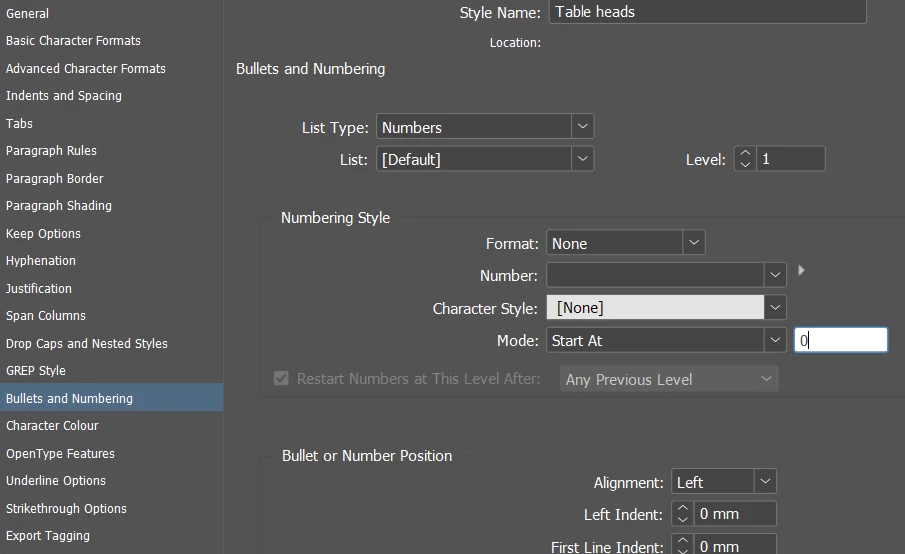
set this up as Numbering but don't put anything into the numbering field

Change the Start At to 0

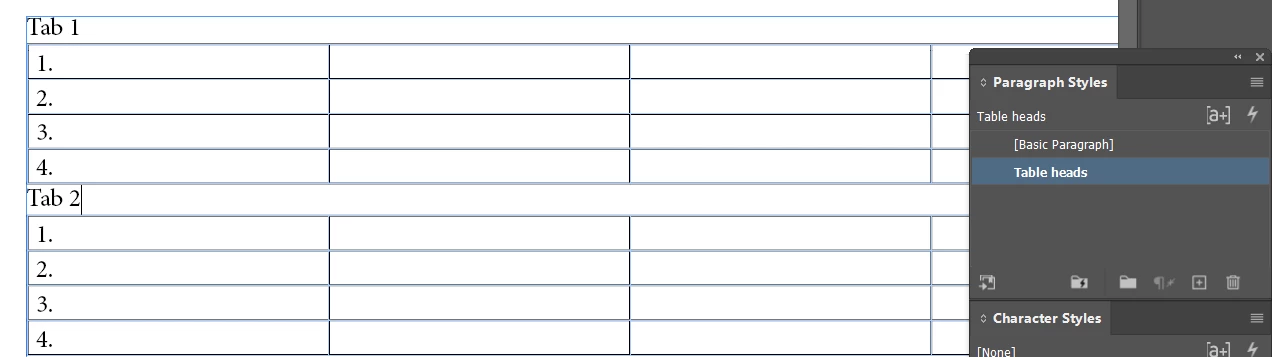
Then the tables should automatically restart numbering


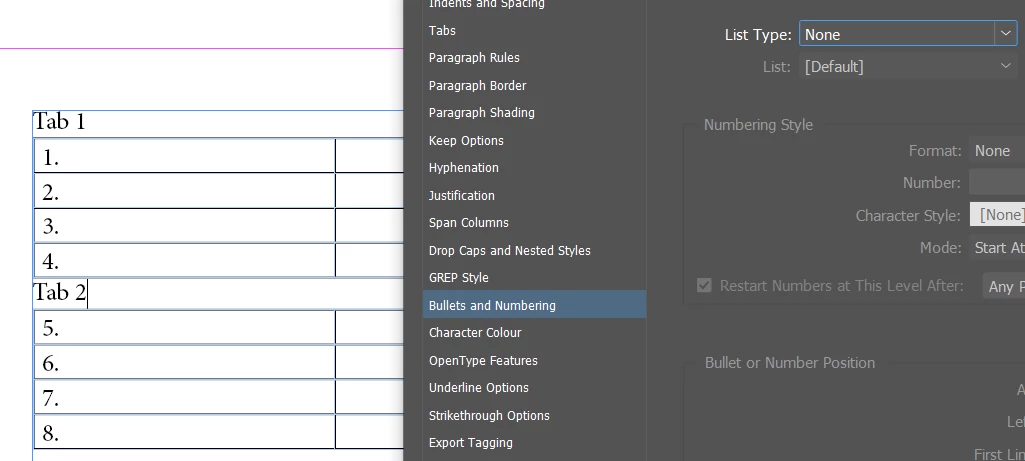
If you changed this back to NONE you can see the behaviour


Sample file attached

1 reply

Eugene TysonCommunity ExpertCorrect answer
Community Expert
February 15, 2025

Content needs to be added to a table or be there before you create the table. 


You could have 

<thin space> <tab> <tab> etc. 

Then select this and create the table - then the Thin Space will be in the part of the table required.


Only other way would be a script or something complex that probably isn't required. 


For Text Above the Tables (Tab 1 etc.)

set this up as Numbering but don't put anything into the numbering field

Change the Start At to 0

Then the tables should automatically restart numbering


If you changed this back to NONE you can see the behaviour


Sample file attached

dublove
dubloveAuthor
Legend
February 15, 2025

Thank you very much.
Fantastic ........invincible


How to remove the dots after the numbers.
Haven't read it yet.
Kind of busy, I'll look into it later.

Community Expert
February 15, 2025

In the Bullets and Numbering options

There's a Field where the text is inserted as code where it says Number


Delete the full stop from there. 


https://helpx.adobe.com/ie/indesign/using/bullets-numbering.html