

dublove
Legend
May 10, 2025
Question

Two questions about font previews please.

  • May 10, 2025
  • 2 replies
  • 256 views

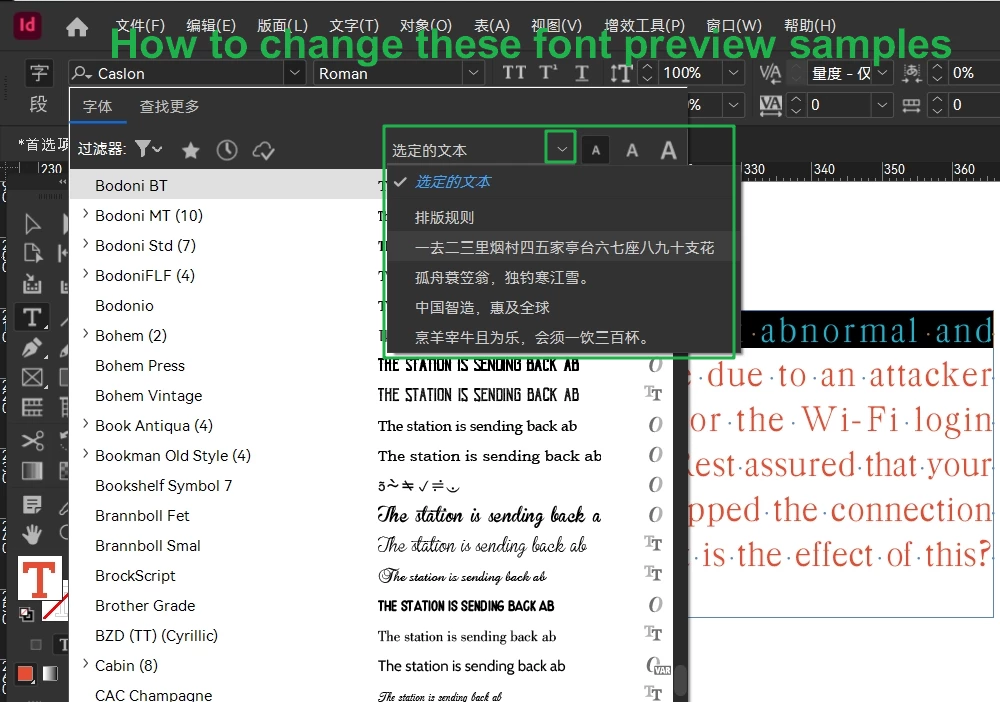
The first one is: how to change these font preview samples?
I want to customize the samples.

Where are they hiding?
 

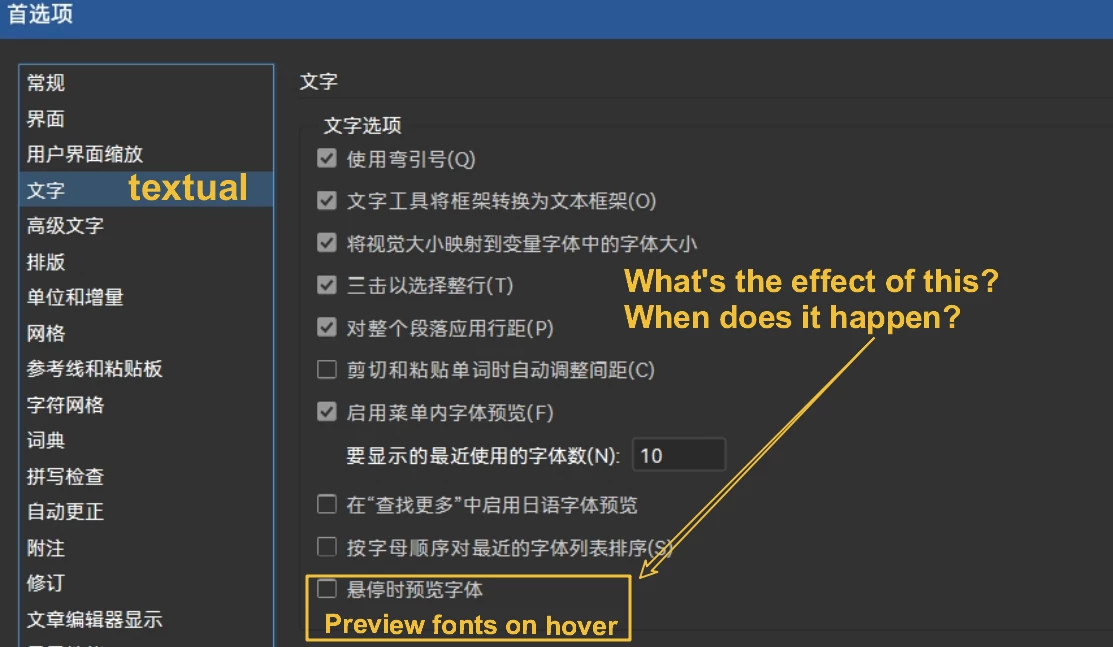
The second one is: Preferences>Text>Preview on hover, how do I see the effect of this, I don't see any change.

I see that checking it, or unchecking it, previews the font effect of the currently selected content in real time.
I don't know where it says preview.
Thanks.

2 replies

Mike Witherell
Community Expert
Community Expert
May 10, 2025

Interestingly, under Character Panel (or Control Panel) > Font dropdown ... you can change the sample text to show the selected text, or to 5 other preset strings of characters. One of those is similar to what you want to display.

But if you go to Type menu > Font > ... it just says Sample and you cannot change it.

Also, the sample doesn't show in Paragraph Styles at all.

Mike Witherell
dublove
dubloveAuthor
Legend
May 10, 2025

The samples must be hidden in some XML file. Because the English and Chinese versions show them differently.

Community Expert
May 10, 2025

Not quite sure entirely what you're asking here but you can make a font catalog with this script

http://kasyan.ho.ua/indesign/font/make_font_catalog.html


dublove
dubloveAuthor
Legend
May 10, 2025

I'm asking about these samples where they are hidden.
I want to mount them instead:
0123456789 AaBbCcDdEeFfGg Hello.