
Inspiring
March 29, 2024
Question

Unable to Accept Updates to the Developer Terms of Use

  • March 29, 2024
  • 2 replies
  • 1408 views

Following a suggestion here on the forum, I opened the file on one of the stock Applescript scripts.

In its heading, there was a prompt to visit an Adobe website to learn more about development, etc... 

The link is this: http://www.adobe.com/devnet/indesign/sdk.html

But it opens here: https://developer.adobe.com/indesign/ 

Never mind, though.

If I click on "Get the SDK" or on "Console" or on anything else, I get asked to accept the Updated Terms, but the button is greyed out and I cannot proceed: 
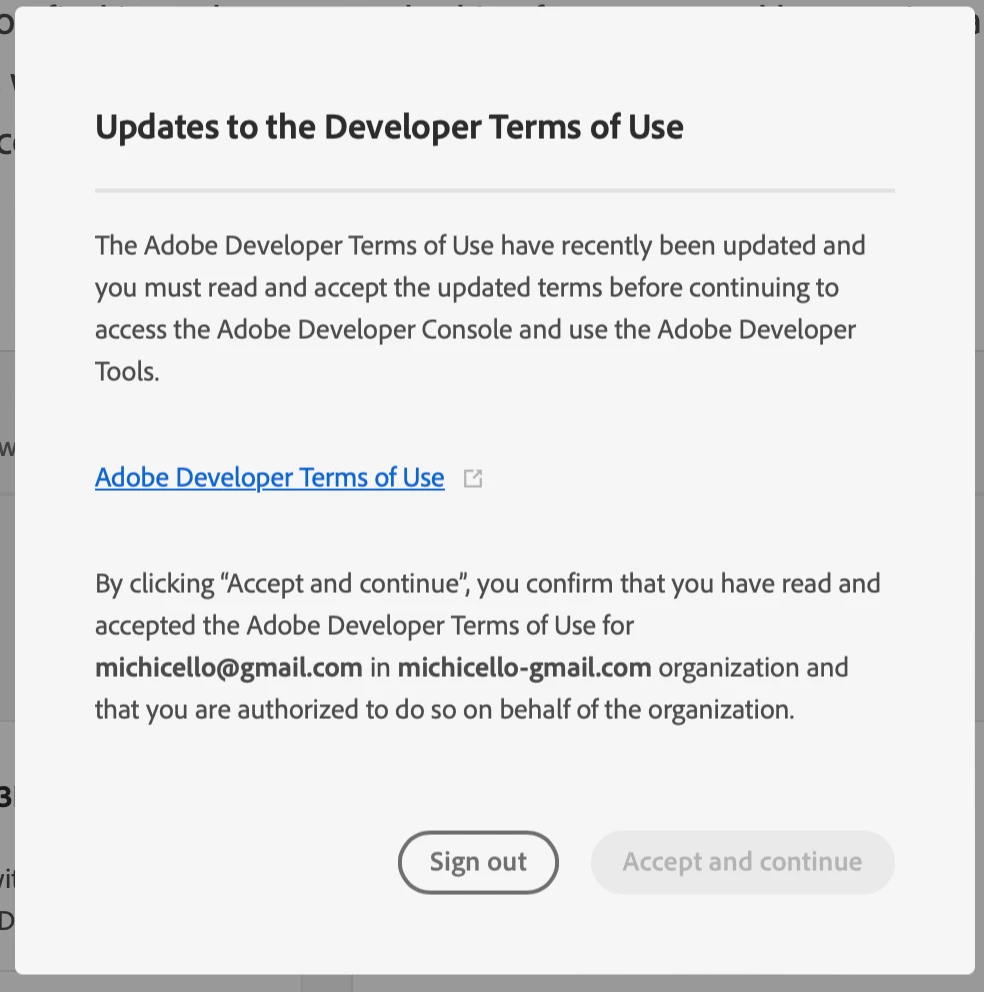
This is the first time I visit this website.

I have clicked on the blue link, read the terms, but then I cannot Accept.

What am I missing?

This topic has been closed for replies.

2 replies

ErinF
Community Manager
Community Manager
April 2, 2024

You need to click the link that will open the Developer Terms of Use in a new window or tab. After that the button will no longer be greyed out.

Inspiring
April 2, 2024

This is from my message:

"I have clicked on the blue link, read the terms, but then I cannot Accept."

It seems you've missed that.


I've tried again now, and it still shows the same issue.

rob day
Community Expert
Community Expert
March 29, 2024

Hi @Inélsòre , I’m not sure where you are finding the Applescript examples, but AppleScript is not part of the SDK. If you just want to look at some Applescript samples, there is a folder of samples for both JavaScript (ExtendScript) and Applescript that get installed in your scripts panel. You’ll find the AppleScript samples in this folder: ⁨Applications⁩ ▸ ⁨Adobe InDesign 202X ▸ ⁨Scripts⁩ ▸ ⁨Scripts Panel⁩ ▸ ⁨Samples⁩ ▸ ⁨AppleScript⁩. Or you can right click one in the panel to edit or reveal in the finder.


Inspiring
March 29, 2024

That's where I went.

If you open any AppleScript one, you will find the first link I've posted.

No idea why I cannot accept the terms and get started with the rest.

rob day
Community Expert
Community Expert
March 29, 2024

If you open any AppleScript one, you will find the first link I've posted.


Try opening one of the scripts from your Finder: