
Known Participant
April 13, 2023
Question

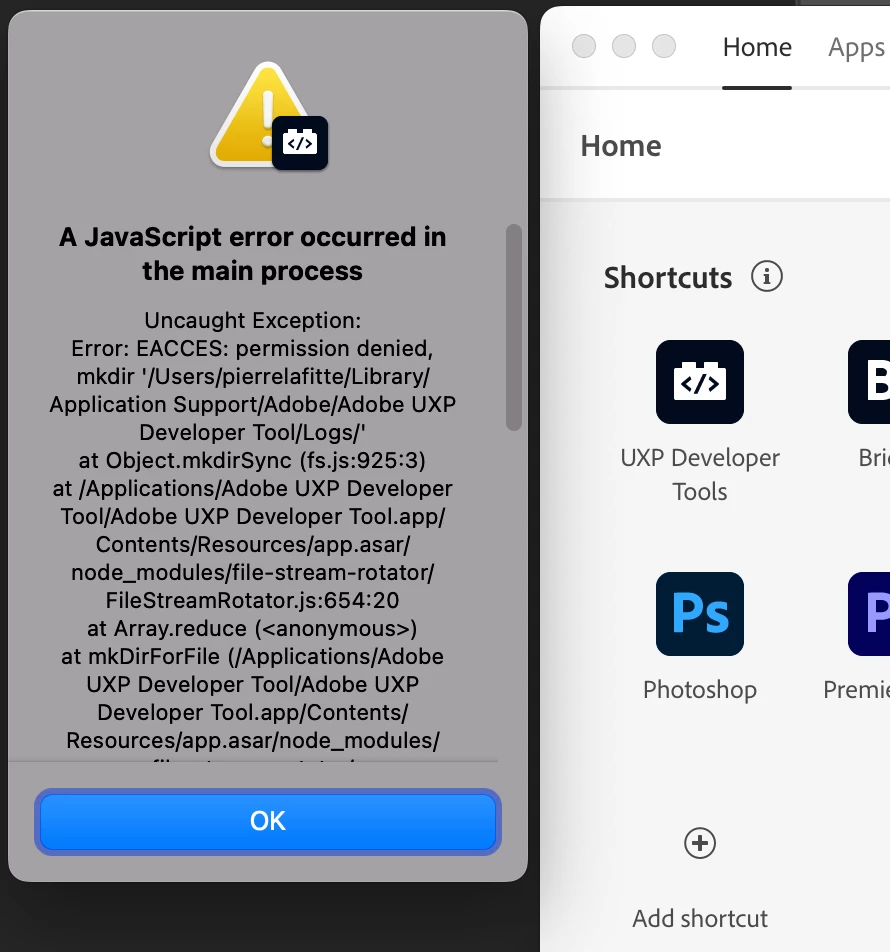
Unable to open UXP Developer Tools

  • April 13, 2023
  • 2 replies
  • 1949 views

Hi,

I want to get interested in Scripting, and I read on the docs that I should use UXP Developer Tools, but I cannot even open it. When I click the link in the CreativeCloud app, it shows an EACCESS error in a popup.
So I don't know what to do. I'm on mac 12.6.3.
(for now I guess I will use extend scripting)
 

2 replies

Legend
April 20, 2023

The message seems to clearly point to a permission problem or locked file in the path specified in the message. Maybe you can fix this. Try maki g the directory manually. 

Peter Kahrel
Community Expert
Community Expert
April 13, 2023

Maybe restart the CC app and try again.


If you get it to work, be aware that it's not a happy experience. It's a pretty clunky affair. It doesn't have its own editor, but that's the least problem. It just handles very awkwardly. Adobe has been made aware of that and say that an upgrade is on its way.

In addition, UXP is still pretty much in development, various things haven't been implemented yet and some things will still change. And ExtendScript scripts are still considerably quicker than UXP scripts, though that too will change as UXP gets optimised. It's useful to experiment with UXP, but for critical production scripts you're better off with ExtendScript. And finally, ExtendScript, because of the environment in which it is used (VSCode or the ESTK), is easier to set up for beginners.


P.

Inspiring
June 23, 2025

In 2025 it's still junk. I have wasted hours in it, because it doesn't save your source code when you press Save. As you edit, it'll mark your file as dirty and then pretend to save it; but the file isn't changed on disk. If ID crashes or you close the tool, you lose your work. Pathetic.


Several other things don't work. The option to copy the path of the open file gives you only the file name; no path. There's a "gear" icon (presumably settings) in the UI that does nothing at all. There's no Run button in the editor, despite there being Pause & Stop.


So your only choice is to use an editor like Visual Studio Code, and litter your source with dialogs that pop up to tell you what's happening. So there's no debugger. You're reduced to a programming experience that hasn't been acceptable for 30 years or more.