
ashimg23377171
Inspiring
October 11, 2017
Answered

Unable to view bookmarks (in the Acrobat bookmarks panel) correponding to sections without TOC

  • October 11, 2017
  • 1 reply
  • 2781 views

Hi I have a document with paragraph styles for section headers. I would like these section headers to show in the bookmarks panel of acrobat when I export my InDesign file to Adobe Interactive (pdf).

I am able to view these bookmarks if I create a TOC. However, I do not wish to create a toc for the doc I am working on. when I export this file without TOC to create an adobe pdf, I do not see the bookmarks.

The foll is my exports screenprint:
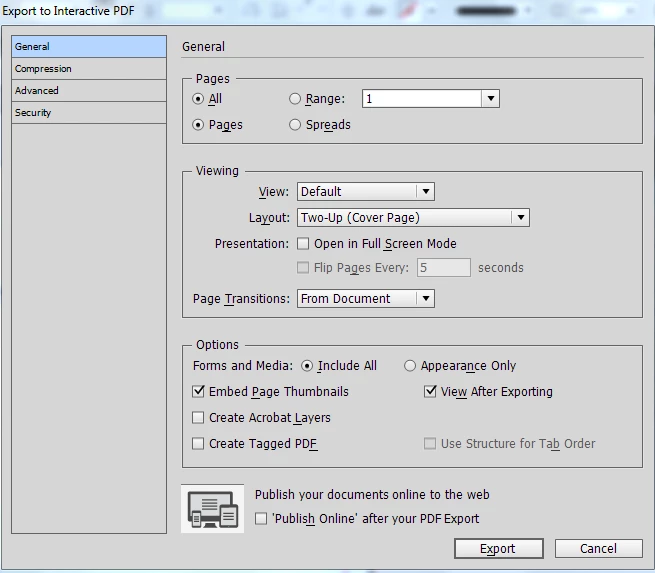
The foll is my adobe acrobat bookmarks panel, which is empty... I would have liked to see 'Exec Summary' and 'Our Alignment & Partnership' in there.

Any guidance wld be appreciated.

Thanks

    This topic has been closed for replies.
    Correct answer Barb Binder

    Actually, I thought I had done that before successfully, but when I tested it, the bookmarks weren't there. Leaving  the TOC on the pasteboard worked just fine, and won't be visible in the PDF.

    ~Barb

    1 reply

    Barb Binder
    Community Expert
    Community Expert
    October 11, 2017

    The two features are tied together. Just create the TOC, add it to the pasteboard and then delete it.

    ~Barb at Rocky Mountain Training
    ashimg23377171
    Inspiring
    October 11, 2017

    got it. thank you.

    Known Participant
    August 6, 2023

    Great!


    Hi @Barb Binder 


    I m actually facing the same issue.. where I need TOC contents in pdf bookmarks.. 


    I tried to set up bookmarks hierarchy in two ways but the result is empty pdf..


    One through format >document >pdf setup

    File>print>generate...>pdf setup..


     I tried both ways but bookmarks not reflecting in Adobe acrobat DC pro..


    Please clarify me what would have happened in backend..