Chris Panny
Inspiring
October 18, 2022
Answered

Unchecking Facing Pages To Convert Spreads To Pages Not Working

  • October 18, 2022
  • 1 reply
  • 940 views

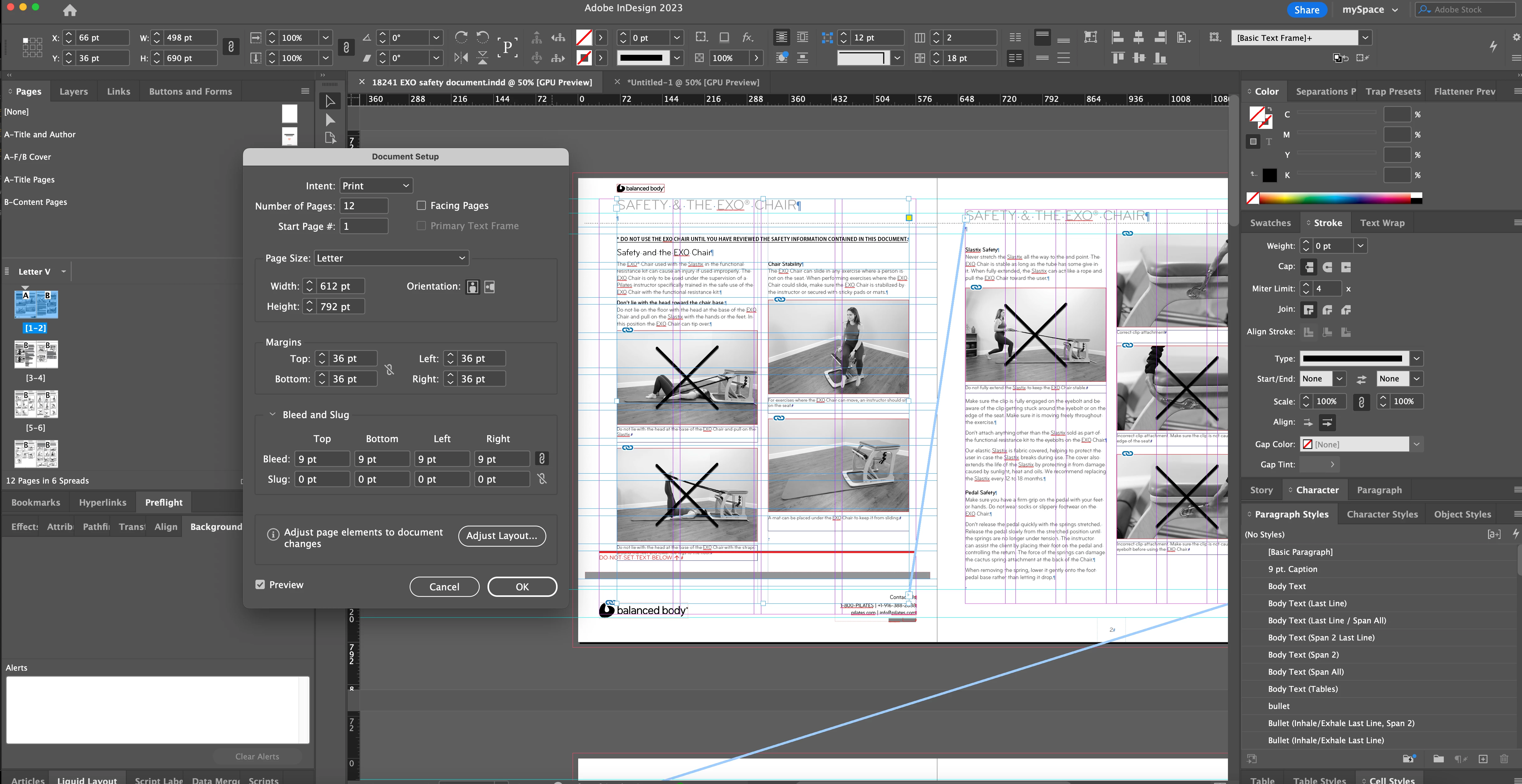
I have an 12-page InDesign file that was originally setup with Facing Pages checked off. I need to convert it to single pages. I went into the Document Setup and unchecked Facing Pages but nothing happened after I clicked Okay. I tried making a new doc, not FP,  same dimensions with my original doc open and attempted to move the pages over. If I move them all at once, they appear as Spreads in the new doc. My original has several Master pages - some single page, others are spreads. 


This topic has been closed for replies.
Correct answer Mike Bro

@Chris Panny,


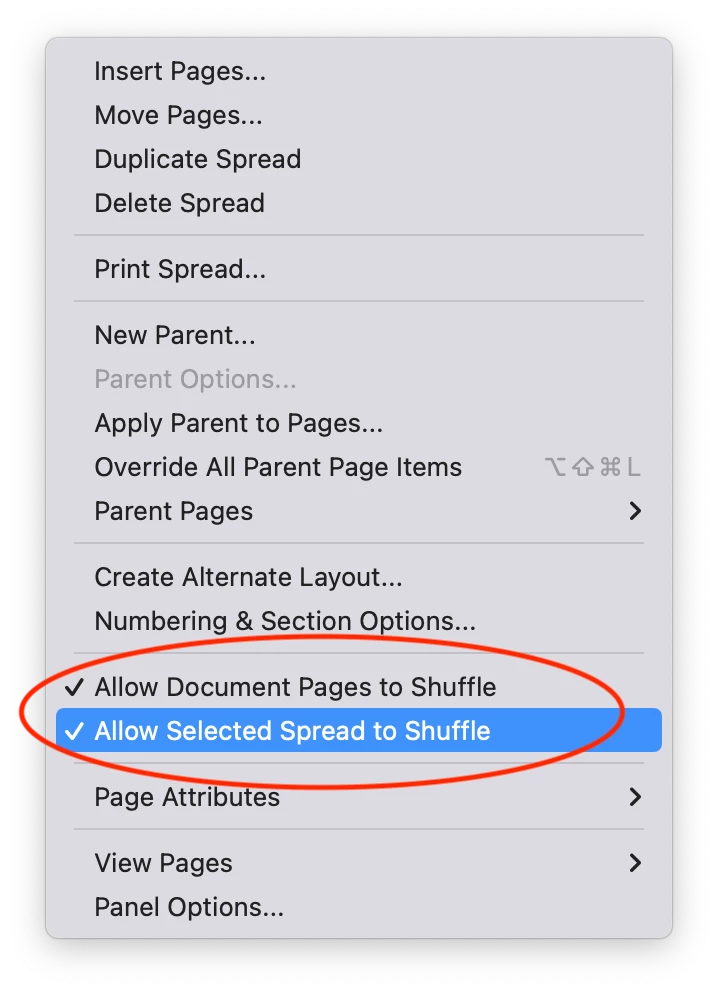
Try going to the Pages panel and select all the page thumbnails, then go to the flyout menu and check on the two options shown below...

Regards,

Mike

1 reply

Mike BroCorrect answer
Legend
October 18, 2022

@Chris Panny,


Try going to the Pages panel and select all the page thumbnails, then go to the flyout menu and check on the two options shown below...

Regards,

Mike

Chris Panny
Inspiring
October 18, 2022

Thank you! That worked.

It's only an island if you look at it from the water.