
Kaisa G
Participant
September 21, 2021
Answered

Underlined text doesn't centre align

  • September 21, 2021
  • 2 replies
  • 740 views

I often use text underline to higlight text or create a "box" behind text. What I've noticed is that when I try to centre align a textbox with underlining, it won't always align properly. Specifically if you ad a space before and after the text.

So a normal textbox aligns perfectly:

 

Also the underlined text box without the space as a first and last character aligns perfectly:

 

But when I have added a space in front and at the end of the sentence, all of a sudden the text box doesn't align.

Any suggestions how to fix this?

I could obviously create a box under the text, but I'm working with templates that require name data merge, so which would require for me to manually adjust the names and boxes manually.


Any suggestions on how I could fix this or if I've missed some setting would be greatly appreciated.
 

This topic has been closed for replies.
Correct answer Brad @ Roaring Mouse

You're not missing anything. InDesign ignores trailing spaces when it calculates paragarph formatting so adding a space at the end of even a single line does not change paragraph centering... but any spaces at the beginning (or elsewhere) does.

It does of course add the underline to those trailing spaces (which is actually something I wished we could toggle off, but here we are). Fixed spaces (like an EN space) don't solve the issue for you either.

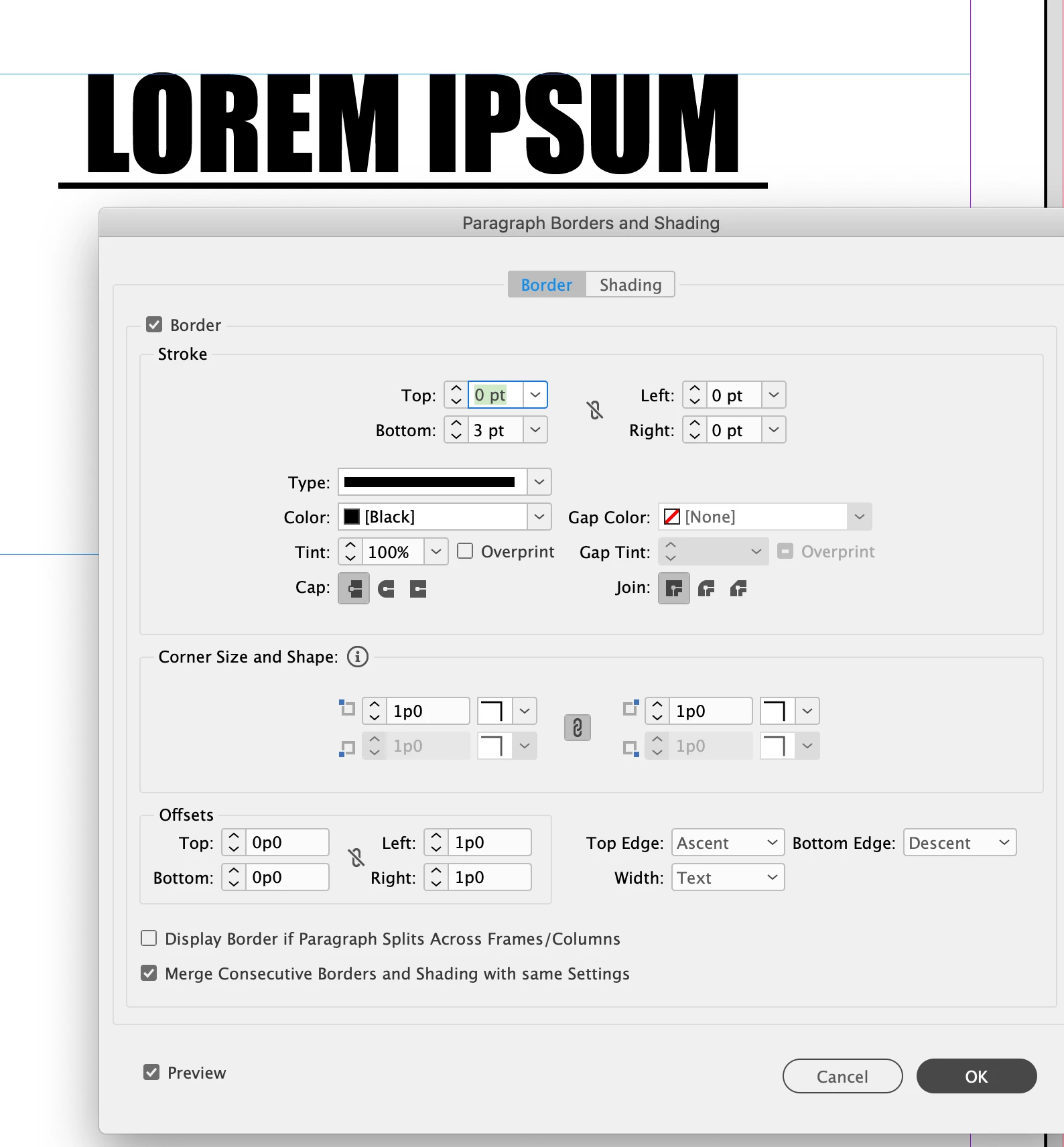
You can use Paragraph Border to do what you want.

e.g.:


2 replies

Brad @ Roaring Mouse
Community Expert
Brad @ Roaring MouseCommunity ExpertCorrect answer
Community Expert
September 21, 2021

You're not missing anything. InDesign ignores trailing spaces when it calculates paragarph formatting so adding a space at the end of even a single line does not change paragraph centering... but any spaces at the beginning (or elsewhere) does.

It does of course add the underline to those trailing spaces (which is actually something I wished we could toggle off, but here we are). Fixed spaces (like an EN space) don't solve the issue for you either.

You can use Paragraph Border to do what you want.

e.g.:


Kaisa G
Kaisa GAuthor
Participant
September 22, 2021

Thanks, this helps, not sure why I didnt think of the Border option myself .. 


Community Expert
September 22, 2021

Thanks


Community Expert
September 21, 2021

For something like this you could use Paragraph Shading

https://helpx.adobe.com/indesign/using/formatting-paragraphs.html

Which can be found this page.


You have a bit more control over the width etc.


Another option is the to use Paragraph Rules.

Whcih can also be found in that link.