
Inspiring
October 22, 2023
Answered

Undesired fonts still appear

  • October 22, 2023
  • 2 replies
  • 3862 views

I've asked this question before, and nothing works. I am using some but not all of the Garamond Premier family: the Medium weights, not the Regular weights. The Regular weight is not activated. Yet it is the first font to appear in the Character menu when the Garamond Premier family is selected, and appears in the drop down menu. This adds up to a huge waste of time. Why does it happen? How do I stop it?


And once again, why is there no scroll bar in the Creative Cloud fonts menu? Maybe if we ask enough times Adobe will add it.
 

This topic has been closed for replies.
Correct answer rob day

No. I don't understand what you mean. I'm not able to take a screenshot of the entire list as it extends past the bottom of my screen. So if I activated even more fonts a scroll bar would appear? If I open a family within the list to check on weights the list is presumably even longer. No scrollbar.


So if I activated even more fonts a scroll bar would appear?


Yes. I’m on OSX and there is a scroll bar, which is made visible via the mouse scroll wheel, or with the Apple mouse the center scrolling area:


2 replies

James Gifford—NitroPress
Legend
October 22, 2023

Like Willi, I am a little confused. To start with, I can't find an Adobe environment fonts list without a scroll bar, starting with the 'Added Fonts' list in the CC manager.


Fonts are also not always completely independent entities; there may be technical reasons why you cannot add, say, simply Garamond Bold to your activated list without the base font being included (even as a phantom, in brackets). (Something like overall font/face mapping comes to mind; ID etc. may not be able to use some faces without the anchor, base face being present.) I don't typically load selected fonts from any one family and can't really think of a reason to do so for most work.


If what you are trying to do is get Medium to come up as the default or only face listed under Garamond, I supposed your question makes sense, but then I'd have to echo Willi's additional questions about using Styles; I don't think I go to a font menu more than five or six times in any project, even a complex one. If your workflow has you repeatedly selecting a font, it's either a very unusual project or you are perhaps doing too much spot/override formatting.


If you can clarify a little, there's probably an answer, although I suspect you're not going to like it much. 🙂

Inspiring
October 22, 2023

Thanks for your reply.

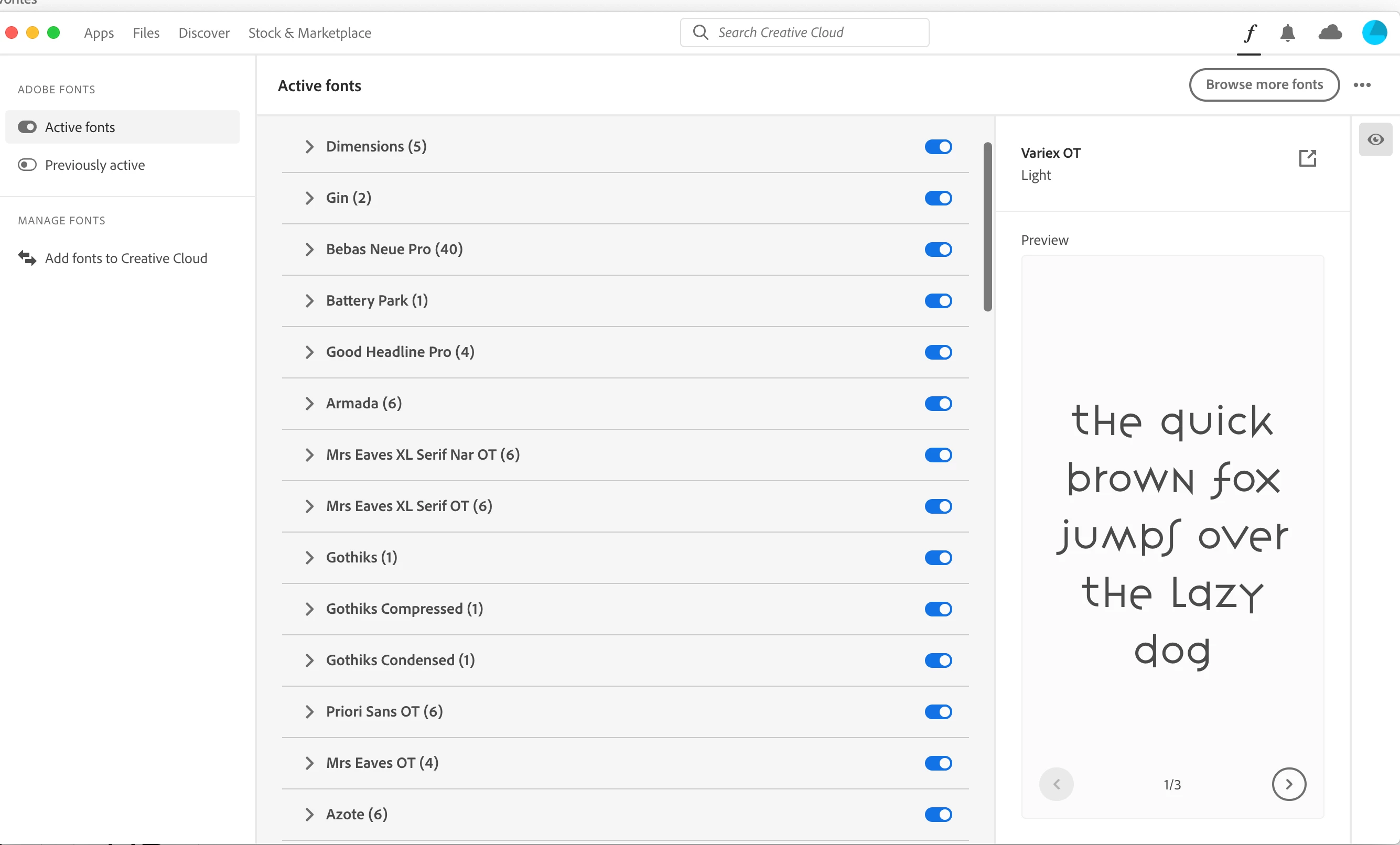
Here is a screenshot of my fonts list. There is no scroll bar. I have selected "always show scroll bar" in my system preferences.

I am working on a magazine with a wide variety of contributors who use a wide variety of fonts which I have to convert to the desired version of Garamond. So when I use 'find/replace" the  'default" seems to be the undesired version that I have not activated. Surely it could rest in the background?

Is it possible to delete the "Noto" fonts from the system without harming the fonts one actual uses? I assumed they are there for technical reasons (why else all these Burmese fonts would appear when only Burmese people would presumably use them I've never understood).

How does one create a "Favorites" list and set it as the display default?

rob day
Community Expert
Community Expert
October 24, 2023

Is it possible to delete the "Noto" fonts from the system without harming the fonts one actual uses?


You can use  Find/Replace Font... to see what the font’s path and version is. Noto is a Google Font and could be activated from Adobe Type or be installed in one of your system font folders. Here I have Noto installed in my system and I’m using FontAgent to activate it—the Reveal in Finder will open its parent folder in the Finder where I could choose to delete the font:


AdobeType fonts have no local path, so you have to deactivate them from the Adobe Cloud app—there‘s no font file in your system and Reveal in Finder is grayed out:


Willi Adelberger
Community Expert
Community Expert
October 22, 2023

Do you work with paragraph styles?

Do you work with Character Styles?

How are they defined?

Do you use Nested, Line, Drop Character or GREP styles?

From which menu without scroll bar do you talk? Screenshot please!

Inspiring
October 24, 2023

Yes I use paragraph and character styles. They are individually defined within their menus. Yes I use drop and nested styles.

Here again is a screen shot of the added CC fonts. No scroll bar.