
Inspiring
October 19, 2022
Answered

Undesired yet repeating master page elements

  • October 19, 2022
  • 5 replies
  • 1437 views

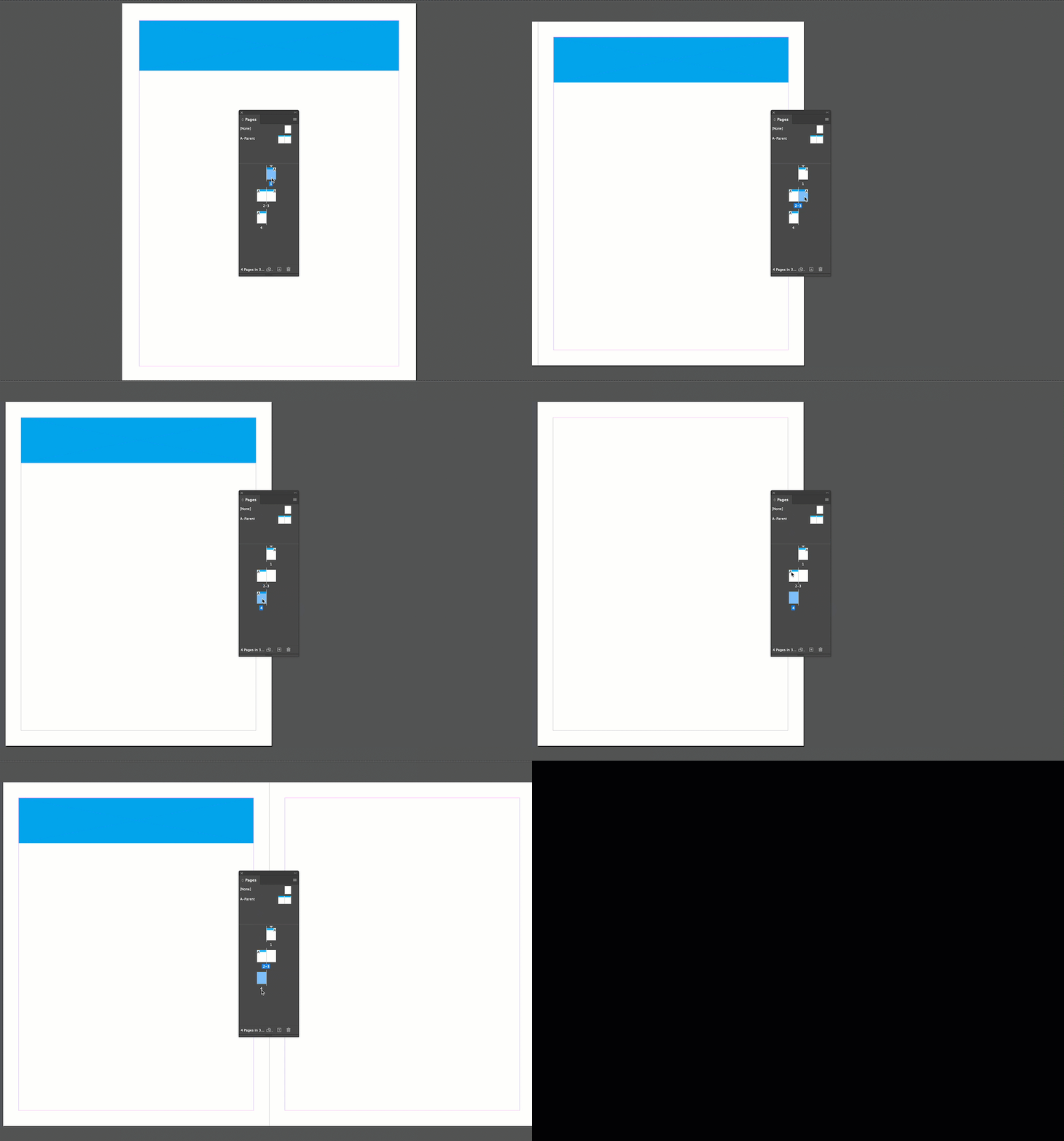
How does one prevent master page items from reappearing if pages are added or deleted? I thought I'd solved the problem by copying and pasting them as separate elements rather than inserting the master, but they reappear. It's maddening.
This topic has been closed for replies.
Correct answer Barb Binder

Hi @Grundoon Groundhog:


It's been a while. Hope you are doing well.


The A-Parent is assigned as a default to all body pages. You can select one or more body pages in the Pages panel, hold Alt/Option key and click on the word [None] at the top of the parent page section. 


~Barb

5 replies

Barb Binder
Community Expert
Community Expert
October 20, 2022

Ok, your question makes sense now. I would pivot and take a different approach. Parent pages are so great because they control the repeating elements. Sure, we can override occasionally, but it should be just that—occasionally. And not in a long document where editing forces reflow. 


I see two avenues that will cause initial work, but will solve the issue. 


Working in a single file

Make the opening page artwork a Library item. (Group it, add text wrap and then add it to the library). Then you can place a copy where you need it, anchored it to a paragraph style that is centered and at the top of the page, and as you add remove/content it just reflows? It will remain editable.


Use an InDesign book

If you break the sections/chapters into their own files, and collect them back into a book, the reflow that impacts previous chapters will not impact future chapters. You just update the book numbering and you are good to go. 


~Barb

~Barb at Rocky Mountain Training
Inspiring
October 21, 2022

Thanks, Barb. I will try the library; I've been copying and pasting the elements from the master pages (it worked in the previous edition of the magazine) but a library might be more efficient.

I once tried making a book but it was too confusing.

Dave Creamer of IDEAS
Community Expert
Community Expert
October 20, 2022

Create different parent/master pages, starting with the simplest (possibly blank) and working up to the more complex using based on parent pages by adding more objects. (I generally don't use None since it removes the ability to make changes to the parent page later on.)


You can also use layers to control what shows up on parent pages, but that's probably not necessary. 

David Creamer: Community Expert (ACI and ACE 1995-2023)
Barb Binder
Community Expert
Community Expert
October 20, 2022

Hi @Grundoon Groundhog:


So we typically don't want to micromanage the parent page elements. (Master pages have been renamed parent pages.) The general idea here is that you put the repeating elements on the parent pages, and assign the parent pages to the body pages. You can define additional parent pages when you have variations that you want to assign to your body pages. You can also link the new parent pages to the original A-Parent, so that a change to the A-Parent will flow down to the linked parent pages, and then to the linked body pages.


I can't think of a good reason to physically copy parent page elements to the body pages. Instead, I would create a parent page spread for each situation. For example, A-Parent may have the folio and columns defined, and B-Parent (based on A-Parent) may have those two elements, plus the article title in the running head. Then you can assign the correct master page as you add new body pages.


I'm not sure how you are adding body pages, but in the Pages panel, you can simply drag a master page to the body page area to add the new page and assign the master at the same time.


If this is also clear as mud, then it's probably time for some screenshots. Or you can share your file with me by putting it on dropbox and messaging me a link.


~Barb

~Barb at Rocky Mountain Training
Inspiring
October 20, 2022

Yes, I've done exactly what you describe to create and use parent pages for many years. And for many years I've had the problem of master page items automatically duplicating if a page is added or subtracted before they appear. So I do have to micromanage to delete the unwanted elements. I'm attaching sample PDFs which I hope will make the problem clear. Thanks for your help and patience.

Willi Adelberger
Community Expert
Community Expert
October 21, 2022

I strongly recommend not ro override master/parent page elements on the final page.


Better is to create new masters/parents besed on the master/parent, add, remove or change elements there and apply that master/parent. 

To avoid confusion in the future, especially in the exchange of pages between documents, change the generic names of the master/parents to distinct describing, unique names. 

Inspiring
October 20, 2022

Hello Barb. Thanks fo your message. I think I didn't explain the problem well. If I add or delete pages, master page items "automatically" appear on succeeding pages, often on top of already extant master items I've pasted in by hand as it were. Oh, perhaps you mean I should select the option key +_none when adding pages? I want to add a page that has a foliio or columns already set, but special pages with say the title of an article are the ones that get the elements repeated. I hope this is clearer than mud.

Best,


Andrew O

Barb Binder
Community Expert
Barb BinderCommunity ExpertCorrect answer
Community Expert
October 19, 2022

Hi @Grundoon Groundhog:


It's been a while. Hope you are doing well.


The A-Parent is assigned as a default to all body pages. You can select one or more body pages in the Pages panel, hold Alt/Option key and click on the word [None] at the top of the parent page section. 


~Barb

~Barb at Rocky Mountain Training