
richardw5341388
Participant
December 16, 2018
Answered

unusual spacing between arabic characters

  • December 16, 2018
  • 3 replies
  • 11511 views

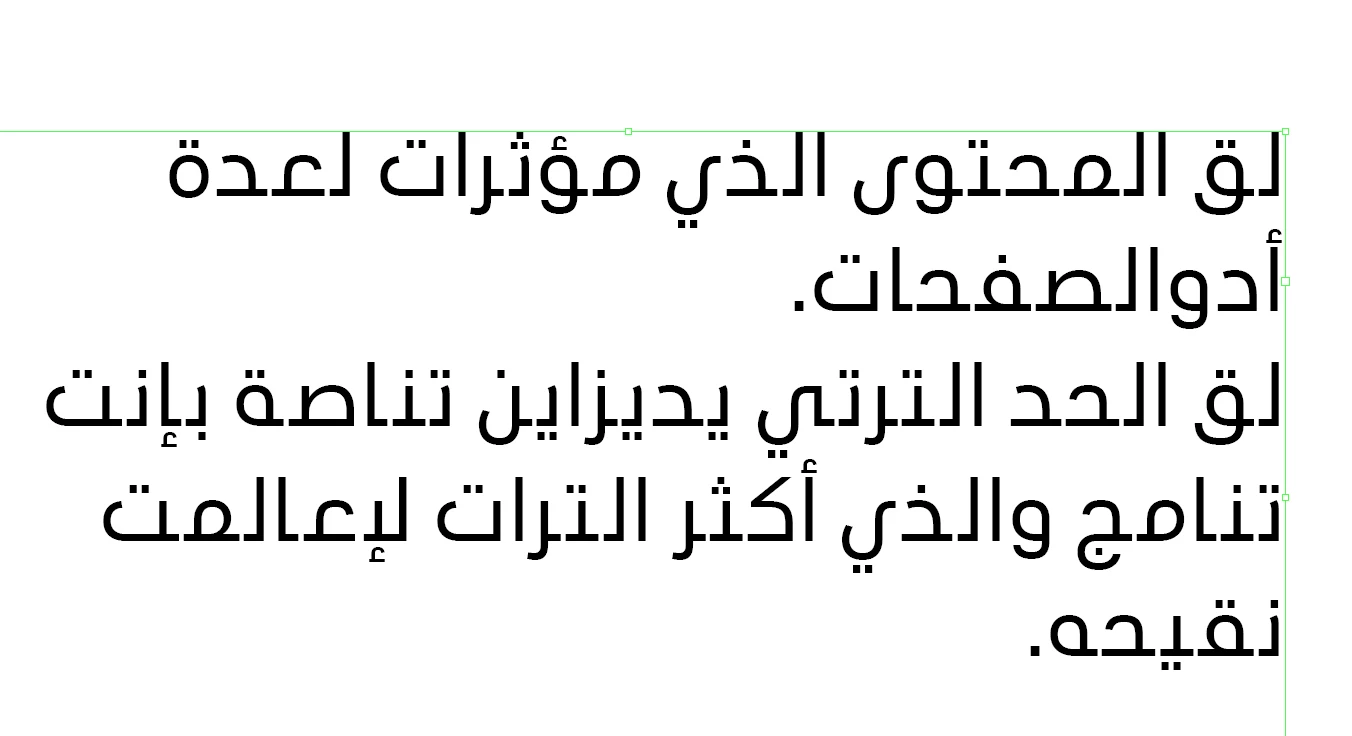
im using the ME version of indesign, and have an english document that i would like to change to arabic when i go to insert an arabic text box and enter text, i get spaces appearing inbetween each character.

The language for the text box is in arabic, along with the paragraph style - Adobe world ready composer selected. single line and paragraph, doesn't make a difference.

If i create a new document and place the same copy in, it appears correctly with no spacing.
This topic has been closed for replies.
Correct answer Zaid Al Hilali

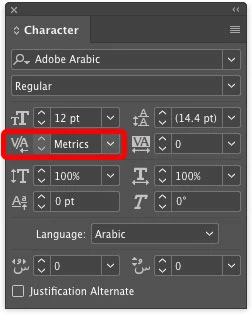
Good day Richard. I do suspect the Kerning setting in your document, make sure your Kerning is set to "Metrics" not "Optical"

3 replies

Participant
August 18, 2023

Hello everyone
for anyone who has the same problem with farsi or arabic fonts or anyother fonts, first open your characters panel and then click on those three lines at the top right corner then choose "System Layout" instead of "Fractional Widths"
this should solve your problem

Cheers


graftdxb
Participant
September 23, 2020


This thread was the closest thing I could find to what is happening to my Arabic typesetting. For the first time I have come across this weird type spacing issue. 

Text was copied from a PDF file. Placed into an Arabic text box with all the parameters assigned yet still the letters are not connecting properly. 

Any suggestions??

Zaid Al Hilali
Community Expert
Community Expert
September 24, 2020

What happens when you apply a different font to your text, say Adobe Arabic? I downloaded Frutiger LT Arabic 55 Roman, did some tests but couldn't replicate the issue on my InDesign.

It is possible that copying text from a PDF corrupted the text and spacing! What happens when you copy from PDF and paste in a word processor application such as MS. Word (Windows), or Text Edit (Mac)?

Here are suggestions that may affect your text, from the Character panel fly-out menu, choose both (tick mark beside them)

  • Ligatures
  • Kashidas
graftdxb
Participant
September 24, 2020


Interestingly the same flaw seems to happen with a change of font. 


I suspect the issue has arisen somewhere from copying the text from the PDF and then placing it into InDesign.
I had asked the client to resupply the text in a Word Document and it placed correctly.


Not entirely sure what it is - but seems the program has issues with relaying the correct letter connections.

Zaid Al Hilali
Community Expert
Zaid Al HilaliCommunity ExpertCorrect answer
Community Expert
December 17, 2018

Good day Richard. I do suspect the Kerning setting in your document, make sure your Kerning is set to "Metrics" not "Optical"

richardw5341388
Participant
December 17, 2018

Thank you!

Zaid Al Hilali
Community Expert
Community Expert
December 17, 2018

You're welcome!