Answered
Unwanted spaces between text
How do I remove unwanted spaces between text? It double spaces certain sections, and when I backspace it backspaces right up to the previous word, but doesn't allow a single space between the two. 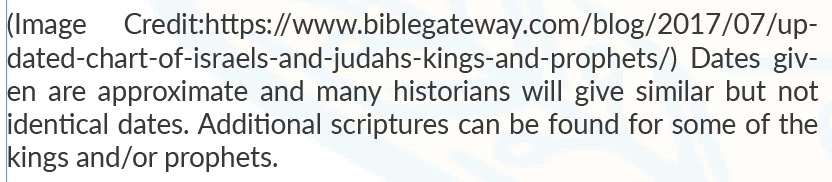

How do I remove unwanted spaces between text? It double spaces certain sections, and when I backspace it backspaces right up to the previous word, but doesn't allow a single space between the two.
InDesign uses spaces to justify text. The easiest solution is to change the alignment to left. If you can't do that, you can play with the tracking,
Hyphenation in URLs can be confusing, by the way. You might want to use a URL shortening option like bit.ly, which would also take care of the word spacing.
Already have an account? Login
Enter your E-mail address. We'll send you an e-mail with instructions to reset your password.
 AdChoices