Known Participant
September 12, 2021
Question

Unwanted white background when export book as a PDF

  • September 12, 2021
  • 2 replies
  • 1142 views

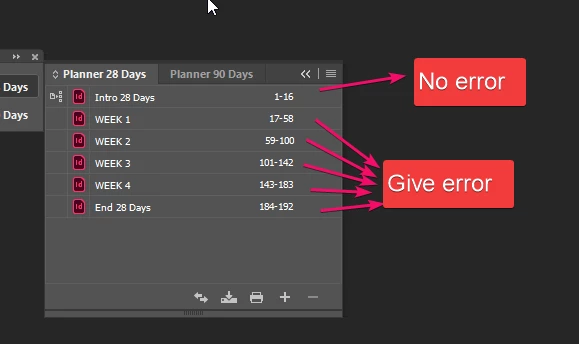
When I make a PDF using the book feature, the background of an image is white in all documents except the first document in the book.

If I change the order of the documents, all but the first document have the same problem.

What I tried for the solution;
Save all documents as idml, convert back to indd.
Create new book document.
Give the frame with the problem image an object style. 

This topic has been closed for replies.

2 replies

Dave Creamer of IDEAS
Community Expert
Community Expert
September 12, 2021

It almost sounds like the computer can't process all the data properly. What are the specs of the system?

David Creamer: Community Expert (ACI and ACE 1995-2023)
Known Participant
September 13, 2021
  • Windows 10 64bit
  • 16 GB RAM
  • I7-10700K
  • GTX1070
  • 500 GB SSD

I think computer is powerfull enough, it still freeze when preparing book file for export and during export. (Only when using book feature.)

Master pages are identical on all document and the image give error is on master page.  I even copied vector files directly into InDesign to ged rid of this problem but it still exist.

Derek Cross
Community Expert
Community Expert
September 12, 2021

Are the images JPGs?

Known Participant
September 12, 2021

Hi. Image is  vector file. (filetype:ai.)
If I export each PDF separately there is no problem but when I use export book as pdf option there is problem.

Jumpenjax
Community Expert
Community Expert
September 12, 2021

Make sure you do not have a white background on your illustrator file. If so, turn it off. Maybe copy and paste in photoshop and save as a .psd file. Might solve the problem.

Lee- Graphic Designer, Print Specialist, Photographer