
Inspiring
February 2, 2022
Question

Urgent - Need Help with interactive check boxes

  • February 2, 2022
  • 2 replies
  • 748 views

I posted this once before with no response.


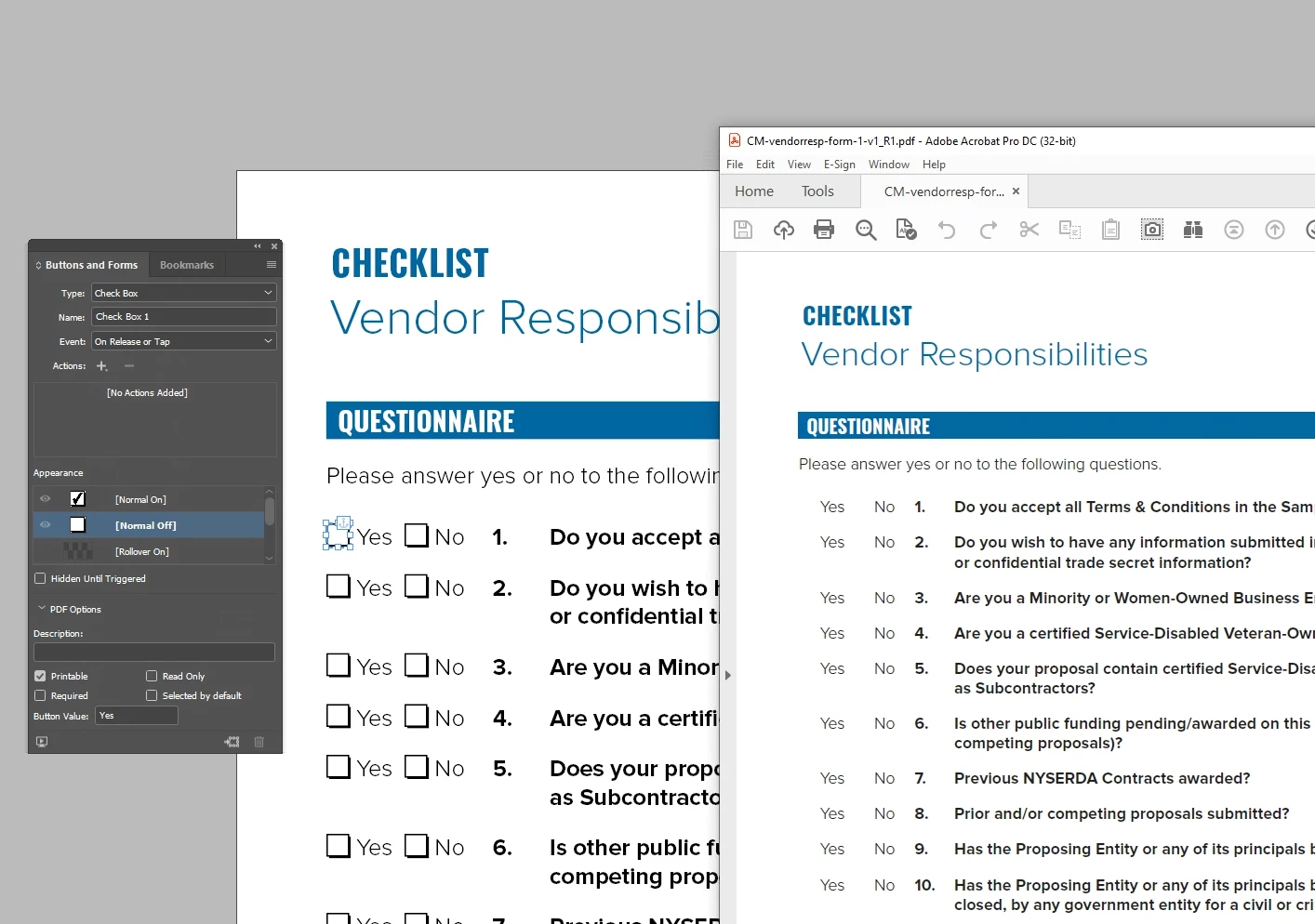
I need help with my simple YES/NO check boxes to be interactive and checking about in a interactive PDF but ALSO i need them to be visual and show up when printed or when exported as a print PDF.


I have drawn the check boxes with the box tool in Indesign, with a black stroke etc, but once I assign the box to be a interactive check box, the box will not appear in the Print Ready PDF, and only the field will show in the interactive PDF. How can i get these boxes to be interactive but also print, and show on the pdf. These forms are sometimes printed and filled out by hand. I have attached a screenshot. The left side is in InDesign, and the right window is a Press Ready PDF. You can see how the boxes are not showing as they should. Please help.
This topic has been closed for replies.

2 replies

Community Expert
February 2, 2022

You need to export Adobe PDF Interactive to retain check boxes/radion buttons. I would suggest using a radio button for yes no selection. Although it would be a radio button, the appearance can look like a check box with check mark selection.


I would suggest not styling the radio button in Indesign, but make modifications in Acrobat. This would include using a border on button instead of lining up the button to a graphic box element.

Gazza875Author
Inspiring
February 2, 2022

Thanks - I have exported the form as interactive, and i can see the blue fields for the but the physical box i drew in InDesign does not show up in the interactive pdf as well. I need this to be printable as well. It looks like for now I will have to do all the interactive stuff in acrobat. 

Community Expert
February 2, 2022

Here is a screenshot in Acrobat demonstrating my comment in regard to "using border in Acrobat". This is found in the button property.

Community Expert
February 2, 2022

Try radio buttons. They can be formatted to appear like check boxes, but have more capabilities and, by my experience are more portable than working with formatted check boxes.


Or, consider using Adobe Acrobat for building your form fields from InDesign-designed blanks. Acrobat has powerful form creation and processing tools. I work with InDesign every day, but when it comes to designing forms, I find building the form fields/interactivity in Acrobat works far better, and far more consistently, than trying to create forms solely through InDesign.


Hope this helps,


Randy