Sam A.
Inspiring
September 10, 2022
Answered

URLs and line breaks: "No Language" has no effect

  • September 10, 2022
  • 3 replies
  • 976 views

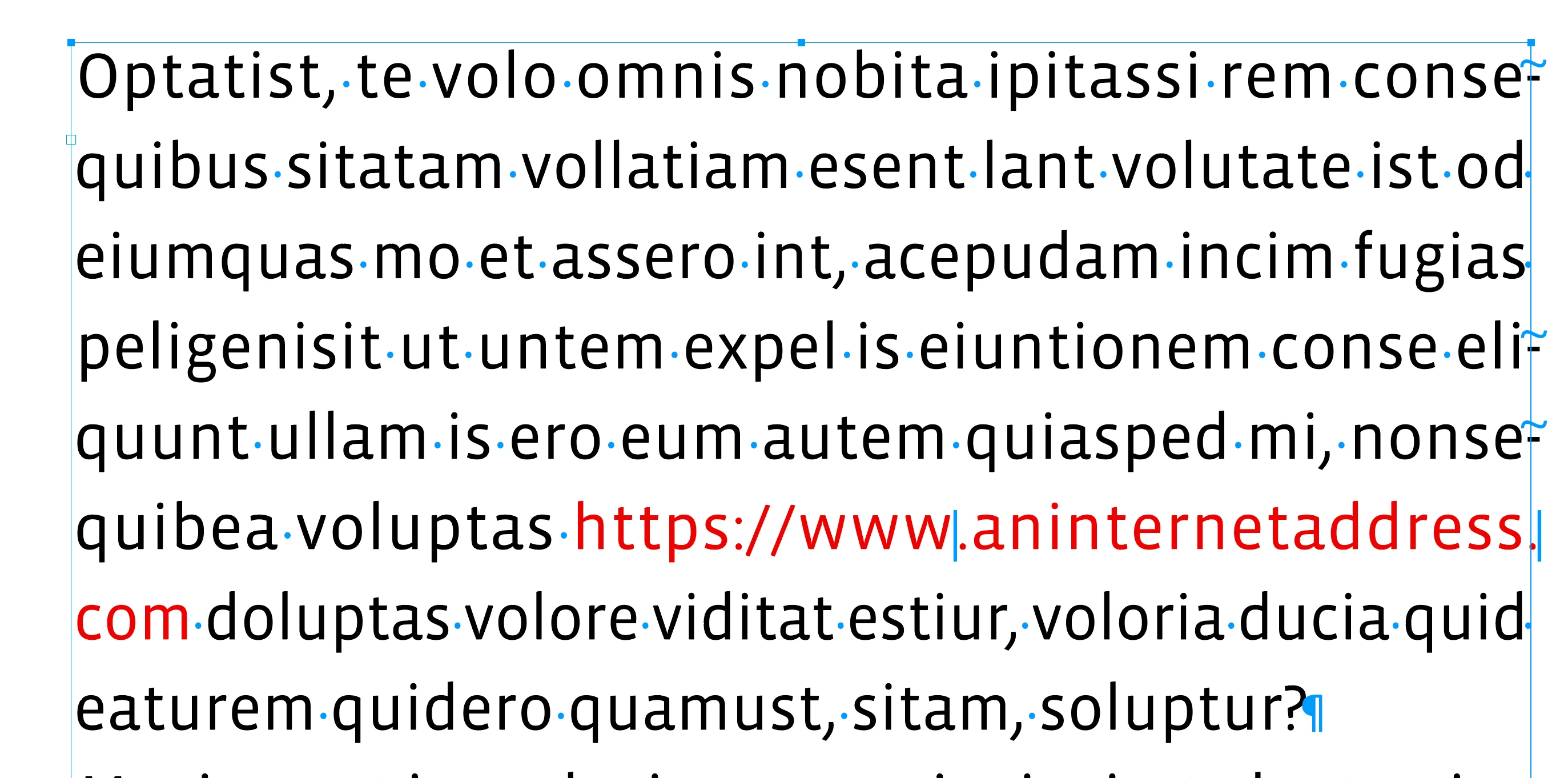
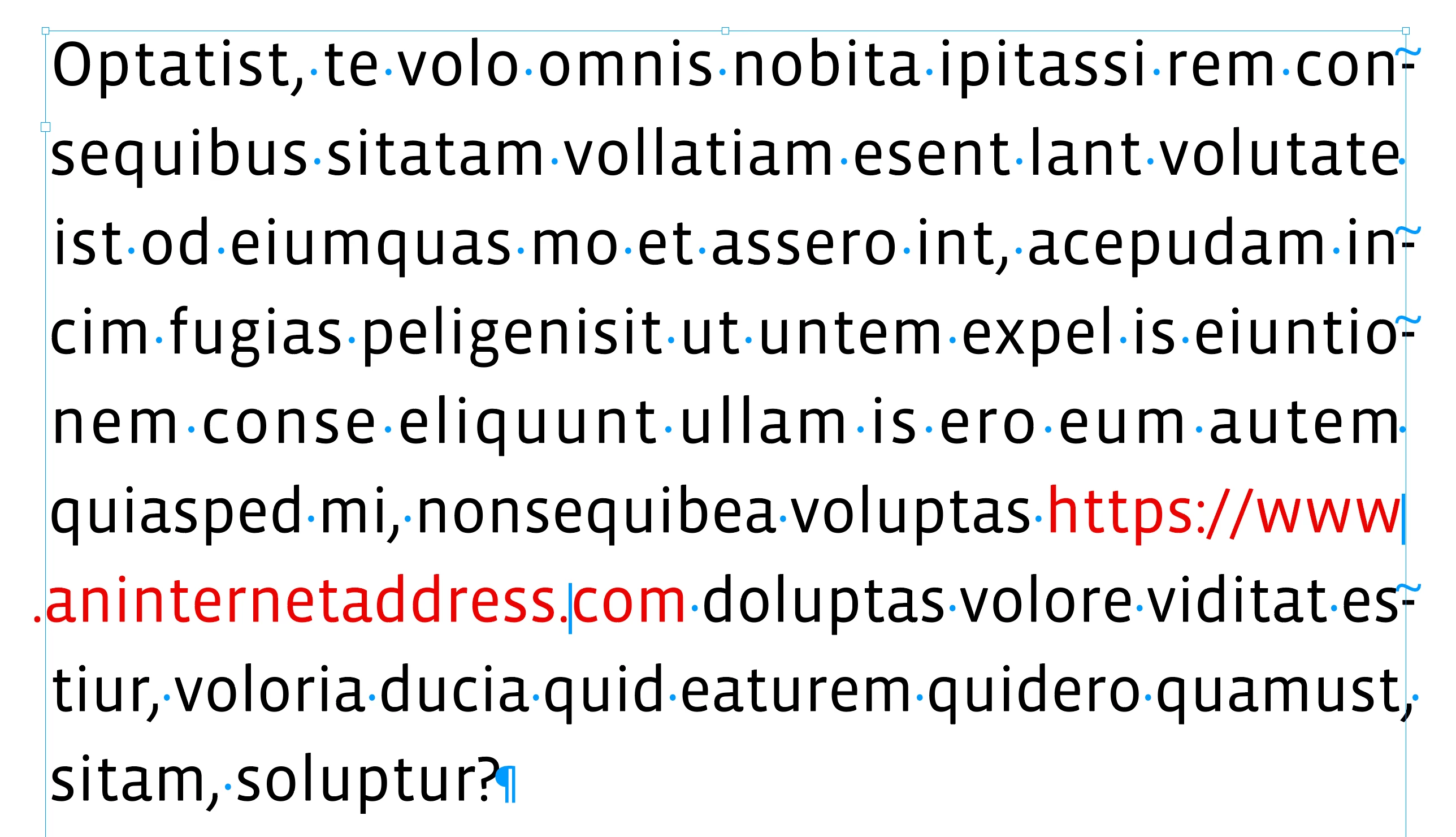
I need to automate the way URLs are broken at the end of a line (see CMOS 14.18, "URLs and line breaks"):


https://www.aninternetaddress
.com

or

https://www
.aninternetaddress.com


Applying a No Language character style to the URL does not prevent it from being broken:


https://www.aninternet-
address.com


Is this a bug? – Of course I could use a Forced Line Break and accept that the URL won't be clickable in the PDF; in my current project this would be acceptable but I was wondering whether I'm missing something.


InDesign 17.4
macOS 12.5.1
This topic has been closed for replies.
Correct answer rob day

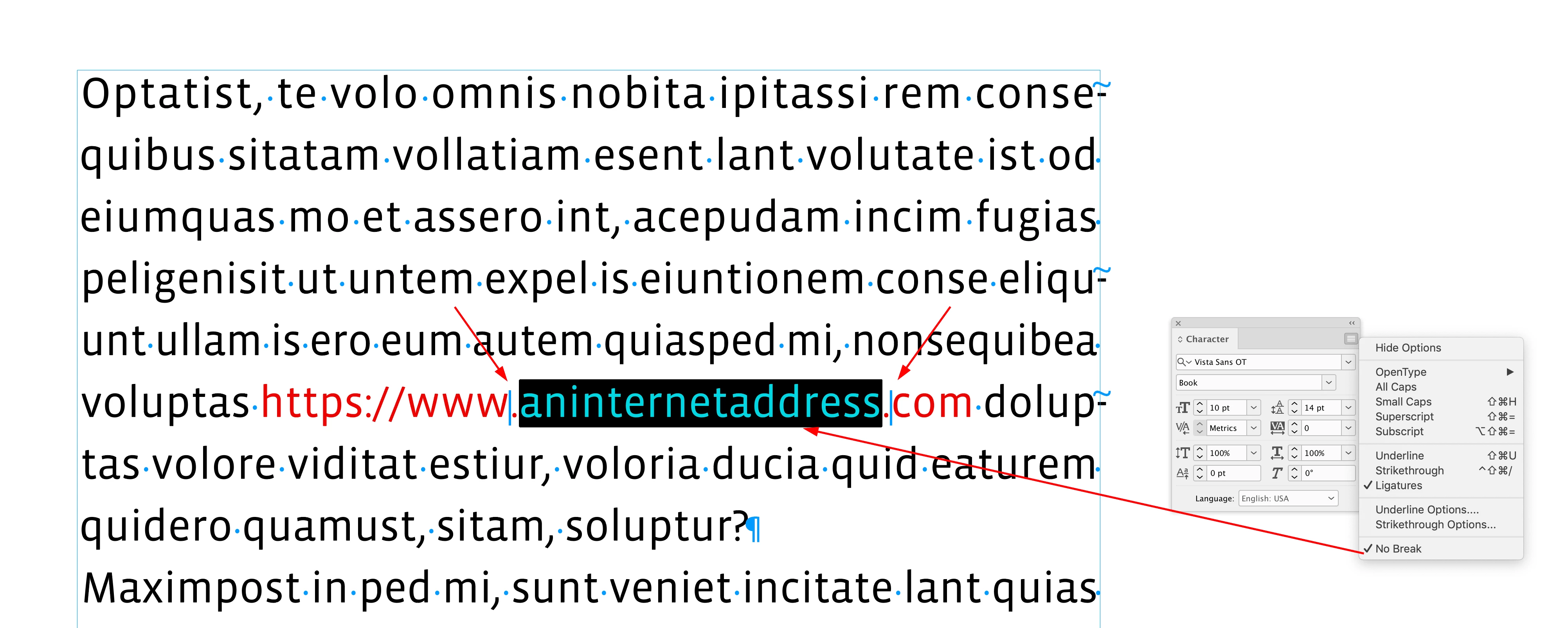
Hi @Sam A. Try using Discretionary Line Breaks with a No Break applied to aninternetaddress:


Type>Insert Break Character>Discretionary Line Break after https://www. and before .com:


3 replies

TᴀW
Legend
September 19, 2022

Since you're asking for a way to automate this, check out https://www.id-extras.com/products/hyperlinkpro/

It's not a free add-on, but it specifically uses CMOS rules to break URLs correctly at the end of lines.

One click and your document is done!

It uses the same system suggested above: discretionary line breaks. But it finds the best place to put them within the URL for the smoothest spacing.

If the URL is long, it doesn't always work to break the line after www, or before .com, etc., because it would leave too large a gap between the words on the previous line.

James Gifford—NitroPress
Legend
September 21, 2022

Something like this is probably the only real solution, and it would be nice to see it integrated into ID someday. URLs are both common and, if longer than a few elements, a real PITA to manage in text, notes, etc.


Maybe just a "language" that can be applied via a character style, with the break rules etc. embedded in the rules.


rob day
Community Expert
rob dayCommunity ExpertCorrect answer
Community Expert
September 10, 2022

Hi @Sam A. Try using Discretionary Line Breaks with a No Break applied to aninternetaddress:


Type>Insert Break Character>Discretionary Line Break after https://www. and before .com:


Sam A.
Sam A.Author
Inspiring
September 19, 2022

Thank you both, Rob and Peter. Using the Discretionary Line Break does indeed the trick (good idea!) with full stops.


However, it doesn't seem to work with single slashes since ID chooses to break after the slash, not before it, even if there is a Discretionary Line Break. So I'll have to use the Forced Line Break in the (rare) cases a line should break there.

rob day
Community Expert
Community Expert
September 19, 2022

Hi Samuel, note that in my example I’m using a Discretionary Line Break along with No Break. Try setting the text of the URL up to the slash as No Break then add the discretionary line break after the slash.

Peter Spier
Community Expert
Community Expert
September 10, 2022

Try inserting a discretionary line break character where you want the URL to break. To be certain it is clickable in the PDF you should probably create a hyperlink for the URL in the document.