Copy link to clipboard
Copied
Hi, I'm very new to InDesign, so any advice (step by step) would be appreciated.
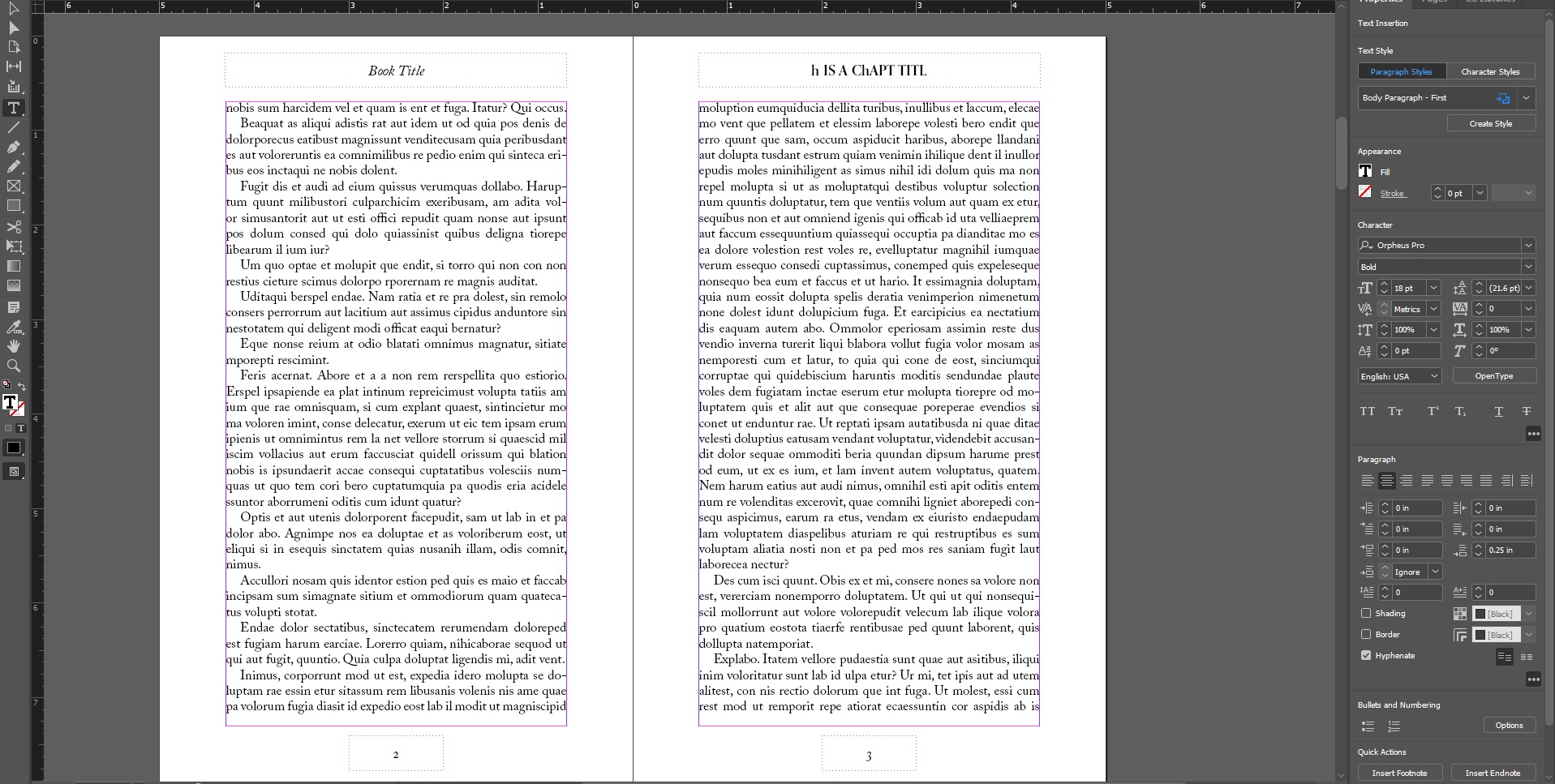
I've defined a text variable that I use for a running header. This variable is defined from the first use of a "chapter title" paragraph style that I've also defined. I've inserted this variable on my A-master page, which is synced between documents in my book. The problem I'm running into is that I've used a number of glyphs in the text comprising the first use of that style, and the text variable (my running header) looks garbled: it's missing letters and has mixed caps. If it matters, the font I'm using is Orpheus Pro Bold.
Can I use glyphs in a text variable? I'd like the header to display the same as my chapter title, but I'd prefer not to have to make a different master page for each document and type the header in manually.
Yes, I can replicate the fault here, this looks like a bug to me. It is worth filing this as a fault over at indesign.uservoice.com (where Adobe take all the bug reports and feature requests).
A workaround would be to use a section marker. That is, go into your pages panel, right click on a page and go to Numbering and Section Options.
Once the dialog opens, go to the section marker field and type in the name of the desired heading.

Then back in your master page, replace the running header text va
...Copy link to clipboard
Copied
I'd like to try and replicate the fault on my machine. Do you have any screen captures of what is happening?
Copy link to clipboard
Copied
Below is the first page of the chapter with the title.

And below are the following pages. Note the header at the top right.

Copy link to clipboard
Copied
Yes, I can replicate the fault here, this looks like a bug to me. It is worth filing this as a fault over at indesign.uservoice.com (where Adobe take all the bug reports and feature requests).
A workaround would be to use a section marker. That is, go into your pages panel, right click on a page and go to Numbering and Section Options.
Once the dialog opens, go to the section marker field and type in the name of the desired heading.

Then back in your master page, replace the running header text variable with the section marker that you can access via your contextual menu:

So that will add the text without being garbled, but it won't preserve the formatting that was used in the heading style itself. If you want to use the glyphs that were used in the heading style, then - for now - they would have to be on their own master page.
Copy link to clipboard
Copied
Thanks for that. I'll report it to Adobe and use separate master pages.
Get ready! An upgraded Adobe Community experience is coming in January.
Learn more