Participant
November 2, 2022
Answered

Using tabs to align sentences

  • November 2, 2022
  • 2 replies
  • 719 views

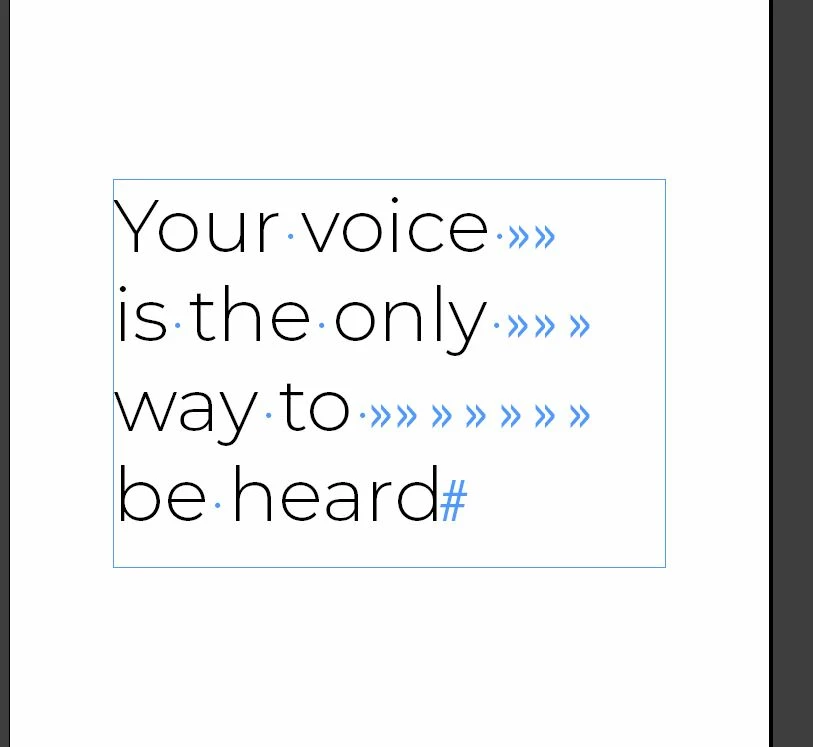
Hi all, I'm tring to align these words for a poster I'm making using tabs so it spells "VOTE" vertically inside, Though trying this the tabs have been unpredictable with trying to get the alignment I want, and could use advice for tabs, or if there's an easier way to achieve this.


This topic has been closed for replies.
Correct answer Bevi Chagnon - PubCom.com

Generally, I agree.

But turning each line into a separate paragraph kills the ability for digital reading and machine readability.


The concept of the words should be maintained as one paragraph, not multiple paragraphs.


@Eugene Tyson's example is an excellent way to do this.


Another is this example I use in my accessible InDesign classes: it's one sentence and each word is in a separate text frame that's threaded to the next frame.


 

This allows me, as designer, to easily manipulate the alignment of each frame's text and format (in this example) with different colors, fonts, and sizes — and it keeps the sentence intact so that it will reflow correctly into various devices for digital publishing (PDF, EPUB, XML, etc.).



2 replies

James Gifford—NitroPress
Legend
November 3, 2022

The only time you need technical precision for things like this is when it's for multiple/repeated styling. A poster, a one-shot layout... use whatever hack is needed. Make each line its own paragraph, then use left-indent to precisely line up the letters on a vertical guideline. Normally, that would be an amateur hack, but again... for one, unusual, one-off layout, it's the efficient way to go.


Bevi Chagnon - PubCom.com
Legend
November 4, 2022

Generally, I agree.

But turning each line into a separate paragraph kills the ability for digital reading and machine readability.


The concept of the words should be maintained as one paragraph, not multiple paragraphs.


@Eugene Tyson's example is an excellent way to do this.


Another is this example I use in my accessible InDesign classes: it's one sentence and each word is in a separate text frame that's threaded to the next frame.


This allows me, as designer, to easily manipulate the alignment of each frame's text and format (in this example) with different colors, fonts, and sizes — and it keeps the sentence intact so that it will reflow correctly into various devices for digital publishing (PDF, EPUB, XML, etc.).


|    Bevi Chagnon   |  Designer, Trainer, & Technologist for Accessible Documents ||    PubCom |    Classes & Books for Accessible InDesign, PDFs & MS Office |
James Gifford—NitroPress
Legend
November 4, 2022

It's a poster. (ETA: whose message relies on a tricky visual layout.) It seems unlikely to be viewed on an adaptive reading device.


But sure, threaded frames would work as well for the graphic end and retain accessibility.


Community Expert
November 3, 2022

You have multiple tabs at the end there - which is not helping


In my opinion it has to be done each line as a paragraph

then adjust the Tab Stop for each paragraph


Personally I'd style the letters and leave the spacing alone


Comparing the two methods


or you could insert this special character


Break the lines up with Forced Line Breaks


`