Exit
  • Global community
    • Language:
      • Deutsch
      • English
      • Español
      • Français
      • Português
  • 日本語コミュニティ
  • 한국 커뮤니티
2

Vertically Align 2 Different Font Sizes

New Here ,
Jul 27, 2020 Jul 27, 2020

I'm creating a Master in InDesign that has a title and page number. Both fields are in the same text box, and styled similarly, but the page number needs to stand out, so the font size is larger. I want the larger page number to be vertically centered to the smaller title, rather than maintaining the same baseline and getting significantly taller than the title. Is there any way to do this?

TOPICS
How to , Print , Type
2.3K
Translate
Report
Community guidelines
Be kind and respectful, give credit to the original source of content, and search for duplicates before posting. Learn more
community guidelines

correct answers 1 Correct answer

Community Expert , Jul 27, 2020 Jul 27, 2020

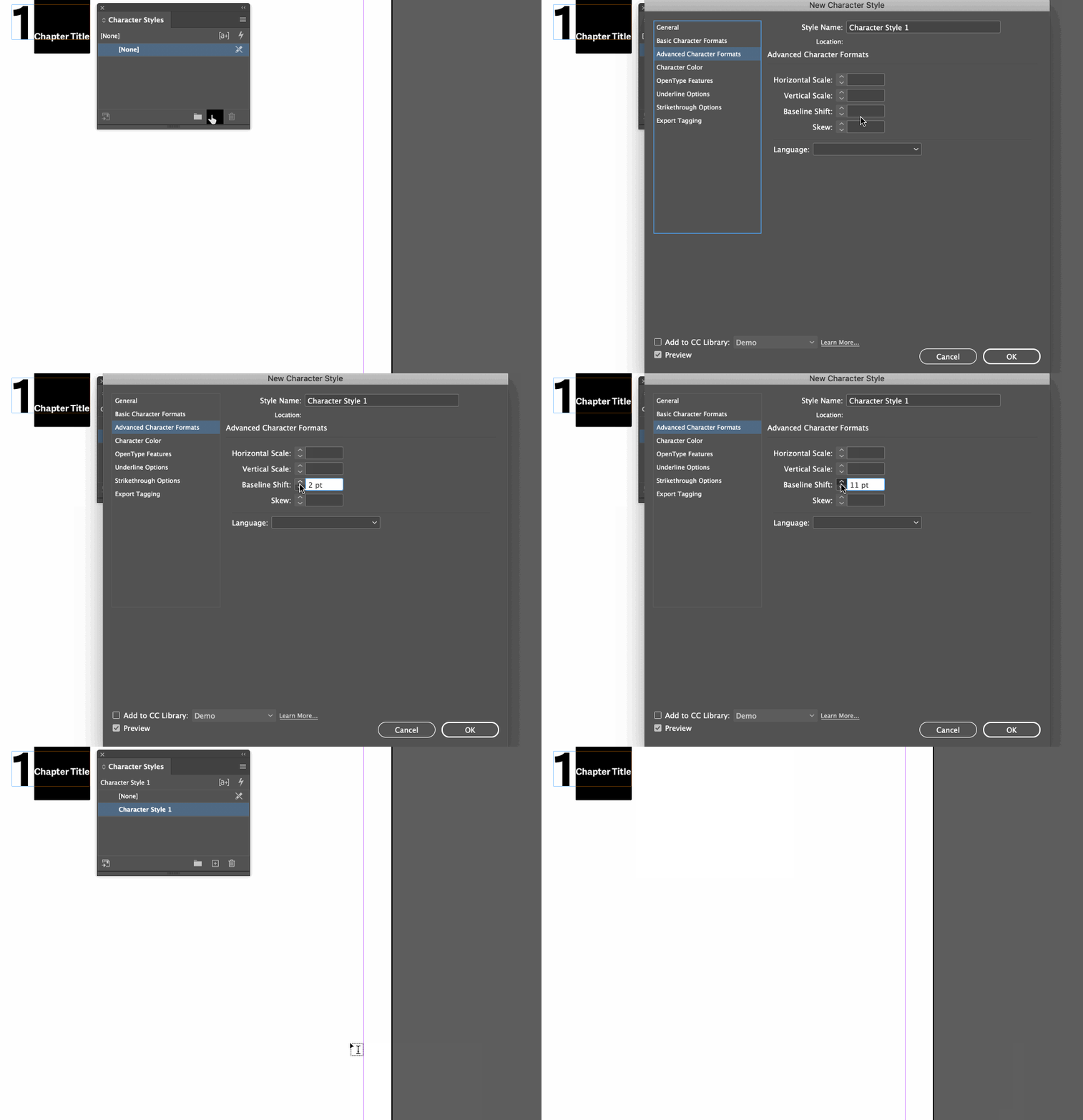
Are the number and chapter title text sitting side-by-side? How about a baseline shift as a character style on the title?


~Barb


shift.gif

Translate
Community Expert ,
Jul 27, 2020 Jul 27, 2020

Are the number and chapter title text sitting side-by-side? How about a baseline shift as a character style on the title?


~Barb


shift.gif

Translate
Report
Community guidelines
Be kind and respectful, give credit to the original source of content, and search for duplicates before posting. Learn more
community guidelines
Enthusiast ,
Jul 27, 2020 Jul 27, 2020

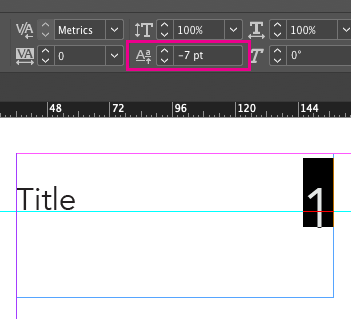
You should be able to play around with the Baseline Shift setting to achieve what you're trying to do.


Screenshot 2020-07-27 12.40.09.png

Translate
Report
Community guidelines
Be kind and respectful, give credit to the original source of content, and search for duplicates before posting. Learn more
community guidelines
New Here ,
Jul 27, 2020 Jul 27, 2020
LATEST

Thank you, Barb! This worked perfectly!

Translate
Report
Community guidelines
Be kind and respectful, give credit to the original source of content, and search for duplicates before posting. Learn more
community guidelines