Inspiring
July 20, 2023
Answered

Want to retain full grey background behind select paragraphs in ePub output from InDesign

  • July 20, 2023
  • 2 replies
  • 772 views

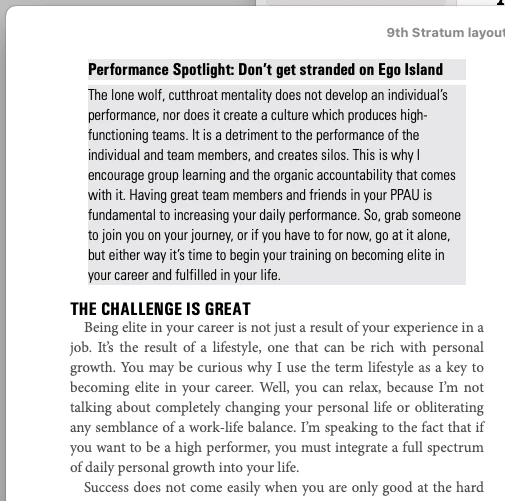
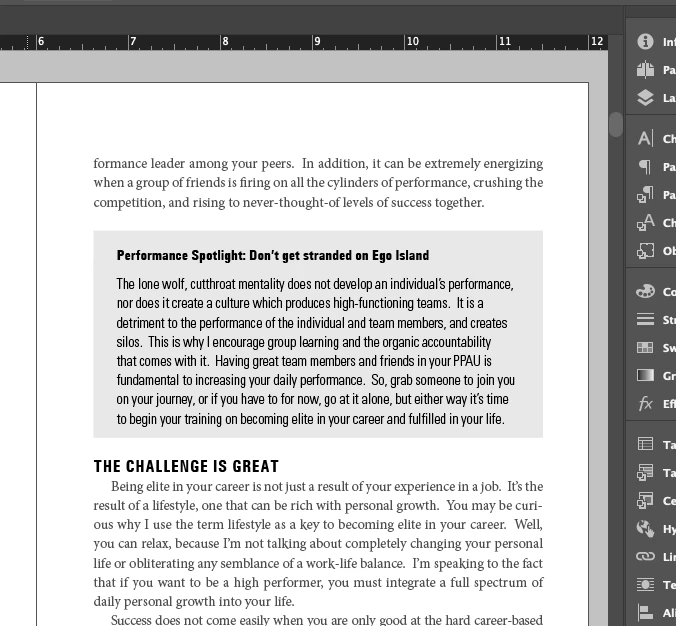
My book has featured "spotlight" content with text in grey boxes that have a .125" inset. I used the paragraph shading to accomplish this style for the book. When I output to ePub the inset is there, but the shading doesn't extend out from the type. It only stays behind the type. I tried css to add padding to the objects based on their css tags, but that doesn't add anything.


This is my first ePub project in InDesign. I'm 99% there except for this one last issue. Would someone advise me on what's the right way to retain this styling? Thanks!


Here are screen shots of my InDesign layout, and the ePub output in Books (Mac).
This topic has been closed for replies.
Correct answer David Borrink

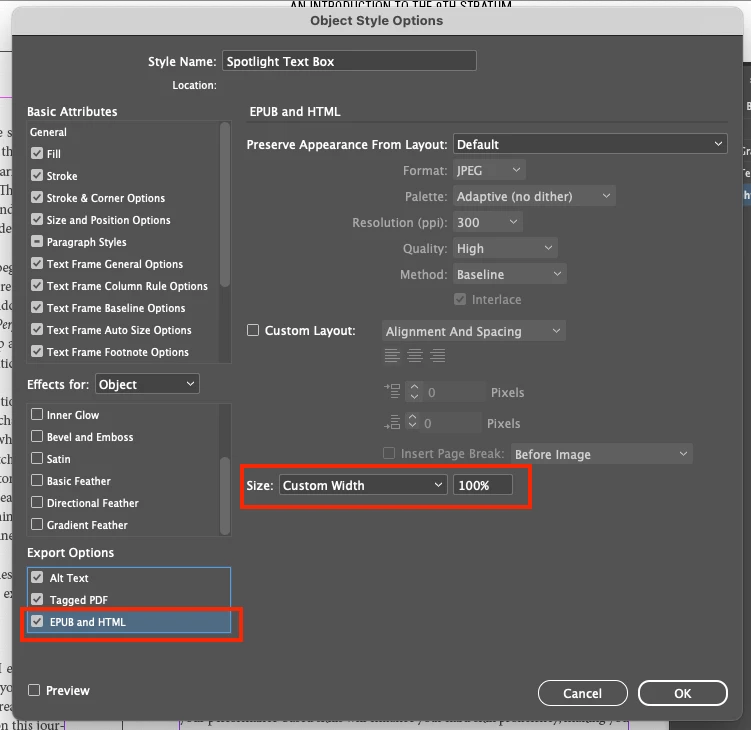
(Edit: see the full discussion on this thread to see this solution in it's context.) I figured it out! By creating an Object Style of the additional text frame, I was able to assign the fill to 10% black and in the Object Style Options, under the Export Options section for HTML and Epub, change the Size setting to Custom Width at 100%. That did the trick....


2 replies

James Gifford—NitroPress
Legend
July 20, 2023

I am not at a place I can experiment, but you may not be able to force EPUB to extend paragraph shading past the text. In that case, the solution would be to add a matching border to that paragraph style at the CSS level. 

David BorrinkAuthorCorrect answer
Inspiring
July 20, 2023

(Edit: see the full discussion on this thread to see this solution in it's context.) I figured it out! By creating an Object Style of the additional text frame, I was able to assign the fill to 10% black and in the Object Style Options, under the Export Options section for HTML and Epub, change the Size setting to Custom Width at 100%. That did the trick....


James Gifford—NitroPress
Legend
July 20, 2023

That's exactly the right method. Good job!

James Gifford—NitroPress
Legend
July 20, 2023

InDesign does not export anything defined by padding. The only way to add padding is to define it in CSS styles at export, and sometimes an !important override is needed. I'm not clear if you've done this or are working entirely within ID.


You also have to get the right level of the right object to apply the CSS code. Be sure to use a named, defined object for things like text and graphics boxes. Applying padding to the paragraph style here should work, but I'd have to tinker to be sure.