Participant
March 23, 2022
Answered

Weird Breaks between Title and Paragraph

  • March 23, 2022
  • 1 reply
  • 594 views

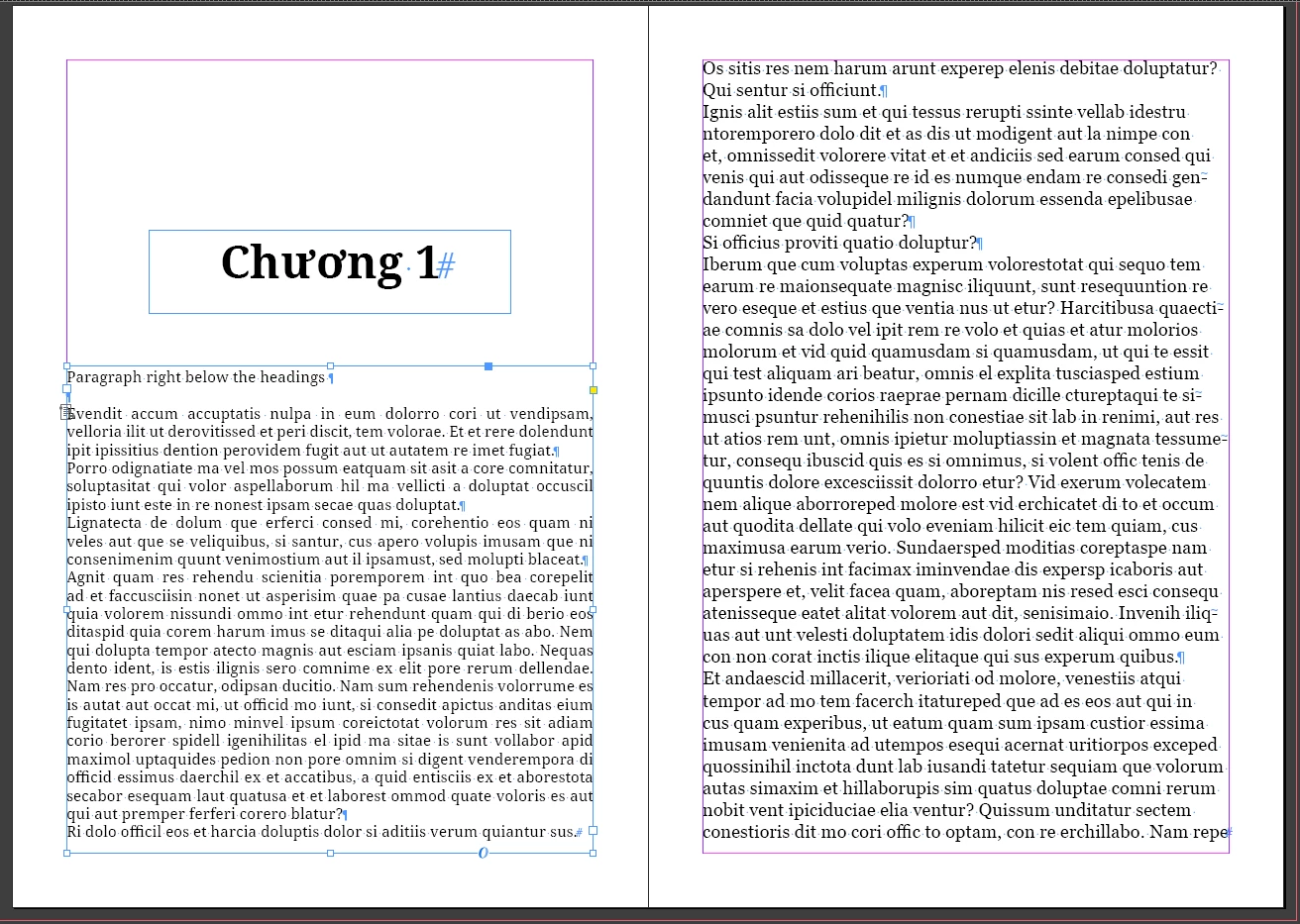
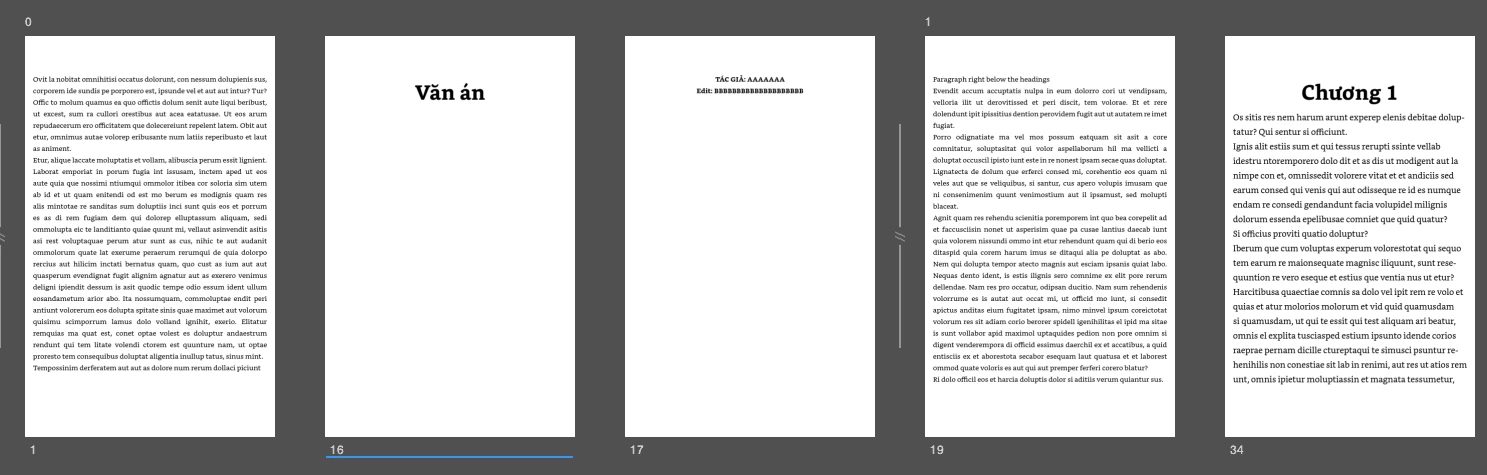
Hi everyone, I'm doing an ebook using Indesign for Kindle, everything looks fine in the design file, however, when I exported it, there was weird breaks between the headings and the paragraph and also it's changed the order. As it's shown here: 

 The first page suppose to be the paragraph under the second page, as well as the 3rd  page, but now they're separated into 3 different pages and different order. 

Same situation with the 4th and 5th page, when the 4th paragraph should be underneath the Title "Chuong 1" first instead of the paragraph in the 5th page. 
 

These are images from my Indesign of what they should be looked like: 
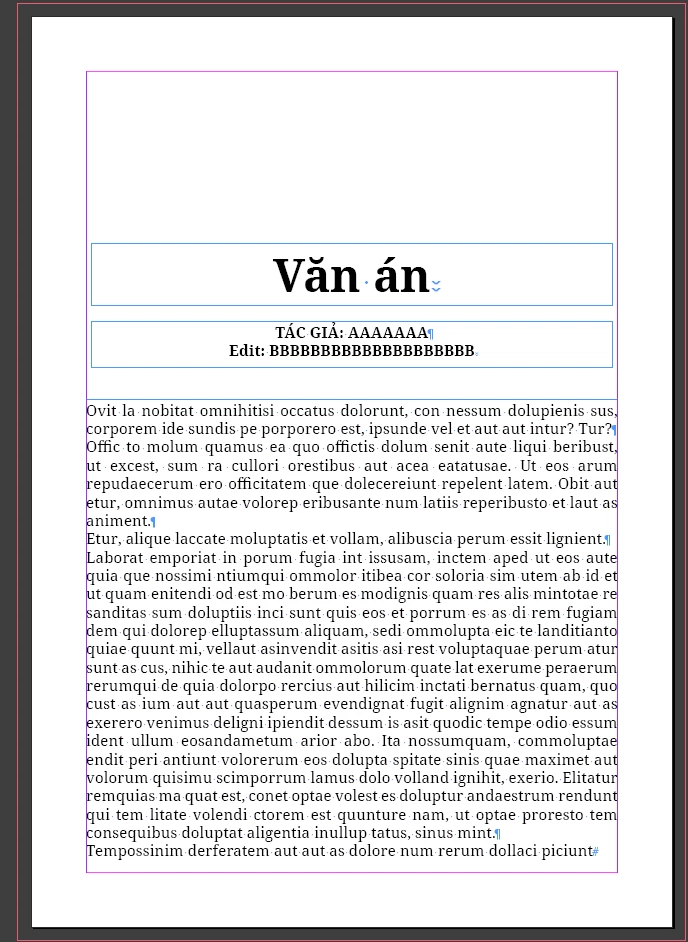
I just want only a page break between the previous chapter and the next chapter title as they will shift to another page for easier reading. 


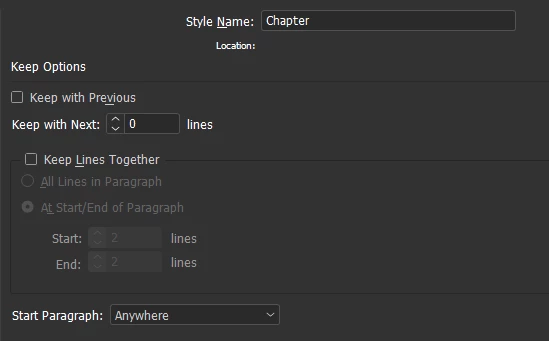
This is my paragraph style setting for the headings:
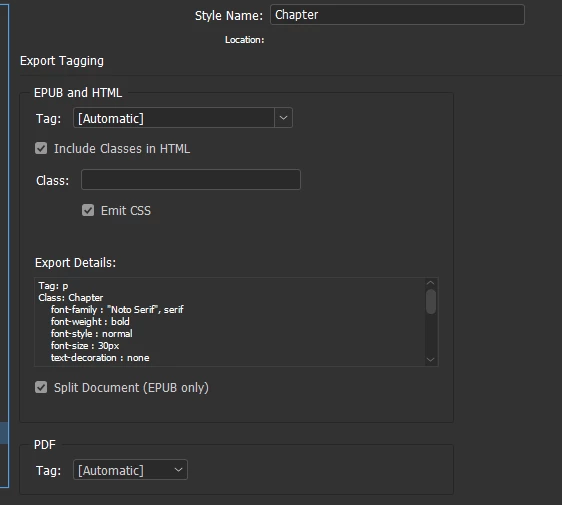
 

 Thank you in advance! 

This topic has been closed for replies.
Correct answer James Gifford—NitroPress

Documents for export to EPUB must be in a single continuous text flow. Breaking that text into multiple boxes, as you've done, even threaded ones, will cause all kinds of strange behavior.


Make your book document one continuous flow and use paragraph styles to set spacing, etc.


Page breaks and spacing above text (as for chapter headings, etc.) are tricky in reflowable EPUB and Kindle. EPUB does not support page breaks without internal file breaks, which Kindle does not like. Kindle, however, does honor InDesign page breaks.


But everything is in that one text flow and proper paragraph formatting, not tricks with "paste up" on the layout. All such page layout will be lost in the export.


1 reply

Participating Frequently
March 23, 2022

Hi - you could try to have the headers and body all in one text box and add spacing to before and after in the paragraph style for your headers.

Kel KelAuthor
Participant
March 23, 2022

Hi Jadann, but if I put all the headings and paragraph in the same text box, will it be inconvenient when I delete the current chapter and replace with the new one instead of Select All (Ctrl A) and paste? (I separated each chapter in different file) 

James Gifford—NitroPress
Legend
March 23, 2022

Documents for export to EPUB must be in a single continuous text flow. Breaking that text into multiple boxes, as you've done, even threaded ones, will cause all kinds of strange behavior.


Make your book document one continuous flow and use paragraph styles to set spacing, etc.


Page breaks and spacing above text (as for chapter headings, etc.) are tricky in reflowable EPUB and Kindle. EPUB does not support page breaks without internal file breaks, which Kindle does not like. Kindle, however, does honor InDesign page breaks.


But everything is in that one text flow and proper paragraph formatting, not tricks with "paste up" on the layout. All such page layout will be lost in the export.